/
8 mins read
TL;DR
Most release notes get published and ignored, not because they're badly formatted, but because they're written like a technical log instead of something meant to get read. This article covers how to write release notes by release type, what a strong one actually looks like in practice, where to publish them so people actually see them, and why a static changelog still leaves the gap between reading and doing to chance. Jimo's changelog widget closes that gap directly: post the update, target it to the right segment, and attach a call-to-action that launches a live tour of the feature itself.
"I ship features every sprint, but nobody reads my release notes, so nobody uses what I built." That's how one PM described it, and the usage data usually backs it up: a feature ships, the release note goes out, and three weeks later almost nobody has touched it. Not because the feature was bad. Because almost nobody saw the note, or saw it and didn't understand why it mattered to them. This article covers how to fix that, from how you write the note to where it actually lives.
What Are Release Notes, and How Are They Different From a Changelog?
The two terms get used interchangeably, and that's part of why so many release notes don't work: teams write user-facing communication in changelog format, then wonder why nobody reads it.
A changelog is a technical record
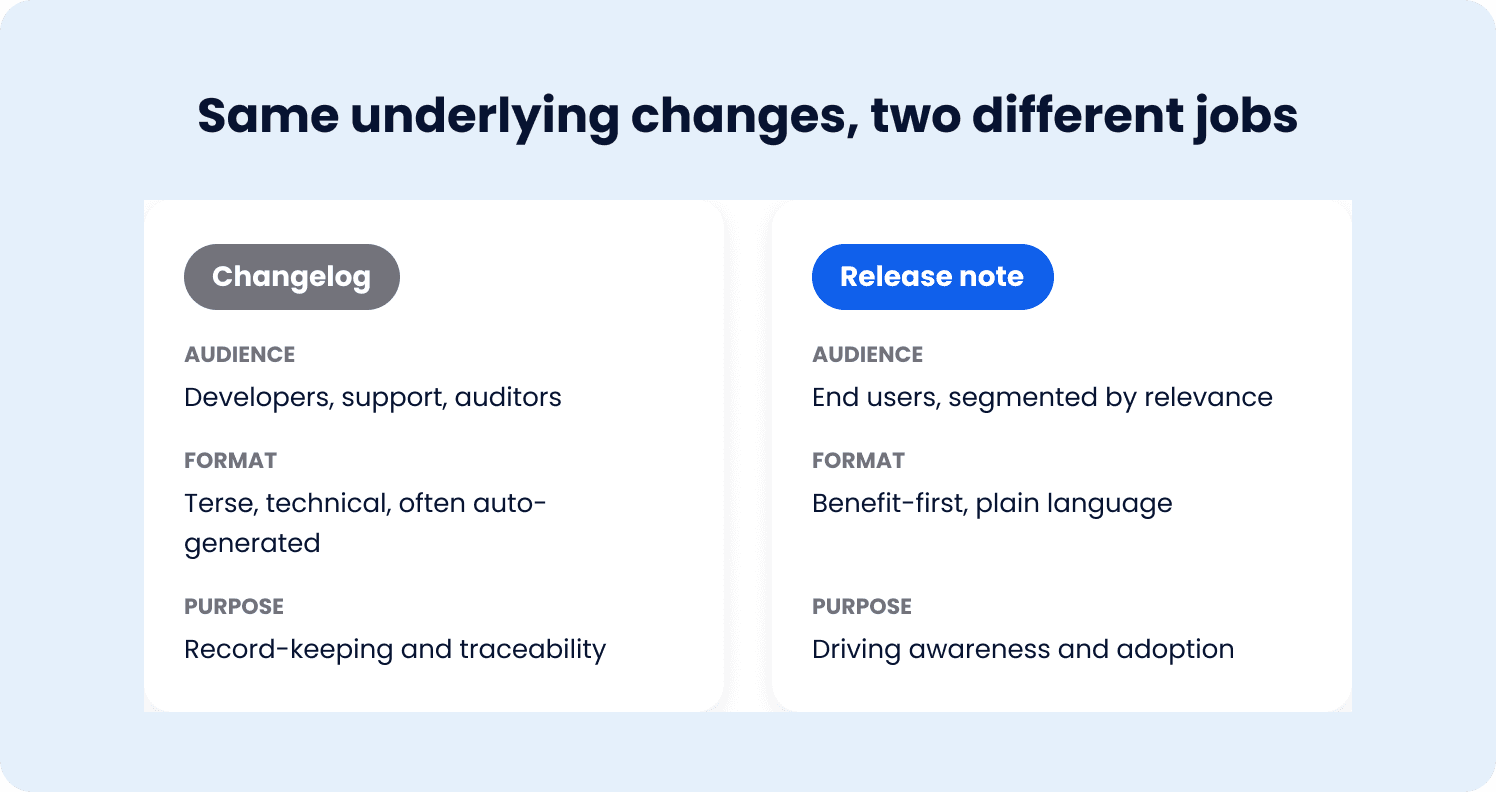
A changelog is a chronological log of changes, typically organized by version number, written for anyone who needs a complete, accurate history of what shipped and when.
Audience: developers, support teams, auditors, anyone who needs to trace exactly what changed in a given release
Format: terse, technical, often auto-generated from commit messages or pull request titles
Purpose: record-keeping and traceability, not persuasion
A changelog entry might read: "v2.14.0: Added bulk export endpoint. Fixed pagination bug in /reports. Deprecated legacy auth flow." Accurate. Complete. Not written to get anyone excited about using a new feature.
Release notes are user-facing communication
Release notes cover the same underlying changes, but written for a different job: helping a user understand what changed and why it's worth their attention.
Audience: the actual end users of the product, segmented by who a given change is relevant to
Format: benefit-first, plain language, structured around what the user can now do, not what the engineering team did
Purpose: driving awareness and adoption of what shipped, not just documenting that it shipped
The same underlying change, rewritten as a release note, reads differently: "You can now export up to 10,000 records at once, no more splitting large reports into batches." Same feature. Completely different job.
Most teams only write one of these, and it's the wrong one
The practical failure mode: a team writes a changelog, publishes it somewhere labeled "release notes," and treats the job as done. Both documents matter, they just aren't the same document, and conflating them is the first reason adoption suffers before a single word of the actual writing framework comes into play.
Why Most Release Notes Don't Drive Adoption
"I ship features every sprint, but nobody reads my release notes, so nobody uses what I built." The pattern behind that complaint is almost always the same: the release note was written like a changelog entry wearing a release note's title, and the result is a release that never reaches meaningful feature adoption.
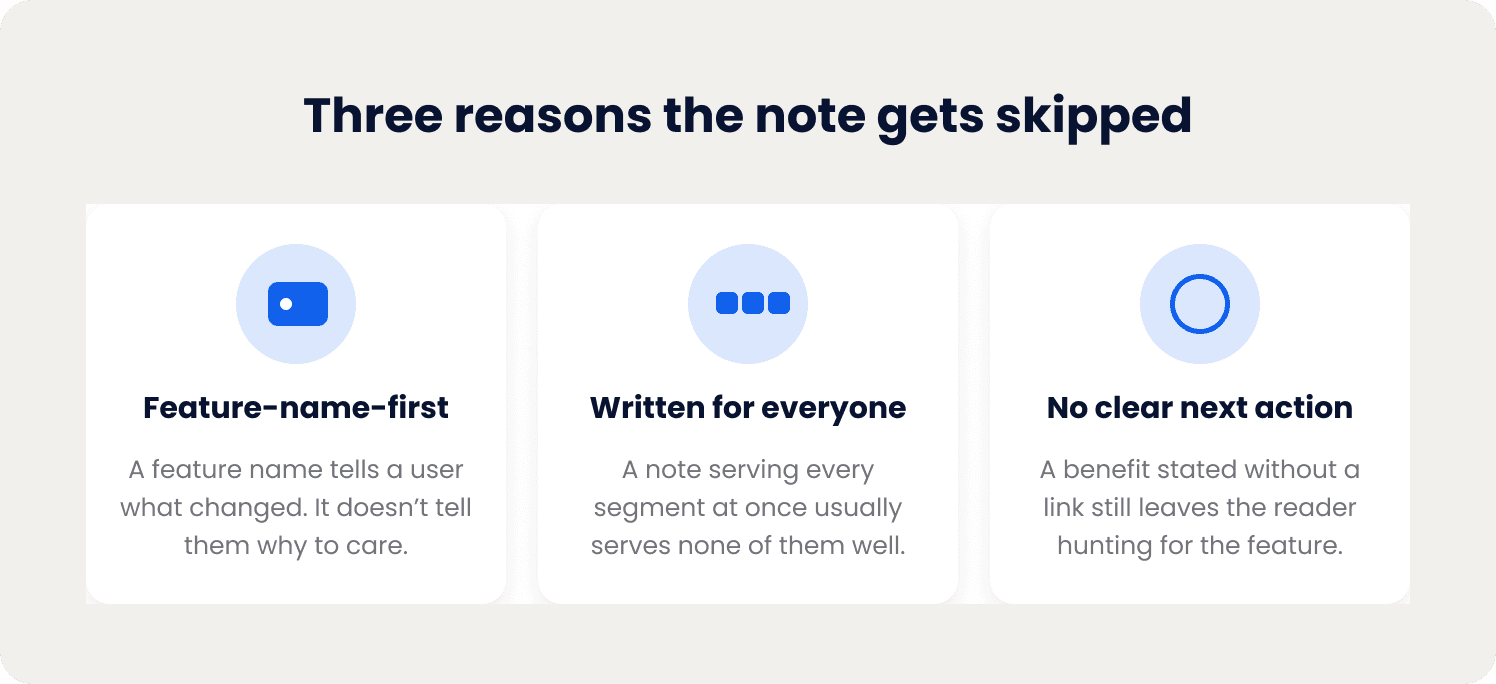
The feature-name-first habit
Most release notes lead with what the team built, not what the user gets. "We've launched bulk export" tells a user what changed. It doesn't tell them why they should care enough to click through and try it. A user skimming a list of ten release notes gives each one a fraction of a second; a feature name alone rarely earns more attention than that.
Written for everyone, which means written for no one
A release note trying to serve every user segment at once usually ends up serving none of them well. A change that matters enormously to power users managing large datasets is irrelevant noise to a user who's never touched that part of the product, and a release note that doesn't distinguish between the two reads as generic to both.
No clear next action
Even a well-written, benefit-first release note often stops short of telling the reader what to actually do next. "You can now export up to 10,000 records at once" is a clear benefit statement. It's still missing the final step: where do I go to try this right now. Without that, a reader who's genuinely interested still has to go hunting for the feature themselves, and most won't bother.
The result: correct information, no adoption
None of this means the release notes were inaccurate or badly written in a technical sense. They're often perfectly correct. They're optimized for documentation, not for getting read, understood, and acted on, which is a different job than most teams realize they're doing when they sit down to write one.
How to Write Release Notes That Drive Adoption
The underlying discipline is the same across every release, lead with benefit, write for a specific reader, give a clear next step, but how that discipline shows up changes depending on what actually shipped. A major feature launch and a bug fix shouldn't read the same way, and forcing them into one template is part of why release notes end up generic.
Major feature launches
A major feature is the highest-stakes release note a team writes, and the one most worth getting right, since it's usually the release with the most adoption upside on the table.
Lead with the outcome, not the feature name. "Bulk export" is a label. "Export up to 10,000 records in one file" is an outcome someone can picture themselves using.
Name who this is actually for. A feature built for admins managing large teams should say so directly, so a reader who isn't the target audience can skip it quickly and a reader who is stops scrolling.
Include a direct next action. A link or button to the feature itself, not just a description of it, closes the gap between "that sounds useful" and actually trying it.
Keep the technical detail secondary. How the feature was built, what changed under the hood, belongs in a linked changelog entry for readers who want it, not in the first two sentences of the release note.
Minor improvements and enhancements
A smaller improvement warrants a shorter note, but the same benefit-first logic still applies, just at lower stakes and with less setup.
One or two sentences is often enough. A minor improvement doesn't need the full structure a major launch does; over-explaining a small change can make it feel bigger and more disruptive than it is.
Still open with what changed for the user, not the internal justification for the change. "Filters now save automatically between sessions" beats "Improved filter state persistence."
Group related minor changes together rather than publishing five separate one-line notes in the same week. A grouped "this week's smaller improvements" note is easier to scan than a scattered stream of tiny announcements.
Bug fixes
Bug fixes serve a different purpose than feature announcements: they're a credibility signal more than an adoption driver, and treating them as one helps rather than hurts.
Acknowledge the issue directly. "Fixed an issue where exports over 500 rows would time out" builds more trust than a vague "performance improvements," because it tells affected users their specific friction point is actually resolved.
Keep it brief. A bug fix note doesn't need a benefit-first rewrite or a call to action; the fix itself is the entire message.
Don't bury a real fix in a batch of trivial ones. A significant bug fix that affected a meaningful number of users deserves its own line, not a spot in a long undifferentiated list.
Deprecations and breaking changes
This is the release type where getting the structure wrong causes the most damage, and it needs a fundamentally different tone than the other three: less celebratory, more direct.
Give advance notice, not a surprise. A deprecation announced the same day it takes effect leaves no room for an affected user to adjust, and that's how a routine change turns into a support escalation.
State the reason plainly. Users are far more forgiving of a breaking change when they understand why it's happening, security, performance, consolidating overlapping features, than when it reads as change for its own sake.
Provide a clear migration path. What replaces the deprecated functionality, and exactly how to move to it, has to be in the note itself, not in a separate document the user has to go find.
Repeat the notice as the deadline approaches. A single advance-notice release note is easy to miss; a genuinely disruptive change warrants a reminder closer to the date it takes effect.
Release Notes Examples: What Good Looks Like
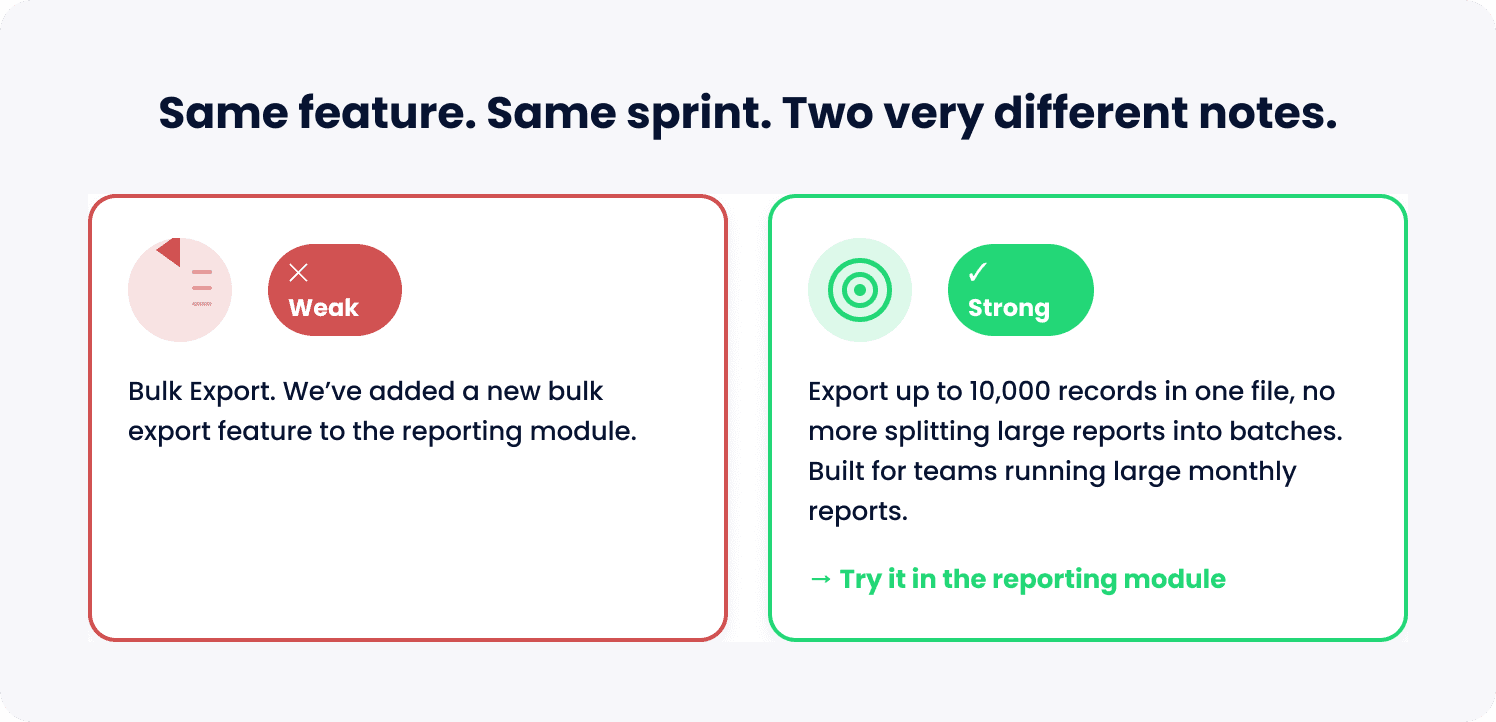
The framework above is easier to apply once it's shown in practice. Here's what each release type looks like written the right way, next to what the same change would look like written the wrong way.
Release type | Weak version | Strong version |
Major feature launch | "Bulk Export. We've added a new bulk export feature to the reporting module." | "Export up to 10,000 records in one file, no more splitting large reports into batches. Built for teams running large monthly reports. [Try it in the reporting module →]" |
Minor improvement | "Improved filter state persistence across sessions." | "Filters now save automatically between sessions, so you won't need to reset them every time you log back in." |
Bug fix | "Various performance improvements and bug fixes." | "Fixed an issue where exports over 500 rows would time out. Large exports should now complete reliably." |
Deprecation notice | "The legacy authentication flow will be removed in the next release." | "The legacy authentication flow will be retired on March 15. We're consolidating to a single, more secure login flow. If your team uses the legacy option, [here's how to switch] before the deadline, it takes about five minutes." |
The pattern holds across all four: the strong version names the outcome, tells the reader who it's for or why it matters, and gives them a direct next step. The weak version is usually accurate, and still gets skipped, because accuracy alone doesn't earn attention.
A Release Notes Template You Can Actually Use
Rather than a different template per release type, one structure flexes across all four, with fields that shrink or disappear depending on what's being announced.
Field | What it does | Example | When to include |
Headline | States the outcome in plain language, not the internal feature name | "Export up to 10,000 records in one file" | Always |
Who this is for | Names the segment this matters to | "Built for teams running large monthly reports" | Segment-specific changes only; omit for universal ones |
What changed | One to three sentences, benefit-first | "You can now export up to 10,000 records at once instead of splitting large reports into multiple files." | Always |
Why it matters | The reasoning behind the change | "We're consolidating to a single login flow for stronger security." | Deprecations and major features |
Next action | A direct link or button, not a description | "[Try it in the reporting module →]" | Always |
Deadline | A specific date, repeated as it approaches | "Retiring March 15" | Deprecations only |
The table shows how much of the structure each release type actually needs. A bug fix uses only "What changed."
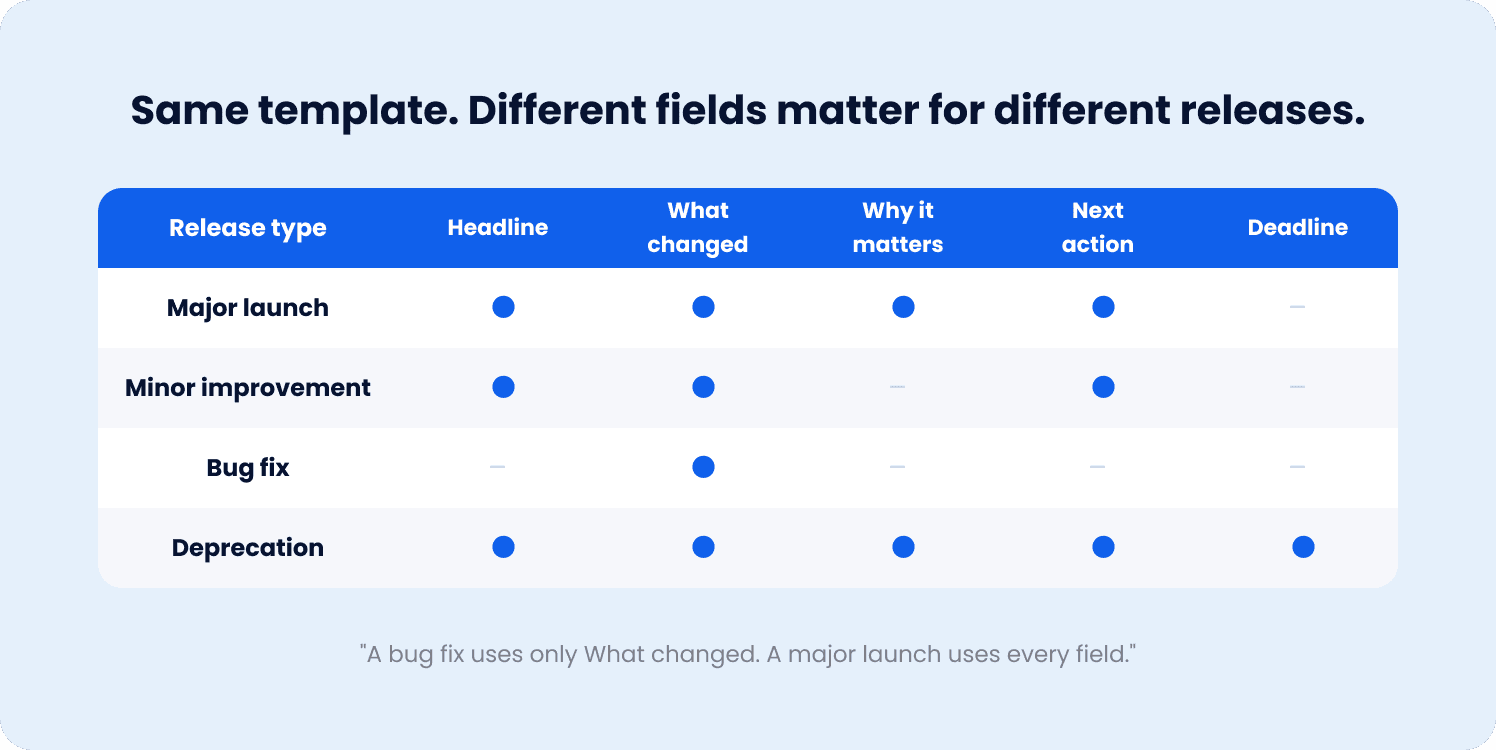
A major launch uses every field. A deprecation leans hardest on "Why it matters," "Next action" as a migration link, and "Deadline." One format, four different weights, depending on what's being announced.
Where to Publish Release Notes So People Actually See Them
A well-written release note still fails if it's published somewhere the intended reader never looks. Where a note lives matters nearly as much as what it says.
Channel | Reach | Best for | Limitation |
In-app changelog widget | High, seen by active users in the product itself | Changes relevant to users currently working in the product | Won't reach users who aren't actively logged in when it's published |
Standalone changelog page | Low, requires the user to seek it out | Power users, developers, anyone wanting a full history | Passive; almost nobody checks a changelog page on their own |
Medium, depends on open rates | Major launches worth a dedicated send | Easy to skip; competes with a full inbox | |
Social / community | Low to medium, depends on audience size | Building external awareness, not driving in-product adoption | Reaches people outside the product, not necessarily the users who'd benefit |
The standalone changelog page is the most common default, and it's also the weakest channel for driving adoption specifically. It serves an important purpose, a durable, searchable record, but almost nobody visits one voluntarily. A user has to already suspect something changed before they'll go looking for confirmation, which means a changelog page mostly reaches people who already knew.
An in-app changelog widget flips that: it reaches users while they're already in the product, which is also the moment they're most likely to act on what they read. That's a meaningfully different reach profile than any of the other three channels, and it's the channel most release notes are missing entirely.
When Release Notes Alone Aren't Enough
Even a well-written release note, published in the right channel, has a ceiling. A note can tell a user a feature exists. It can't guarantee they know what to do next once they've read it, and that gap is where most of the value in a release note gets lost.
The gap between reading and doing
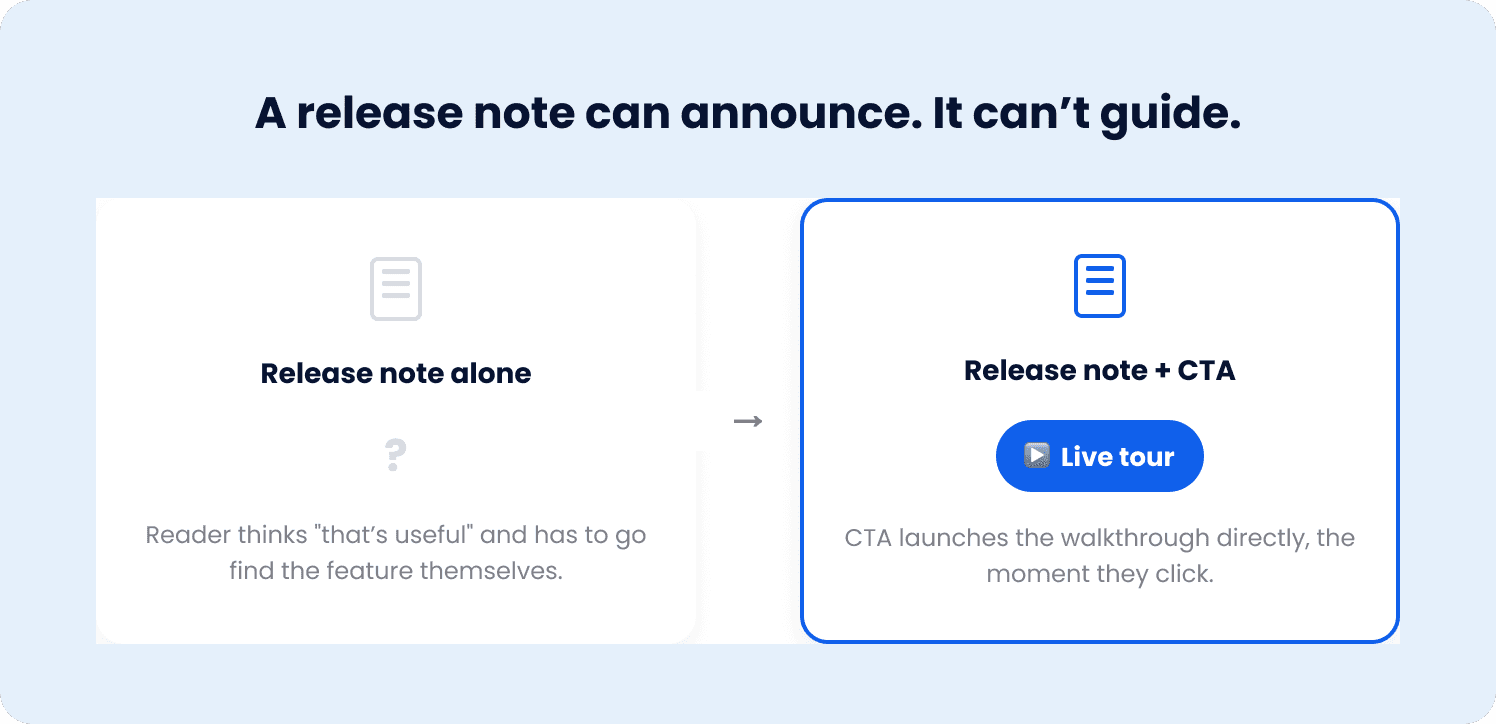
A user who reads "you can now export up to 10,000 records at once" and thinks "that's useful" still has to go find the export button, figure out the new flow, and actually complete the action, often days after reading the note, if they act on it at all. A release note is good at announcing. On its own, it isn't built to walk someone through using what was announced.
Closing the gap with a linked live experience
This is where a changelog widget does more than post updates. Each entry can carry a call-to-action that launches any live experience directly, most usefully, a tour built for the exact feature the entry is announcing. The note still does its job: stating what changed and why it matters. The CTA picks up exactly where the note leaves off, taking the reader straight into a guided walkthrough the moment they click through, instead of leaving them to find the feature on their own.
Targeting works the same way it does across the rest of the product: a changelog entry can be shown to a specific segment rather than every user, so a release relevant to admins doesn't get buried in front of everyone else, and a release relevant to everyone doesn't get missed because it was aimed too narrowly.
What this looks like in practice
A user opens the changelog widget, or gets notified of a new entry through a badge or in-app trigger, reads what changed, and clicks straight into a live tour of the feature itself. No separate search for where the feature lives, no re-reading the note later trying to remember what it said. The release note becomes the first step in a path, not a standalone announcement the reader has to act on unaided.
Ship the Feature, Then Make Sure Someone Actually Sees It
"I ship features every sprint, but nobody reads my release notes, so nobody uses what I built." That's not a writing problem you fix with better copy alone, though better copy is where it starts. It's a discovery problem: the wrong users seeing a release that isn't relevant to them, and even an interested reader having to find the feature and figure it out on their own after reading about it.
For a PM or Product Ops owner shipping every sprint, that gap compounds. Each unread or unactioned release note is engineering effort with invisible ROI, a feature that exists but might as well not, until someone measures feature adoption and finds the number is close to zero. Writing a better release note closes part of that gap. Connecting it directly to the feature it's announcing is what closes the rest.
Jimo's changelog widget does exactly that: post the update, target it to the right segment, and attach a call-to-action that launches a live tour of the feature directly, so a release note isn't the end of the story, it's the first step in one the reader doesn't have to complete alone.
See how Jimo's changelog widget turns a release note into a guided path, no dead-end announcement, a direct route into the feature itself. Book a demo to see it working against your own release cadence.
FAQs
What's the difference between release notes and a changelog?
A changelog is a technical, chronological record of what changed, written for developers and support teams who need traceability. Release notes cover the same underlying changes but are written for end users, structured around the benefit of the change rather than the technical detail of it. Many teams write only a changelog and label it "release notes," which is a common reason release notes go unread.
How often should a team publish release notes?
Frequency should match release cadence rather than a fixed schedule, a team shipping weekly benefits from grouping smaller changes together rather than publishing a separate note for every minor tweak. What matters more than frequency is consistency: a reader who knows changes appear regularly in a predictable place is more likely to check than one facing an unpredictable stream of announcements.
What makes a release note example effective?
An effective release note leads with the outcome for the user, not the internal feature name, names who the change is relevant to when it's segment-specific, and includes a direct next action rather than just a description. The clearest way to test one is to ask whether a reader could explain, after reading it, exactly what they'd get by clicking through, if not, the note needs another pass.
Do release notes alone drive feature adoption?
Rarely on their own. A release note can create awareness, but most users won't seek out a feature themselves after reading about it once, especially if there's any gap between reading the note and having a reason to act on it. Pairing the note with a changelog call-to-action that launches a live tour of the feature closes that gap far more reliably than the note by itself.
What should be included in a release notes template?
At minimum, a headline stating the outcome and a one-to-three-sentence description of what changed, written for the user rather than the engineering team. Depending on the release type, add who the change is for, why it matters, a direct next action, and, for deprecations, a specific deadline. Not every field is needed for every release, a bug fix note is often just the "what changed" line.