AI Resource Center
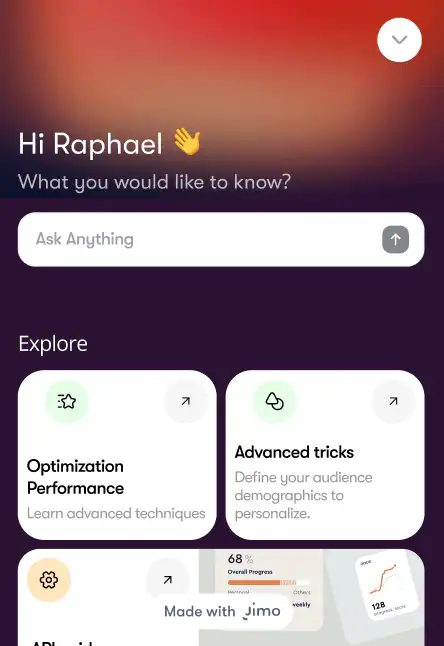
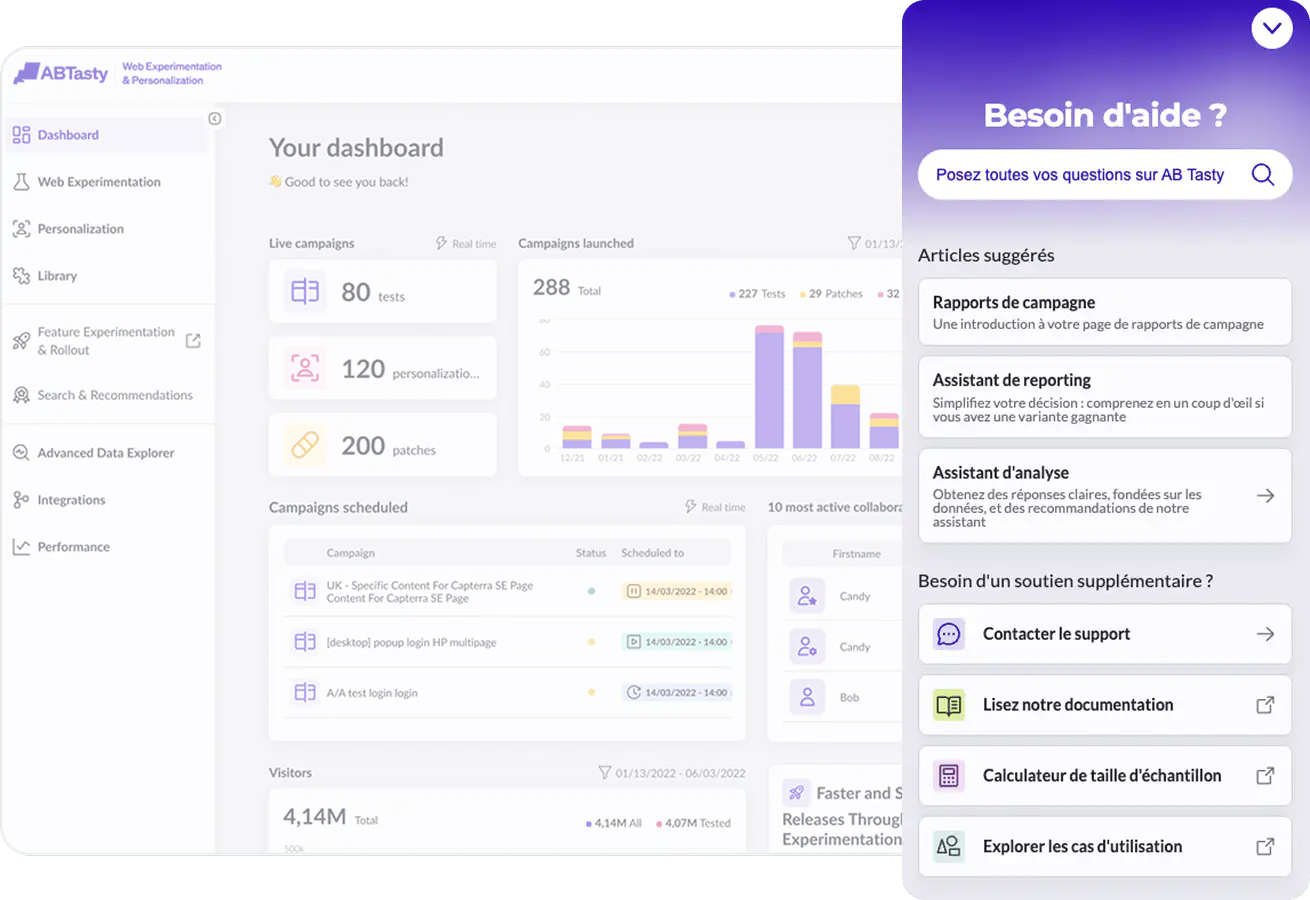
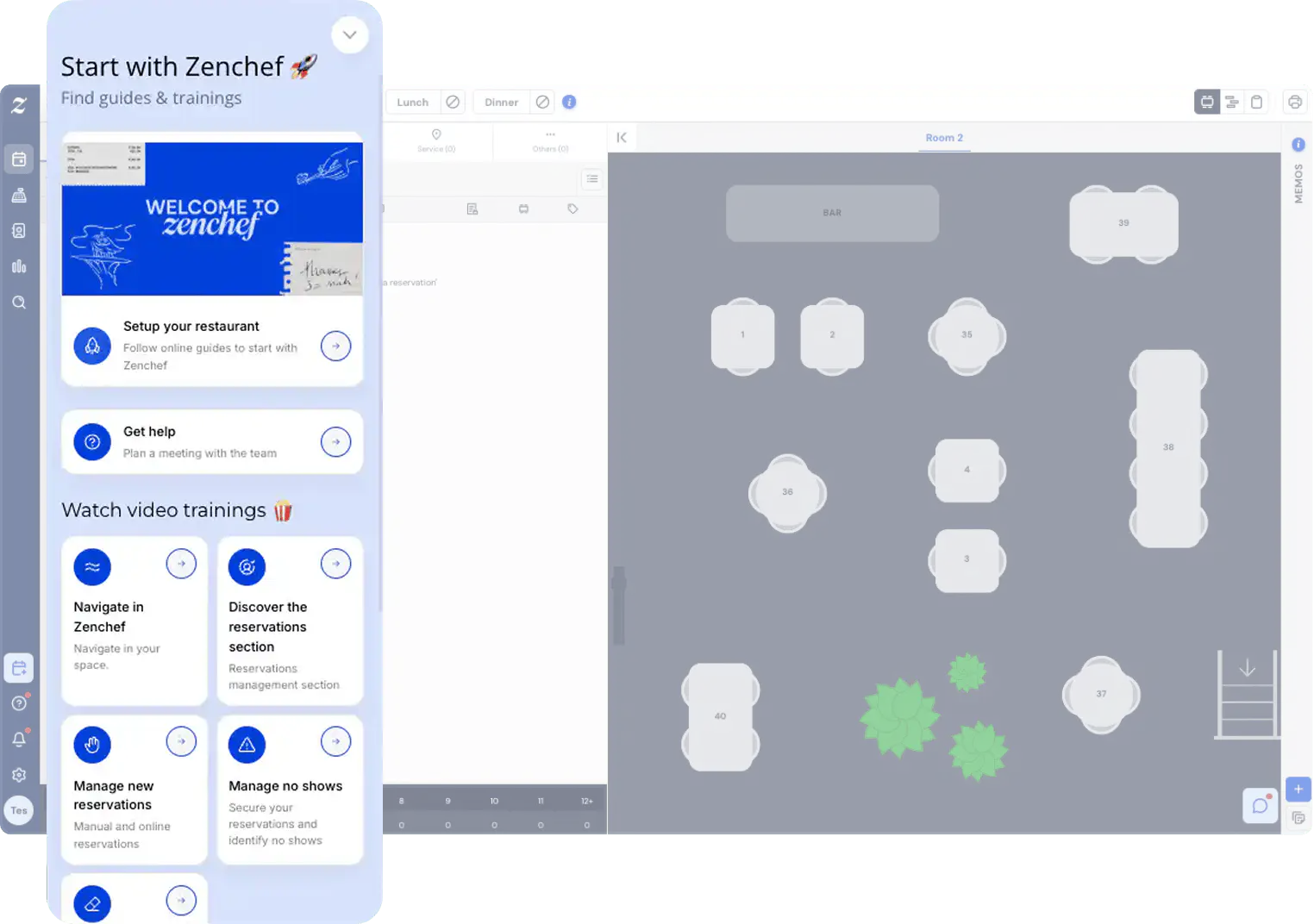
Guided, contextual help, Right where users need it
Help users solve problems in‑app, boost activation, cut support load, and drive retention with precise answers, guided tours, and next steps.
Trusted by product teams from the top industry leaders


Trusted by product teams from the top industry leaders


Trusted by product teams from the top industry leaders


Trusted by product teams from the top industry leaders


Help that feels like magic
Make your product feel intuitive. Turn confusion into clarity with in-product help that appears exactly when and where users need it most.
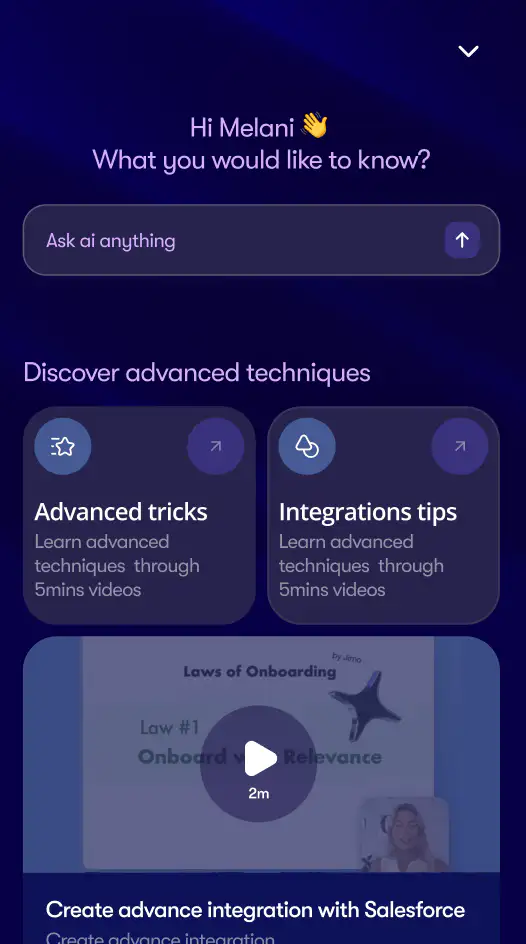
From new to power users
Guide users through every stage of their journey, from the first steps to mastery. Your product grows with them, unlocking new guidance and insights as they progress.
A built-in AI guide that feels like human guidance.
Provide users with an expert by their side. They can ask anything, get answers instantly, and keep moving forward without ever leaving your product.
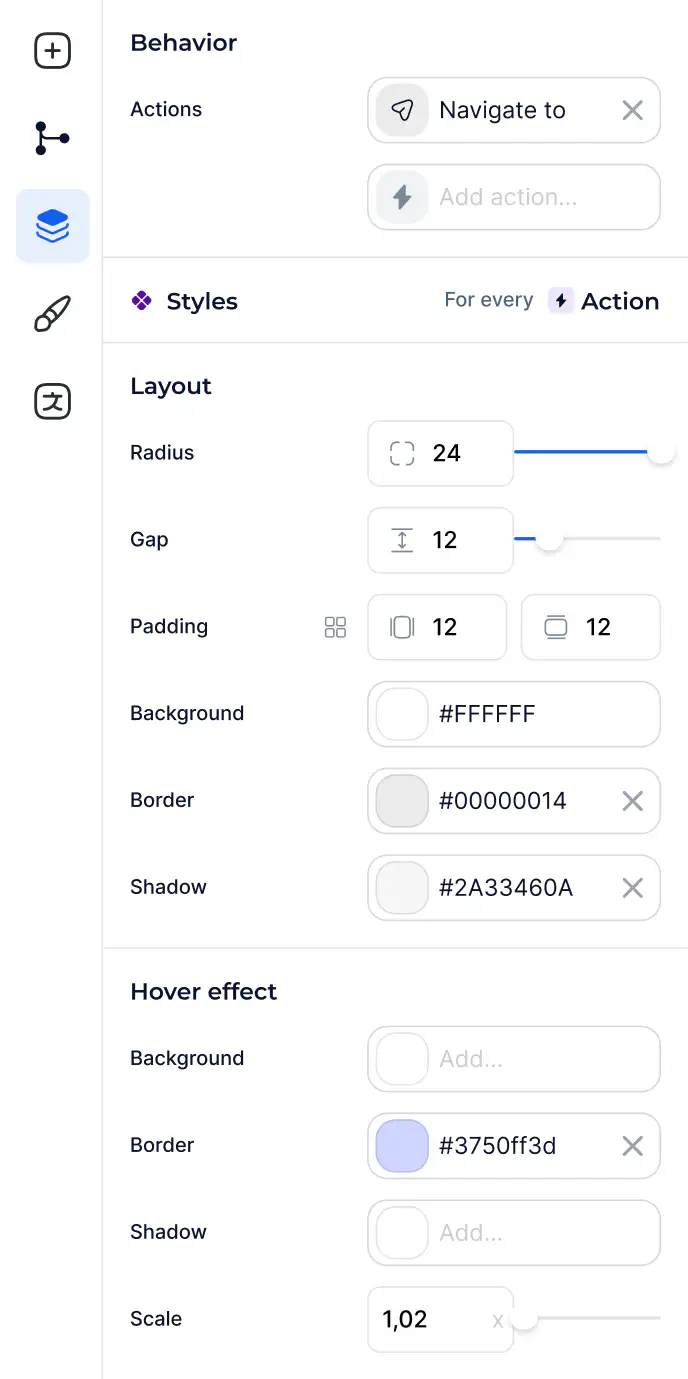
The best in-app help builder on the market.
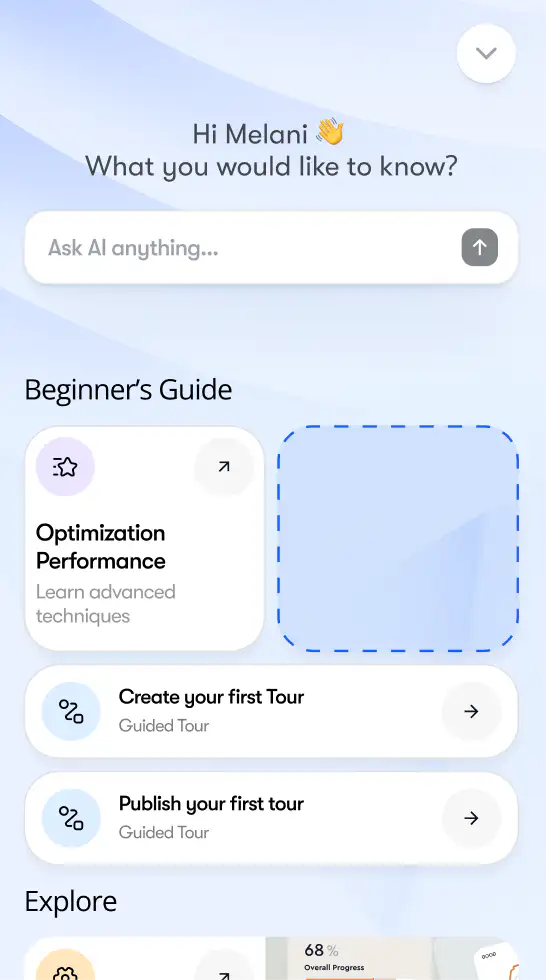
Build your own on-brand resource center down to the pixel
Let AI build your tour in seconds automatically
Mirror your brand's aesthetic for relevance


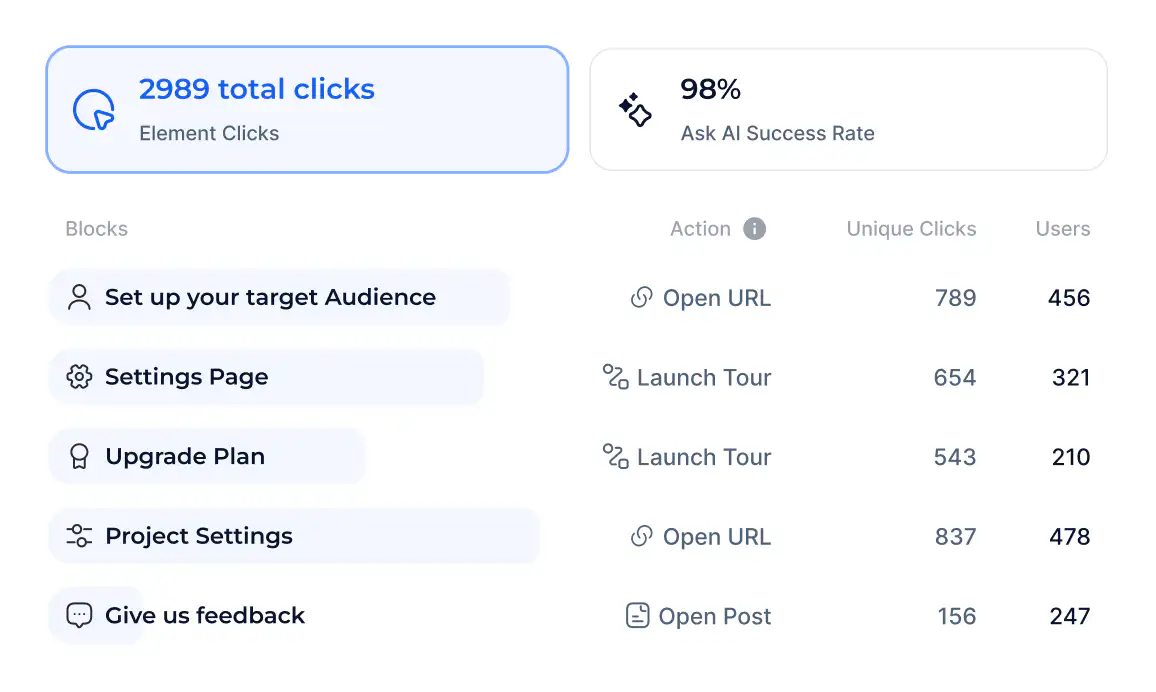
Analyze what works
Analyze what works
See what drives activation and improve your flows with data that speaks clearly.


Translate to multiple languages
Automatically localize your Resource Center for regions and countries

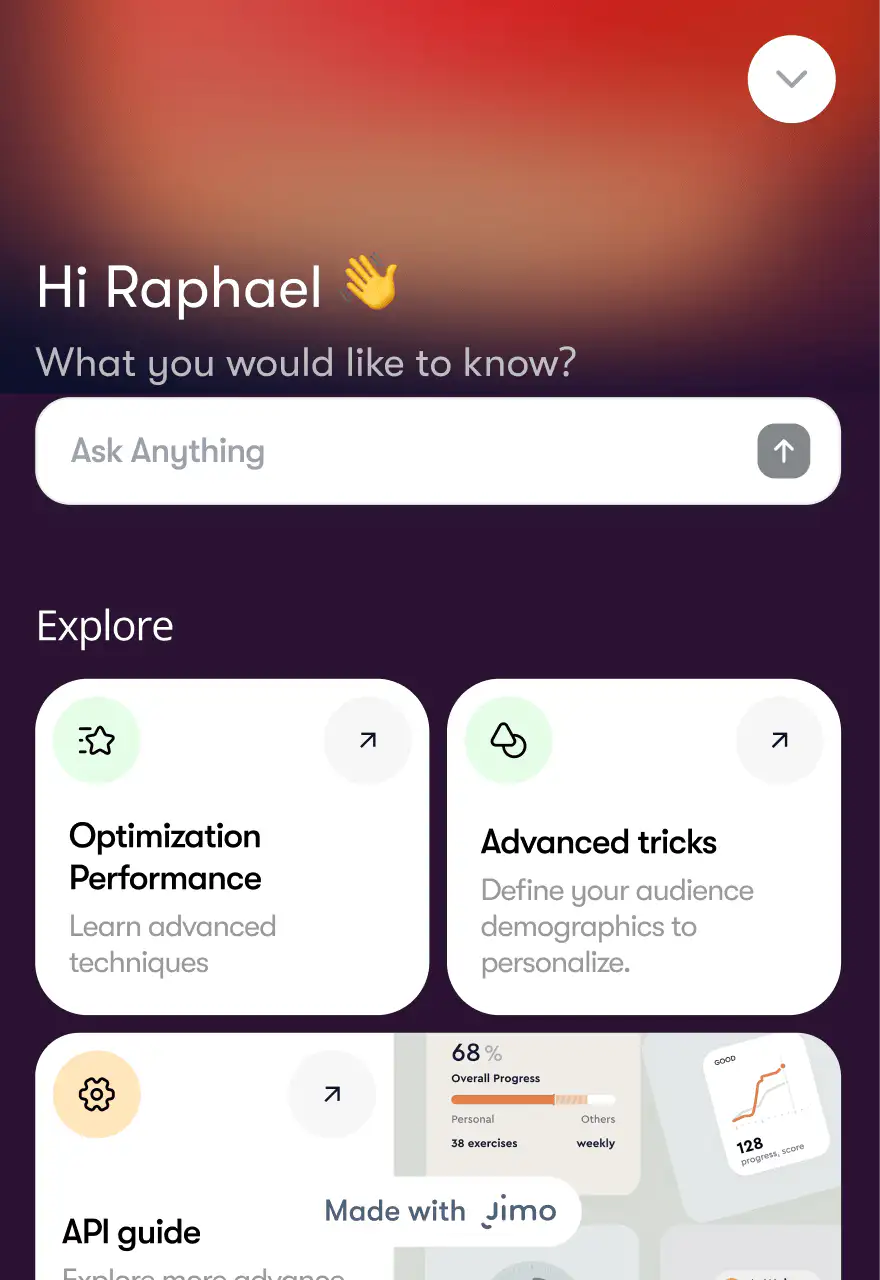
English


English


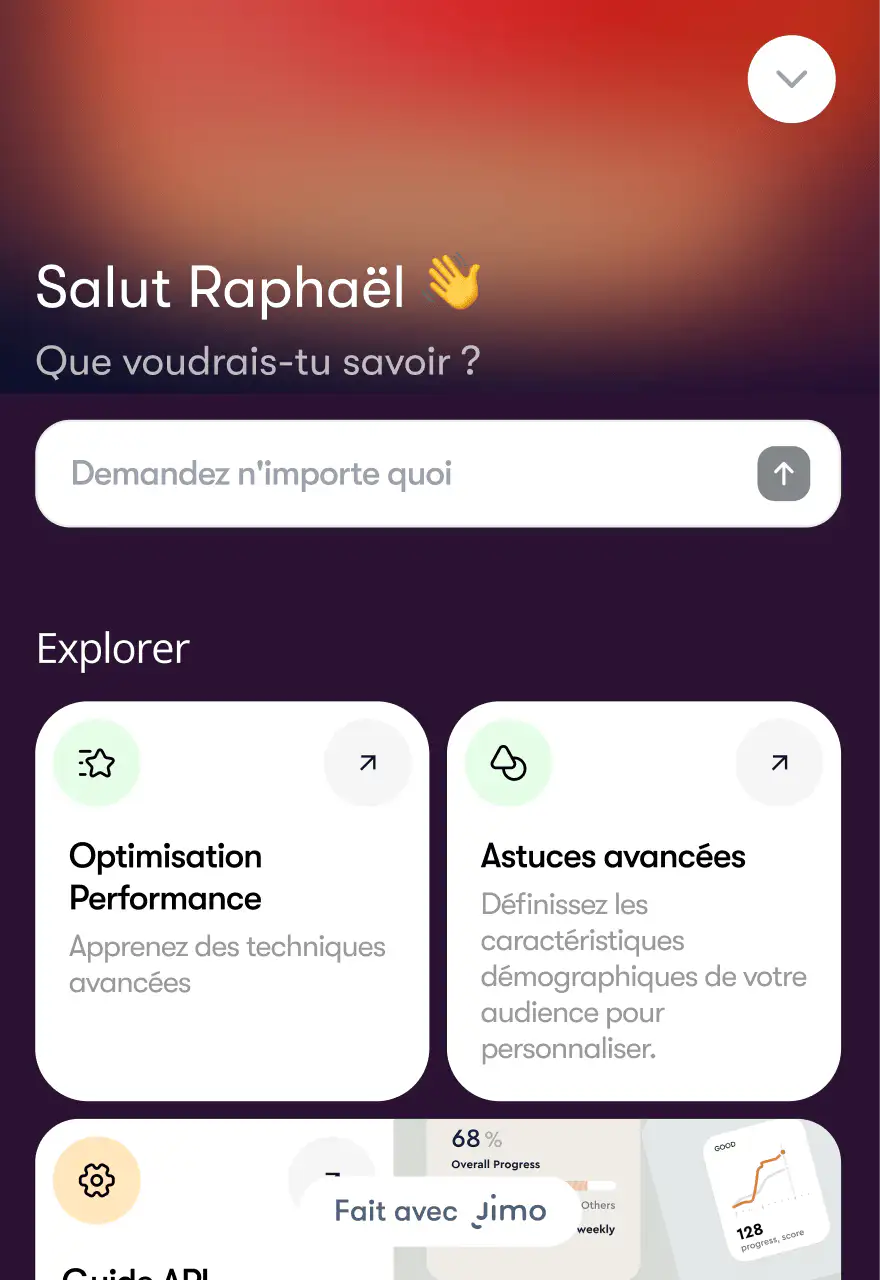
Français


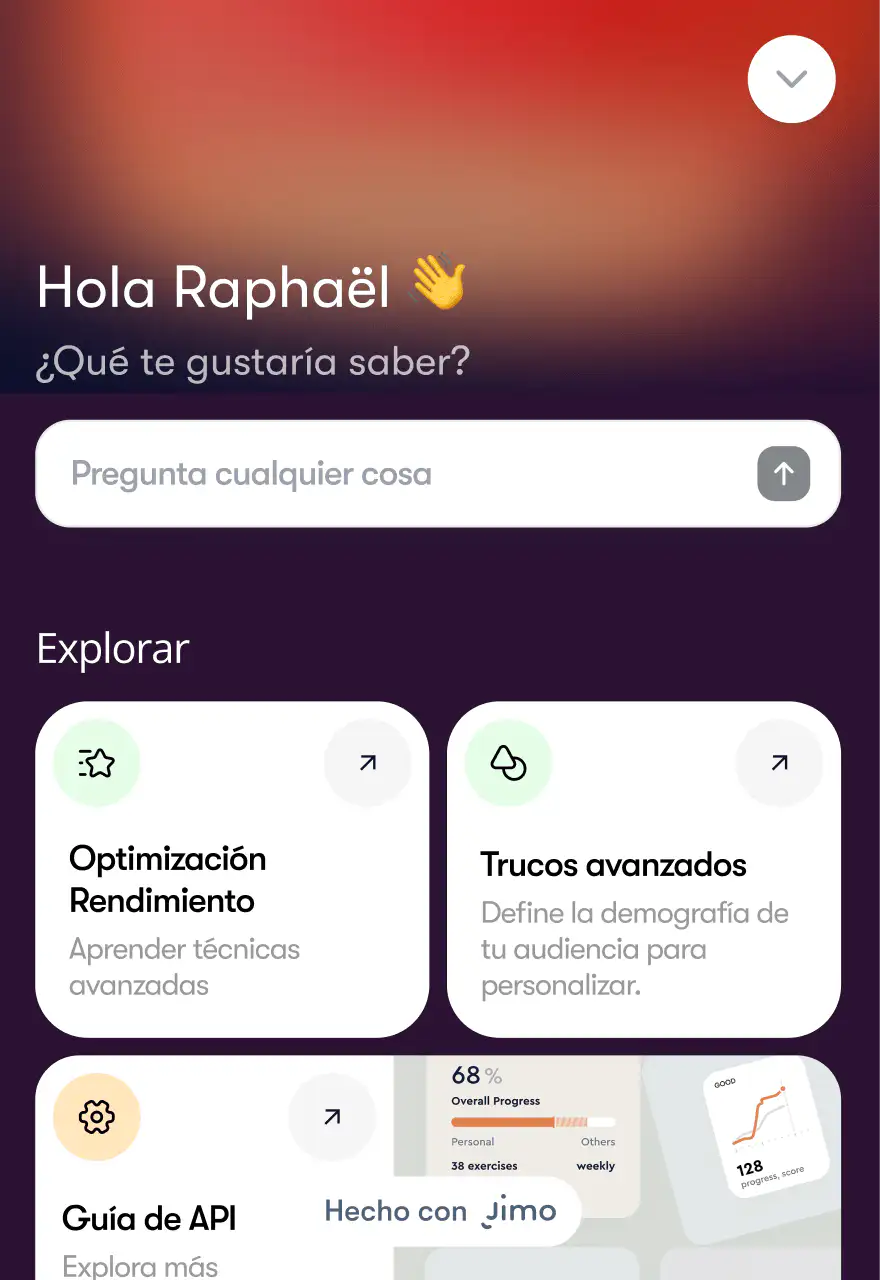
Español


Target it to the right users at the right time
Target specific, segmented user groups based on attributes, behavior, and activity momentum, without bugging your dev team.
Audience
Segment your audience using user data and tailor tours for specific user groups.
Page Targeting
Ensure users see the right tour on the right page, no mismatches.
Triggers
Strike when the iron is hot—show tours based on user actions.
Target it to the right users at the right time
Target specific, segmented user groups based on attributes, behavior, and activity momentum, without bugging your dev team.
Audience
Segment your audience using user data and tailor tours for specific user groups.
Page Targeting
Ensure users see the right tour on the right page, no mismatches.
Triggers
Strike when the iron is hot—show tours based on user actions.
Target it to the right users at the right time
Target specific, segmented user groups based on attributes, behavior, and activity momentum, without bugging your dev team.
Audience
Segment your audience using user data and tailor tours for specific user groups.
Page Targeting
Ensure users see the right tour on the right page, no mismatches.
Triggers
Strike when the iron is hot—show tours based on user actions.
Target it to the right users at the right time
Target specific, segmented user groups based on attributes, behavior, and activity momentum, without bugging your dev team.
Audience
Segment your audience using user data and tailor tours for specific user groups.
Page Targeting
Ensure users see the right tour on the right page, no mismatches.
Triggers
Strike when the iron is hot—show tours based on user actions.
Real Teams. Real Results. Powered by Jimo.
More Than Just Resource Center
Frequently Asked Questions
What is Jimo’s Resource Center and why does it matter for my product?
Jimo’s Resource Center is an AI‑powered, in‑app help hub that answers user questions in context, launches product tours, shows hints and checklists, and collects surveys & NPS without users leaving your product. By pairing Jimo AI with targeting and triggers, teams drive faster activation and retention, evidenced by customers reaching 80% self‑service onboarding and cutting onboarding time from 30 days to 14, with trajectories toward sub‑2‑hour self‑serve activation.
What is Jimo’s Resource Center and why does it matter for my product?
Jimo’s Resource Center is an AI‑powered, in‑app help hub that answers user questions in context, launches product tours, shows hints and checklists, and collects surveys & NPS without users leaving your product. By pairing Jimo AI with targeting and triggers, teams drive faster activation and retention, evidenced by customers reaching 80% self‑service onboarding and cutting onboarding time from 30 days to 14, with trajectories toward sub‑2‑hour self‑serve activation.
What is Jimo’s Resource Center and why does it matter for my product?
Jimo’s Resource Center is an AI‑powered, in‑app help hub that answers user questions in context, launches product tours, shows hints and checklists, and collects surveys & NPS without users leaving your product. By pairing Jimo AI with targeting and triggers, teams drive faster activation and retention, evidenced by customers reaching 80% self‑service onboarding and cutting onboarding time from 30 days to 14, with trajectories toward sub‑2‑hour self‑serve activation.
What is Jimo’s Resource Center and why does it matter for my product?
Jimo’s Resource Center is an AI‑powered, in‑app help hub that answers user questions in context, launches product tours, shows hints and checklists, and collects surveys & NPS without users leaving your product. By pairing Jimo AI with targeting and triggers, teams drive faster activation and retention, evidenced by customers reaching 80% self‑service onboarding and cutting onboarding time from 30 days to 14, with trajectories toward sub‑2‑hour self‑serve activation.
What makes Jimo’s Resource Center different from generic help widgets?
Jimo’s Resource Center is designed for any product team's autonomy. It’s a single‑step, always‑available experience with dynamic content display, audience and page targeting, momentum‑based triggers, and multilanguage support. It can also host structured information with icons and embedded media, and when paired with Ask AI, it gives personalized next steps for end-users.
What makes Jimo’s Resource Center different from generic help widgets?
Jimo’s Resource Center is designed for any product team's autonomy. It’s a single‑step, always‑available experience with dynamic content display, audience and page targeting, momentum‑based triggers, and multilanguage support. It can also host structured information with icons and embedded media, and when paired with Ask AI, it gives personalized next steps for end-users.
What makes Jimo’s Resource Center different from generic help widgets?
Jimo’s Resource Center is designed for any product team's autonomy. It’s a single‑step, always‑available experience with dynamic content display, audience and page targeting, momentum‑based triggers, and multilanguage support. It can also host structured information with icons and embedded media, and when paired with Ask AI, it gives personalized next steps for end-users.
What makes Jimo’s Resource Center different from generic help widgets?
Jimo’s Resource Center is designed for any product team's autonomy. It’s a single‑step, always‑available experience with dynamic content display, audience and page targeting, momentum‑based triggers, and multilanguage support. It can also host structured information with icons and embedded media, and when paired with Ask AI, it gives personalized next steps for end-users.
How fast can we launch our first Resource Center?
Teams typically assemble a functional Resource Center in under a day using Jimo No-Code builder. Name the center, add grouped links to existing experiences, documentation, and embedded media, preview on a URL, and set targeting and conditions to go live. Since it’s no‑code and single‑step, you can iterate design and content continuously without developer backlog.
How fast can we launch our first Resource Center?
Teams typically assemble a functional Resource Center in under a day using Jimo No-Code builder. Name the center, add grouped links to existing experiences, documentation, and embedded media, preview on a URL, and set targeting and conditions to go live. Since it’s no‑code and single‑step, you can iterate design and content continuously without developer backlog.
How fast can we launch our first Resource Center?
Teams typically assemble a functional Resource Center in under a day using Jimo No-Code builder. Name the center, add grouped links to existing experiences, documentation, and embedded media, preview on a URL, and set targeting and conditions to go live. Since it’s no‑code and single‑step, you can iterate design and content continuously without developer backlog.
How fast can we launch our first Resource Center?
Teams typically assemble a functional Resource Center in under a day using Jimo No-Code builder. Name the center, add grouped links to existing experiences, documentation, and embedded media, preview on a URL, and set targeting and conditions to go live. Since it’s no‑code and single‑step, you can iterate design and content continuously without developer backlog.
Can we run different Resource Centers for different roles, plans, or onboarding stages?
Absolutely! You can create separate Centers per role (admin vs. contributor), per plan (free vs. enterprise), or per user journey stage (first‑value vs. power user), then use Jimo targeting rules to display the right Center based on URL, segments, and trigger conditions. This keeps user guidance contextual and moves different segments through milestones faster without cluttering a single Resource Center.
Can we run different Resource Centers for different roles, plans, or onboarding stages?
Absolutely! You can create separate Centers per role (admin vs. contributor), per plan (free vs. enterprise), or per user journey stage (first‑value vs. power user), then use Jimo targeting rules to display the right Center based on URL, segments, and trigger conditions. This keeps user guidance contextual and moves different segments through milestones faster without cluttering a single Resource Center.
Can we run different Resource Centers for different roles, plans, or onboarding stages?
Absolutely! You can create separate Centers per role (admin vs. contributor), per plan (free vs. enterprise), or per user journey stage (first‑value vs. power user), then use Jimo targeting rules to display the right Center based on URL, segments, and trigger conditions. This keeps user guidance contextual and moves different segments through milestones faster without cluttering a single Resource Center.
Can we run different Resource Centers for different roles, plans, or onboarding stages?
Absolutely! You can create separate Centers per role (admin vs. contributor), per plan (free vs. enterprise), or per user journey stage (first‑value vs. power user), then use Jimo targeting rules to display the right Center based on URL, segments, and trigger conditions. This keeps user guidance contextual and moves different segments through milestones faster without cluttering a single Resource Center.
Will the Ask AI feature respect brand and localization?
Yes! Ask AI surfaces answers within your on‑brand Resource Center design and supports localization via real-time translations, so users in different regions see guidance in their language and styling.
Will the Ask AI feature respect brand and localization?
Yes! Ask AI surfaces answers within your on‑brand Resource Center design and supports localization via real-time translations, so users in different regions see guidance in their language and styling.
Will the Ask AI feature respect brand and localization?
Yes! Ask AI surfaces answers within your on‑brand Resource Center design and supports localization via real-time translations, so users in different regions see guidance in their language and styling.
Will the Ask AI feature respect brand and localization?
Yes! Ask AI surfaces answers within your on‑brand Resource Center design and supports localization via real-time translations, so users in different regions see guidance in their language and styling.
How does the Resource Center work with Tours, Checklists, and Hints?
The Resource Center aggregates those experiences as actionable entries. Clicking a tour launches the flow, checklists track progress, hints explain failure‑prone steps, and announcements can be linked for feature discovery. This “hub + actions” model gives users immediate context plus the guided path, turning help browsing into completion of product tasks.
How does the Resource Center work with Tours, Checklists, and Hints?
The Resource Center aggregates those experiences as actionable entries. Clicking a tour launches the flow, checklists track progress, hints explain failure‑prone steps, and announcements can be linked for feature discovery. This “hub + actions” model gives users immediate context plus the guided path, turning help browsing into completion of product tasks.
How does the Resource Center work with Tours, Checklists, and Hints?
The Resource Center aggregates those experiences as actionable entries. Clicking a tour launches the flow, checklists track progress, hints explain failure‑prone steps, and announcements can be linked for feature discovery. This “hub + actions” model gives users immediate context plus the guided path, turning help browsing into completion of product tasks.
How does the Resource Center work with Tours, Checklists, and Hints?
The Resource Center aggregates those experiences as actionable entries. Clicking a tour launches the flow, checklists track progress, hints explain failure‑prone steps, and announcements can be linked for feature discovery. This “hub + actions” model gives users immediate context plus the guided path, turning help browsing into completion of product tasks.
Will adding a Resource Center overwhelm users?
No, Jimo’s dynamic display and targeting are designed to ensure only the most relevant items appear for the current page and segments. You are in control of grouping content clearly, capping visible information, and iterating the contents based on engagement metrics so that your guidance feels lighter and more useful than scattered tooltips or long external docs.

Will adding a Resource Center overwhelm users?
No, Jimo’s dynamic display and targeting are designed to ensure only the most relevant items appear for the current page and segments. You are in control of grouping content clearly, capping visible information, and iterating the contents based on engagement metrics so that your guidance feels lighter and more useful than scattered tooltips or long external docs.

Will adding a Resource Center overwhelm users?
No, Jimo’s dynamic display and targeting are designed to ensure only the most relevant items appear for the current page and segments. You are in control of grouping content clearly, capping visible information, and iterating the contents based on engagement metrics so that your guidance feels lighter and more useful than scattered tooltips or long external docs.
Will adding a Resource Center overwhelm users?
No, Jimo’s dynamic display and targeting are designed to ensure only the most relevant items appear for the current page and segments. You are in control of grouping content clearly, capping visible information, and iterating the contents based on engagement metrics so that your guidance feels lighter and more useful than scattered tooltips or long external docs.
Get 3 Weeks Free of Jimo Today
Discover how you can transform your product announcements with experts from Jimo in 30 mins
Get 3 Weeks Free of Jimo Today
Discover how you can transform your product announcements with experts from Jimo in 30 mins
Get 3 Weeks Free of Jimo Today
Discover how you can transform your product announcements with experts from Jimo in 30 mins
Get 3 Weeks Free of Jimo Today
Discover how you can transform your product announcements with experts from Jimo in 30 mins