/
8 mins read

TL;DR
Most "best practices" guides assume you're starting from scratch. This one doesn't. If your onboarding flows are six months old and the product has shipped four times since, the problem is that the practices that you're using were designed for a different era. This article covers how senior PMs upgrade existing onboarding from PLG-era defaults (static tours, fixed checklists, segment buckets) to ILG-era practices: adaptive guidance, behavioral triggers, and flows that update without a sprint. Industry benchmarks suggest the average SaaS activation rate sits at 36%. The gap between that and the teams hitting 50%+ is almost never about building more flows. It's about making the flows they have smarter.
You shipped your onboarding flows. You defined the activation milestone, built the tours, set up the checklist, and got sign-off. Then the product shipped again. And again. And now your flows reference a menu that moved, a feature name that changed, and a setup step that no longer exists in the order you described it.
This is not an edge case. It is the default state of onboarding at every B2B SaaS company that ships at speed.
The guidance users see on day one is increasingly disconnected from the product they are actually using. That gap between what your flows say and what the product does is where activation rates stall and not because onboarding was designed badly, but because it was designed once.
The practices that solved this in 2020 were built for a different model. Product-led growth (PLG) gave teams the tools to build self-serve onboarding at scale. What it did not give them was a way to keep that onboarding current, adaptive, or responsive to individual user behavior. The result is a category of problem that most onboarding guides do not address: not how to build flows, but how to stop them from going stale.
What's replacing it is Intelligence-Led Growth (ILG), a model where the product adapts to each user in real time rather than routing them through a fixed sequence designed for a cohort. The shift changes what "best practice" means at every level: how you segment, how you trigger guidance, how you measure success, and how you keep flows accurate without engineering dependency.
This article is for senior PMs who already have onboarding in place and need it to work better. Each section maps a PLG-era default to its ILG-era upgrade, and shows what that upgrade looks like in practice.
Stop treating onboarding as a launch: start treating it as a living layer
Most onboarding gets built the same way a product feature gets built: scoped, shipped, and moved off the backlog. The PM defines the activation milestone, the flows go live, and ownership quietly dissolves. No one is responsible for what happens when the product changes next month.
The PLG-era default made sense when products had a stable core and infrequent releases. Onboarding could reasonably reflect the product for six to twelve months before the gap became visible. That's no longer the cadence most B2B SaaS teams operate at.
The ILG-era upgrade is to treat onboarding as a continuous layer that belongs to the product, not the launch.
PLG-era default | ILG-era upgrade |
Onboarding is built at launch, then owned by no one | Onboarding is a named asset with a named owner, updated on the same cycle as the product |
Flow accuracy is checked when someone complains | Flow accuracy is audited on a structured cadence |
Updates require a sprint | Updates are pushed directly by the PM, no engineering dependency |
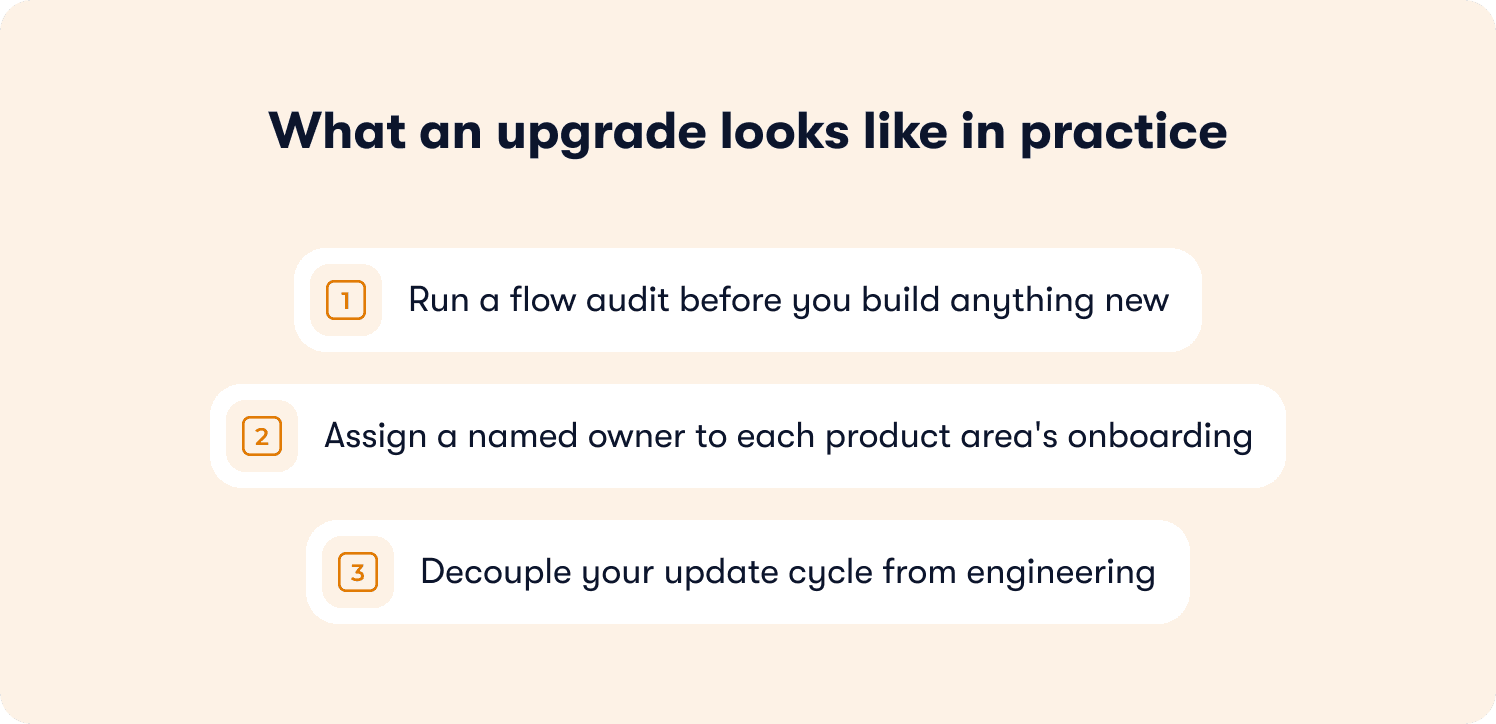
Here is what that upgrade looks like in practice:
Run a flow audit before you build anything new. Go through every active flow against the current product state. For each step, ask: does this reflect what the user actually sees right now? If the answer is no for more than two steps in a flow, the flow is doing more harm than good.
Assign a named owner to each product area's onboarding. Not a team. One person. Onboarding that belongs to everyone gets updated by no one. The owner's job is not to rebuild the flow on every release; it's to catch the changes that break existing steps and fix them before users hit them.
Decouple your update cycle from engineering. If fixing a step requires a ticket and a sprint, your onboarding will always lag behind your product. The teams with the highest activation rates update guidance the same week they ship the change it references. Jimo's builder lets PMs edit, publish, and push flow updates directly. No sprint dependency, no code review.
The audit is where most teams find their highest-leverage wins. Flows that took weeks to build can be made accurate again in an afternoon. That accuracy compounds: users who hit guidance that matches what they see are more likely to complete it, and progressive onboarding only works if each layer builds on a correct foundation.
Design each flow around one activation milestone, not a feature tour
The single most common structural failure in onboarding is not a bad tour. It's a tour without a defined destination.
Feature tours aka flows that walk users through a product area by explaining what each element does, feel complete when you build them. They cover everything. That's also why they fail. "Everything" is not a destination users are motivated to reach. They click through two or three steps, orient themselves, and navigate away to do the thing they actually came to do.
PLG-era default | ILG-era upgrade |
Tours demonstrate the product, every feature, every panel | Each flow has one defined activation milestone; guidance exists only to reach it |
Success = user completed the tour | Success = user completed the target action |
Same path for every user, regardless of prior behavior | Path adapts to what the user has already done |
Before refining any existing flow, identify whether it has a milestone. If you cannot complete the sentence "this flow succeeds when the user has ___," the flow does not have one. It has a route, but not a destination. Every flow without a milestone is the first thing to fix before copy, before design, before anything else.
Four questions to audit your current flows against:
What is the single action this flow is designed to get users to complete?
Does every step advance the user toward that action, or does any step exist to explain a feature?
Could a user reach the milestone by following this flow without external help?
Does the flow skip steps for users who have already completed the relevant actions?
You should also consider the following:
Strip each flow to the minimum steps required to reach the milestone. Every step that explains a feature rather than advancing the user toward completion increases drop-off risk. If a step does not move the user closer to the milestone, remove it or move it into a secondary flow triggered after completion. For a deeper look at how interactive onboarding strategies improve completion rates, the data on action-based vs. passive tour design is worth reviewing before you restructure.
Set the milestone based on behavior, not on content consumption. A user who has watched a tooltip sequence has not activated. A user who has completed the action the sequence was designed to prompt has. Industry benchmarks suggest the average SaaS activation rate sits at 36% and the teams above that threshold typically share one characteristic: their flows are built around action completion, not information delivery.
Where AI-adaptive guidance changes this: in a static flow, every user who starts at step one sees the same path to the milestone regardless of what they've already done. In Guide mode, Jimo tracks completed actions and skips the steps that are now redundant. A user who configured their account yesterday doesn't see the account configuration step today. The path adapts to where they are, not where the flow assumes they are.
Jimo customer data shows AI-powered tours complete at 44% versus a 27% average, across an analysis of 1,025 product tours in early 2026. The structural reason is not the AI itself but rather it’s that removing irrelevant steps gets more users to the milestone. The mechanism works whether you implement it with Jimo or with careful manual user segmentation. Define the milestone. Build it. Remove everything that doesn't serve it.
Segment by behavior, not by persona bucket
Most segmentation logic was built at the same time as the flows: Admin users get the Admin tour, Free plan users get the Free plan checklist. It made sense when the alternative was showing everyone the same thing. In 2026, it's the second most common reason activation rates plateau because persona buckets treat users as static, and users are not.
A user in the "Admin" segment who has been in the product for three weeks and has already configured everything in step two of the Admin tour does not need step two of the Admin tour. But that's exactly what they get, because the segmentation is based on what they are, not on what they've done.
PLG-era default | ILG-era upgrade |
Segment by role, plan tier, or signup date | Segment by behavioral signals: what the user has done, skipped, or repeated |
Same flow plays for every user in a segment | Flow logic adapts based on completed actions and in-product behavior |
Segmentation is set once at flow creation | Segmentation updates in real time as user behavior changes |
Audit your current segmentation logic with three questions:
Are you showing any guidance to users who have already completed the action it describes?
Are users in the same segment at materially different stages of product adoption?
Is your segmentation based on attributes you captured at signup, or on what users have actually done since?
If the answer to any of these is yes, your segmentation is creating user friction where it should be removing it. Users who receive guidance that doesn't match where they are in the product have lower completion rates and higher skip rates, and not because the guidance is bad, but because it's mistimed.
The behavioral upgrade in practice:
Replace role-based triggers with event-based triggers. Instead of "show this to all Admins," use "show this to Admins who have not yet completed action X."
Use feature engagement as a routing signal. A user who has visited a feature page three times without completing the core action is showing you where the gap is. That's a trigger, not a statistic.
Layer behavior-triggered messaging on top of your existing segments rather than rebuilding them. The personas don't go away; however, they become the first filter, not the only one.
The speed argument matters here as much as the targeting argument. When AB Tasty's Morgane Ruaud moved from a development-dependent launch cycle to Jimo, the feature launch cycle compressed from three months to two weeks. Part of what that unlock enabled was the ability to iterate on segmentation logic between releases, and not just between quarters. When you can update who sees what in the same week you spot a drop-off, behavioral segmentation stops being a nice-to-have.
For a detailed implementation guide on building segment-specific flows, the guide to creating personalized user onboarding flows covers the routing architecture in full. The constraint in this article is narrower: before you build new personalized flows, fix the segmentation logic on the flows you have.
Connect onboarding flow logic to what your analytics already tell you
The behavioral data that should be informing your onboarding logic already exists inside your product. Drop-off points are visible. Features with low adoption after onboarding are measurable. Users who completed step three but never returned to the relevant product area are identifiable. The problem is not a data gap but rather a feedback loop gap. The signals exist in one place and the flows live in another, and nothing automatically connects them.
PLG-era default | ILG-era upgrade |
Flows are built by PM intuition and revisited when someone raises a complaint | Drop-off and behavioral signals inform which flows to fix and in what order |
Analytics and onboarding tools are separate systems | In-product behavioral signals trigger guidance at the moment a user shows a relevant pattern |
Flow iteration happens quarterly at best | Behavioral triggers update flow delivery in real time, without a rebuild |
The three signals most worth acting on first:
Drop-off by step. Which step in each flow loses the most users? That step either asks for too much, references something confusing, or is positioned at the wrong moment. It is almost never a copy problem. Fix the step logic before rewriting the words.
Feature non-adoption after completion. If users complete your onboarding flow for a feature and then never use it again, the flow got them to the end but not to the value. The activation milestone in that flow is wrong; it's set at "finished the tour" rather than "used the feature in context."
Hover-but-no-click patterns. Users who hover over an element repeatedly without completing the intended action are telling you where guidance is missing. This is one of the highest-signal indicators of feature discovery failure, and it's visible in any product with basic event tracking.
How to act on these signals without a separate analytics integration
You do not need to pipe data between tools to close this feedback loop. Jimo detects behavioral patterns in-product and uses them as triggers directly. A user who hovers over a feature element without clicking can receive a contextual tooltip at that exact moment, not because a PM spotted the pattern in a dashboard and filed a ticket, but because the trigger fires automatically against the behavior.
The practical sequence for a PM working with existing flows:
Identify your top three drop-off steps across your highest-traffic flows. These are the first fixes, not new builds.
For each, check whether the drop-off correlates with a product change in the last 90 days. If yes, the fix is an accuracy update. If no, the fix is a logic or positioning change.
Check feature adoption rates for any feature with a dedicated flow. Low post-flow adoption means the milestone is set wrong, not that the flow needs more steps.
Identify your top five support ticket themes from new users. Each one is a gap in your current guidance coverage: either a step that's missing, a flow that's mistimed, or a question that no flow addresses at all.
Build a consistency audit into your onboarding calendar
Most onboarding is reviewed when something breaks visibly. A user screenshots the wrong UI in a support ticket. A CS manager spots a flow referencing a feature name that changed two releases ago. A sales engineer runs a demo and notices a tour step that no longer matches the product. These are reactive discovery moments, and by the time they surface, the inconsistency has already reached every new user who onboarded since the last product change.
The upgrade is a structured audit cadence. Not a quarterly project. A repeatable, lightweight check tied to your release cycle, run by a single named owner, answerable in under an hour.
PLG-era default | ILG-era upgrade |
Flows reviewed when someone raises a flag | Consistency audit runs on a named cadence, tied to product release cycle |
Problems discovered reactively, post-damage | Problems caught before new users hit them |
Audit lives in a spreadsheet cross-referenced with screen recordings | Audit runs inside the flow builder against live product state |
The four-question audit framework
Apply these four questions to every active flow, once per release cycle. They take under a minute per flow. If a flow fails any one of them, it goes into the fix queue before the next release ships.
Does this flow reflect current UI? If any step references a panel, label, or interaction that no longer exists as described, the flow is actively misleading users.
Does every step lead to the defined activation milestone? If you cannot trace a straight line from step one to the milestone, the flow has drifted from its original purpose.
Does the copy match current product terminology? Feature renames, updated button labels, and revised navigation paths all break copy accuracy. This is the easiest failure to overlook and the most jarring for users who see both the flow and the product simultaneously.
Has the segment logic been updated since the last product change? A segment built on a behavior that no longer exists, or that targets a role whose workflow has changed, will route users incorrectly even if the flow steps themselves are accurate.
What this looks like as a calendar item
The audit is not a meeting. It is a solo task with a defined output: a list of flows that need updating before the next release, with the specific step and question that triggered the flag.
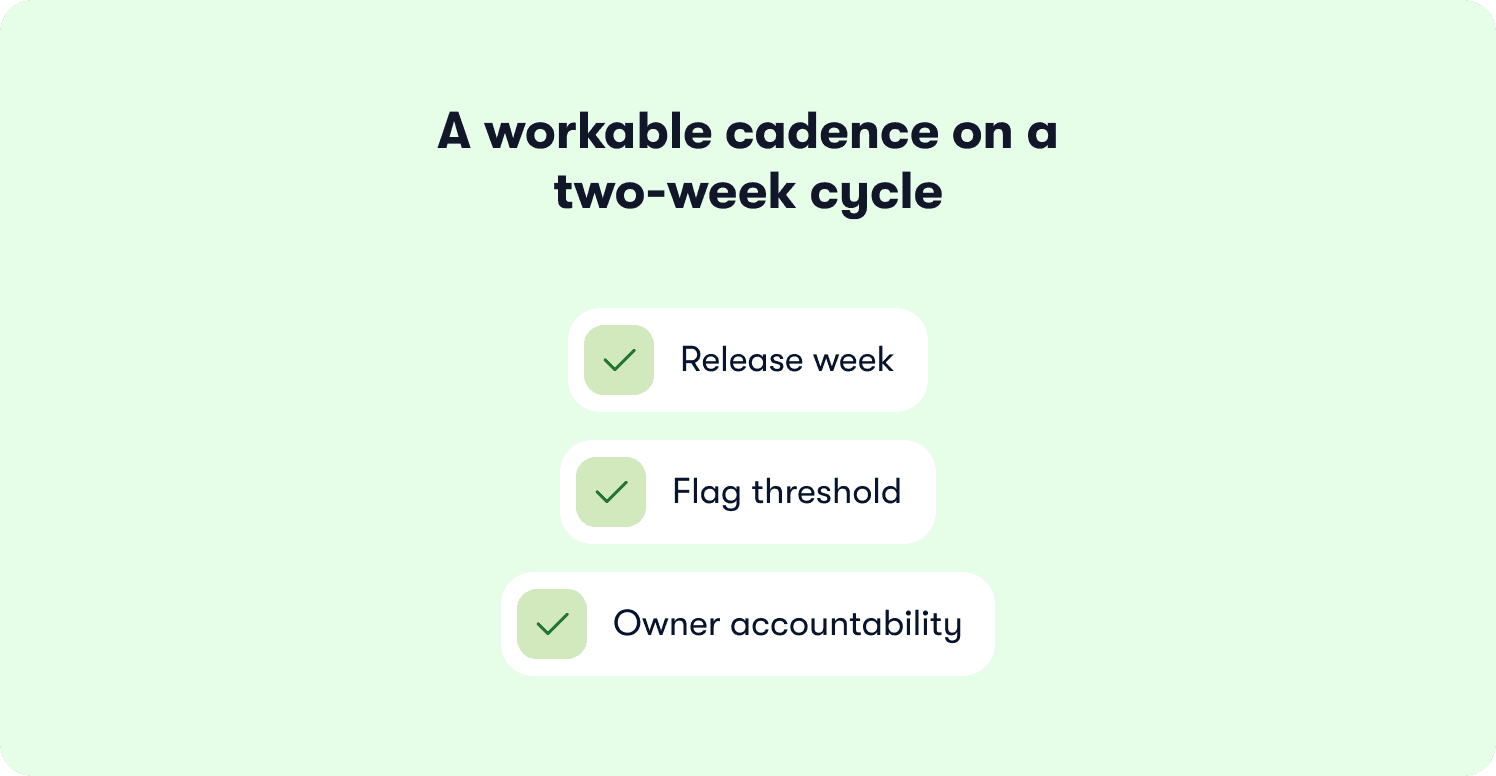
A workable cadence for most B2B SaaS teams shipping on a two-week cycle:
Release week: Run the audit the day before a major release ships, cross-referencing the changelog against active flows.
Flag threshold: Any flow with two or more failing questions gets updated before users reach it. A flow with one failing question gets flagged for the next sprint if the change is minor, or fixed same-day if it's a broken interaction.
Owner accountability: The audit owner is not responsible for fixing every flow in every product area. They are responsible for routing the flags to the right PM and confirming fixes are published before the release goes live.
Where Jimo changes the mechanics: the audit and the fix happen in the same interface. A PM who identifies a broken step during the audit can update the copy, adjust the trigger condition, and publish the change before leaving the builder. There is no handoff to engineering, no ticket, no lag between spotting the problem and resolving it. For teams at Zenchef's pace, where Florian Labadens's team tracked every metric across activation, adoption, and retention and saw consistent improvement across all of them, this kind of iteration speed is what converts a good onboarding system into a compounding one.
The audit is also where software adoption problems become visible before they become churn signals. A flow that's been broken for six weeks has been teaching users the wrong thing for six weeks. Catching it in week one of the drift is the difference between a one-minute fix and a re-onboarding problem.
Use AI-assisted guidance for the moments your flows can't anticipate
Every onboarding flow is built around what a PM predicted users would need. Predictions are good. They're not complete. Users encounter moments that no flow anticipated: edge cases in their own data, questions about interactions between features, uncertainty about what to do after completing the defined activation milestone. These moments don't generate tour completions. They generate support tickets or, more often, silent exits.
The PLG-era response to this gap was a help center: a library of articles users could search if they got stuck. The gap with a help center is not the content; it's the friction. A user who has to leave the product, navigate to a knowledge base, search for an answer, and then return to where they were has already broken their workflow. A significant portion of them don't return at all.
PLG-era default | ILG-era upgrade |
Help center: static library, user navigates to it when stuck | In-product Assist mode: contextual answers delivered at the moment and location of confusion, without leaving the product |
Gaps in flows generate support tickets | Gaps in flows are covered by AI-assisted guidance trained on product knowledge |
PM builds a new flow for every new edge case | Assist mode handles edge cases without requiring a new flow for each one |
Identifying the gaps your flows leave open
The fastest way to map your coverage gaps is your support ticket queue. Pull your top ten onboarding-related tickets from the last 60 days. Group them by type. Every cluster of similar tickets is a gap in your current guidance coverage — a moment where users needed something and no flow was there to give it to them.
Typical gap categories in B2B SaaS onboarding:
Post-activation confusion: Users completed the activation milestone and then didn't know what to do next. The flow ended but the journey didn't.
Integration and setup edge cases: User-specific configurations that your standard flow didn't address. These generate high-volume tickets because every user's environment is slightly different.
Feature interaction questions: Users who adopted Feature A and then encountered an unexpected behavior when using it alongside Feature B. No single flow covers this because no single flow owns the intersection.
Terminology and UI naming gaps: Users who couldn't find the thing the flow described because they were searching under a different name or looking in a different location.
How Assist mode closes these gaps
Contextual help at the moment of confusion is categorically different from a help center the user navigates to after they're already frustrated. Jimo's Assist mode is trained on your product knowledge and delivers answers in-product, at the page and context where the question is arising, without requiring the user to leave their current workflow.
The practical effect: a user stuck on an integration step gets an answer while they're on the integration page, not after opening a new tab. A user unsure what to do after completing the activation milestone gets a contextual next-step prompt, not a generic "explore the product" nudge at the end of the tour.
The output at Zenchef illustrates what happens when this loop tightens. Florian Labadens's team used Jimo's guided tours and resource center to compress onboarding from 30 days to 14, and support ticket volume for self-onboarded clients fell as a direct result. The reduction wasn't from removing complexity. It was from covering the moments of confusion before they became tickets. Every metric the team tracked moved in the right direction.
The four questions to run before deploying Assist mode
Running Assist mode without first scoping it produces answers that are too broad to be useful and sometimes incorrect. Scope it deliberately:
What are the top five questions your support team answers on repeat? These become the priority training content.
Which product areas generate the most tickets per user? These are where Assist mode should be deployed first, not last.
What is the correct answer to each question, as it applies to your product's current state? Assist mode is only as accurate as the knowledge it's trained on.
What should Assist mode escalate rather than answer? Define the boundary between what the AI handles and what routes to a human. This prevents overconfident answers on edge cases that require account-specific context.
The self-service standard in B2B SaaS has moved. Users expect to find answers in-product, at the moment they need them, without a support workflow. Assist mode is how you meet that expectation for the moments no flow was designed to cover.
Measure what actually predicts retention, not what's easy to track
The most widely reported onboarding metric in B2B SaaS is tour completion rate. It's also the least useful one. Completion rate tells you that users clicked through every step. It tells you nothing about whether they did the thing the tour was designed to get them to do, or whether they came back the following week.
This is the defining measurement error of the PLG era: optimizing for the signal that's easiest to capture rather than the one that predicts the outcome you actually care about.
Metric | What it measures | What it predicts |
Tour completion rate | Users clicked through all steps | Nothing reliably. A user can complete a tour without activating |
Activation milestone completion | Users completed the target action the flow was designed to prompt | Trial-to-paid conversion and Day-7 return rate |
Time-to-activation-milestone | How quickly users reach the activation action after first login | 30-day and 90-day retention. The strongest leading indicator available from onboarding data |
Post-flow feature adoption | Whether users use the relevant feature again within seven days | Retention depth and expansion revenue signals |
The metric that matters most: time-to-activation-milestone
The distinction between completion rate and time-to-activation-milestone is not semantic. A user who completes an onboarding tour on day three is a different retention risk than a user who reaches the activation milestone in their first session. Industry benchmarks suggest the average SaaS activation rate sits at 36%, but within that number, the teams closest to best-in-class performance consistently share one measurement practice: they track time-to-milestone, not time-to-tour-end.
Time-to-activation-milestone is a leading indicator. Tour completion rate is a lag measure: by the time it's high, the behavior you wanted has already happened or it hasn't. You can't act on it in time to change the outcome for that user.
Three metrics to add to your current onboarding dashboard
If you're currently tracking completion rate and nothing else, these are the three additions that will change what you prioritize:
Activation milestone completion rate by flow. The percentage of users who reach the defined activation action, not the defined final step. If this is materially lower than your completion rate, your milestone is set wrong or the flow ends before users reach it.
Time-to-activation-milestone, segmented by cohort. Track how long it takes new users to complete the activation action in their first session, their first day, and their first week. Segment by acquisition source if volume allows. The differences will tell you where your onboarding is losing momentum.
30-day feature adoption for flow-targeted features. For any flow built around a specific feature, track whether users who completed the flow are still using that feature 30 days later. Low 30-day adoption after a high-completion-rate flow is the clearest signal that the activation milestone was set at the wrong point in the user journey.
A deeper measurement framework is covered in full in 5 ways to measure user onboarding success. The constraint here is narrower: before adding measurement complexity, fix the measurement priorities. Tracking time-to-activation-milestone with a basic event is more useful than tracking tour completion rate with a sophisticated analytics stack.
What good looks like in practice
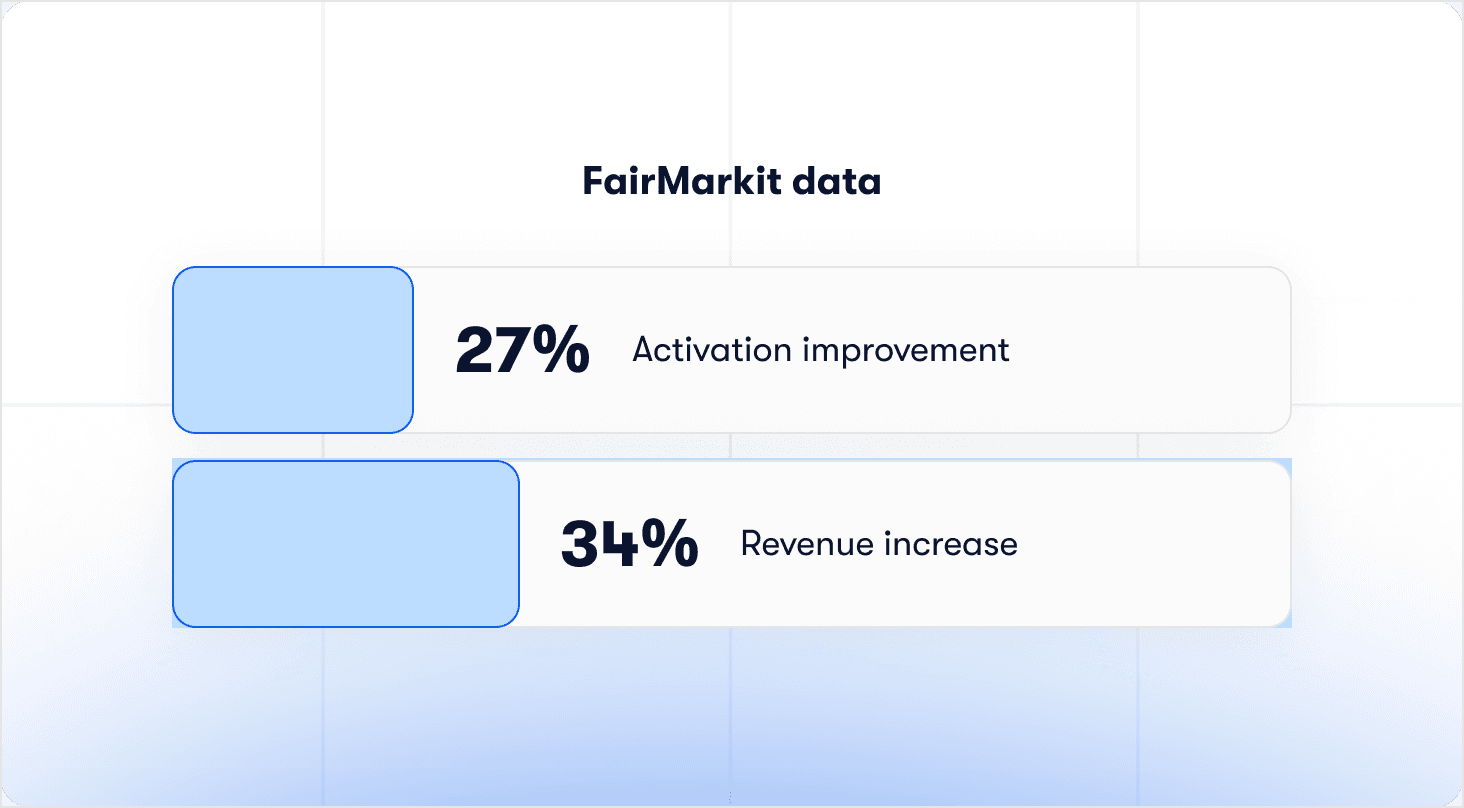
FairMarkit recorded a 25% activation improvement that correlated with a 34% revenue increase, a data point worth sitting with. The mechanism was not a new flow architecture. It was a tighter definition of what activation meant, measured consistently, and used to inform which flows to update. Jimo customer data reinforces the directional finding: AI-powered tours complete at 44% against a 27% average across 1,025 product tours analyzed in early 2026. The gap is not explained by better copy or better design alone.
It's explained by flows that adapt to user state, which means fewer irrelevant steps, faster paths to the activation milestone, and measurement that reflects completion of the right action, not just the final step.
Jimo: updating and adapting onboarding without the time-consuming engineering dependency
The seven practices in this article share a constraint: none of them work if every change requires a sprint.
A PM who identifies a broken flow step on Monday but cannot push the fix until the next release cycle has still shipped three weeks of incorrect guidance to every new user who onboarded in between. A PM who spots a segmentation gap in their behavioral data but needs a ticket to update the trigger condition has already lost the iteration speed that makes behavioral targeting valuable. The practices are only as useful as the speed at which you can act on what they surface.
This is the operational argument for what Jimo does, separate from any single feature. Guide mode adapts the path to the activation milestone based on what each user has already done. Assist mode covers the gaps no flow anticipated, delivering in-product answers at the moment and context of the question. The flow builder gives PMs direct ownership of updates, fixes, and segmentation logic with no sprint dependency, and no engineering handoff after initial setup.
Senior PMs who use Jimo update flows the same day the product changes, audit consistency across product areas from one interface, and adapt guidance logic as user behavior evolves. The practices above set the direction. Jimo removes the friction that stops most teams from executing them at the speed the product demands.
If your onboarding was built more than three months ago and the product has shipped since, the gap is already there. See how Jimo works.
FAQs
What is the difference between product onboarding best practices and user onboarding best practices?
The terms are used interchangeably in most contexts, but the framing carries different emphasis. "User onboarding" typically focuses on the individual's experience: friction reduction, time-to-value, aha moment design. "Product onboarding" emphasizes the product team's responsibility: how flows are built, owned, measured, and maintained across a product. For a senior PM, the product onboarding frame is more useful because it puts the operational and strategic decisions at the center. Those decisions include milestone definition, segmentation logic, audit cadence, and tooling, not just individual UX polish.
How often should onboarding flows be reviewed and updated?
The right cadence depends on how frequently your product ships. For teams on two-week release cycles, a lightweight flow audit before each major release is the sustainable minimum. The four-question framework in Section 5 is designed to be completable in under an hour across a full set of active flows. A deeper structural review, covering milestone definitions, segmentation logic, and post-flow feature adoption, is worth running quarterly or after any significant product area change.
What is an activation milestone and how is it different from a tour completion event?
An activation milestone is a specific user action that correlates with retention: the thing users need to do, not just see. A tour completion event is a tracking signal that records when a user reached the final step of a flow. The two are not the same, and conflating them is the most common measurement error in onboarding. A user can complete a tour without ever performing the activation action it was designed to prompt. Activation rate as a metric only becomes meaningful when it is defined as milestone completion, not tour completion.
What is the difference between static onboarding and AI-adaptive onboarding?
Static onboarding plays the same sequence to every user in a defined segment, regardless of what they have already done in the product. AI-adaptive onboarding, the model that Intelligence-Led Growth is built on, adjusts the path based on real-time user behavior. A user who completed a setup step yesterday does not see that step again today. A user who has adopted Feature A but not Feature B receives guidance relevant to Feature B, triggered at the moment of relevance. The structural outcome is faster paths to activation milestones and higher completion rates, because irrelevant steps are removed automatically rather than manually.
How do you segment onboarding flows without over-engineering the logic?
Start with two layers: role or plan tier as the first filter, and behavioral state as the second. The role or tier layer routes users to the right flow family. The behavioral layer suppresses steps within that flow that are no longer relevant based on what the user has already done. User segmentation built on signup attributes alone, without a behavioral layer on top, will route users correctly on day one and incorrectly by week two, as their product state diverges from the segment definition assigned at signup. Building the behavioral layer does not require rebuilding all existing flows. It requires adding event-based suppression conditions to what already exists.
What should be measured in onboarding beyond tour completion rate?
The three metrics most worth adding to a standard onboarding dashboard are: activation milestone completion rate by flow, time-to-activation-milestone segmented by cohort, and 30-day feature adoption rate for any feature with a dedicated flow. Together these tell you whether users are reaching the right destination, how quickly they are getting there, and whether the activation stuck. Tour completion rate is a lag measure: it records what already happened. The three metrics above give you enough leading signal to act before churn risk compounds. A full measurement framework, including event naming and funnel definitions, is covered in the article on measuring user onboarding success published on the Jimo blog.
How do you handle onboarding gaps that no flow was designed to cover?
The first step is identifying them: pull your top ten onboarding-related support tickets from the last 60 days and group them by type. Each cluster is a gap. The second step is deciding how to cover them. Simple, repeatable questions are well-suited to contextual help delivered in-product at the page where the question typically arises. Complex edge cases that depend on account-specific context should route to a human. The mistake to avoid is building a new flow for every gap, as this creates flow sprawl that adds its own maintenance burden. Assist mode in Jimo is designed to cover these gaps without requiring a dedicated flow for each one.
Does this apply to onboarding for new features as well as new users?
Yes, and the practices apply with the same logic. A new feature launch is a new onboarding problem for existing users who have never encountered that feature. The activation milestone for a feature launch flow is first meaningful use of the new capability, not watching an announcement. The segmentation question is the same: which users have not adopted this feature yet, and at what moment in their workflow is the most relevant prompt? The audit question is the same: when the feature changes in the next release, does the guidance change with it? Feature discovery failure for existing users is structurally identical to activation failure for new users. In both cases, the gap is between what the product can do and what users actually find and use.








