/
8 mins read

TL;DR
Onboarding tickets follow a predictable pattern: the same handful of setup questions arrive week after week, and answering them consumes CS capacity that could go toward escalations, expansion conversations, and at-risk accounts. Reducing onboarding support tickets means placing in-app guidance at the exact point where each question originates, so the product answers before a ticket is ever raised. This article walks through how to audit ticket categories by volume and repeatability, map each category to the right guidance mechanism (tooltips, walkthroughs, a resource center, or checklists), build the replacement without engineering, and measure whether ticket volume actually drops. Jimo's in-app guidance tools are built for this kind of deflection.
A CS team re-explaining the same onboarding setup steps every week has less time for escalations, expansion conversations, and at-risk accounts, the work that actually needs a human. Most of that repetition is predictable, which makes it solvable.
This article covers how to audit onboarding tickets, match each repetitive category to the right in-app guidance type, and measure whether that guidance actually cuts ticket volume.
Why Repetitive Onboarding Questions Are the Wrong Use of CS Time
Every minute a support rep spends re-explaining a setup step for the fifth time this week is a minute not spent on an escalation, an expansion conversation, or an account showing early signs of churn. That tradeoff compounds when a meaningful share of onboarding ticket volume comes from questions with predictable, repeatable answers, the kind of questions a product should be able to answer on its own.
This is a routing problem, not a headcount problem. Adding reps to a queue full of "how do I connect my CRM" and "where's the invite button" tickets scales the cost of answering questions the product could handle itself, rather than solving it. Treated as a routing problem, the fix looks different: predictable questions get deflected in-app before they ever reach a queue, and CS time stays reserved for tickets that require judgment, context, or a person on the other end.
That distinction, predictable versus judgment-based, is what the audit in the next section is built to surface.
Auditing Which Onboarding Questions Are Actually Worth Replacing
Before building anything, pull the last 60 to 90 days of onboarding-tagged tickets and group them by question type. For each category, capture:
Question type — setup steps, feature usage, navigation, next steps, and similar groupings
Volume — how often the category comes up over the audit window
Repeatability — whether a rep could hand a written answer to a new hire and expect it to work every time, or whether it depends on account-specific context
Prioritize categories by volume multiplied by repeatability, not by how technically complex the underlying issue is. In practice, that means:
A high-volume, low-complexity category, like "how do I connect my first integration," outranks a low-volume, high-complexity one, even if the second sounds like the more pressing problem
Categories where the answer changes based on plan, region, or account setup are poor early candidates, regardless of volume
The goal at this stage is finding the two or three categories where in-app guidance will produce the clearest, fastest drop in volume once built, not addressing every category at once
Once those categories are ranked, the next step is matching each one to the guidance mechanism built for it.
Matching Repetitive Ticket Categories to the Right In-App Guidance Type
Once ticket categories are ranked, each one maps to a specific guidance mechanism. Matching the mechanism to the question type, rather than defaulting to one guidance format across the board, is what keeps the deflection targeted instead of generic.
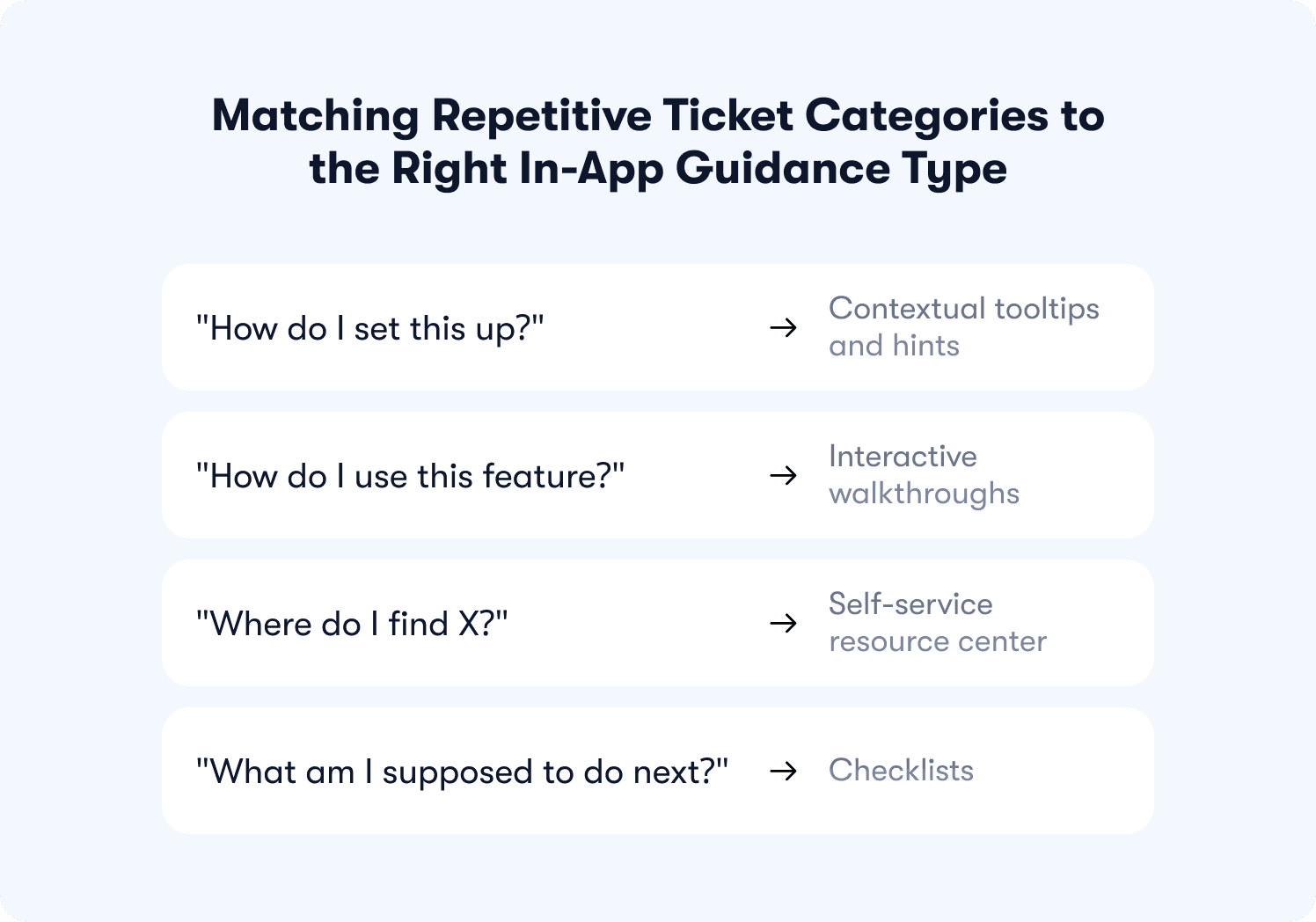
"How do I set this up?" → Contextual tooltips and hints
Setup questions usually trace back to a single unclear field or step, not a lack of understanding of the product overall. A new admin trying to invite their team, for instance, might stall on a permissions dropdown they've never seen before. A contextual tooltip placed on that exact field answers the question at the moment it comes up, before it turns into a ticket.
"How do I use this feature?" → Interactive walkthroughs
Feature-usage questions are less about a single field and more about a sequence: what to click first, second, and third to get from opening a feature to getting value from it. An interactive walkthrough built around that sequence answers the "how do I use this" question by walking the user through it directly, rather than describing it after the fact.
"Where do I find X?" → Self-service resource center
Navigation questions, like where to find export settings or a billing page, tend to be low-complexity but high-volume, and they don't require a step-by-step sequence, just a place to look. A self-service resource center built around common navigation questions, linked from a searchable help widget, lets users find the answer themselves without opening a ticket.
"What am I supposed to do next?" → Checklists
Some onboarding questions aren't about how to do something, they're about what to do at all. A user midway through a data import, unsure whether to configure field mapping next or move on to inviting teammates, is asking a sequencing question. A checklist that lays out the remaining setup steps in order answers that without a rep needing to weigh in.
With each category mapped to a mechanism, the next question is how to actually build and ship these without pulling in engineering.
Building the Replacement Without Engineering
Mapping a ticket category to a guidance type is the easy part. Getting it live is where most teams stall, usually because they treat it as a development request instead of a configuration task.
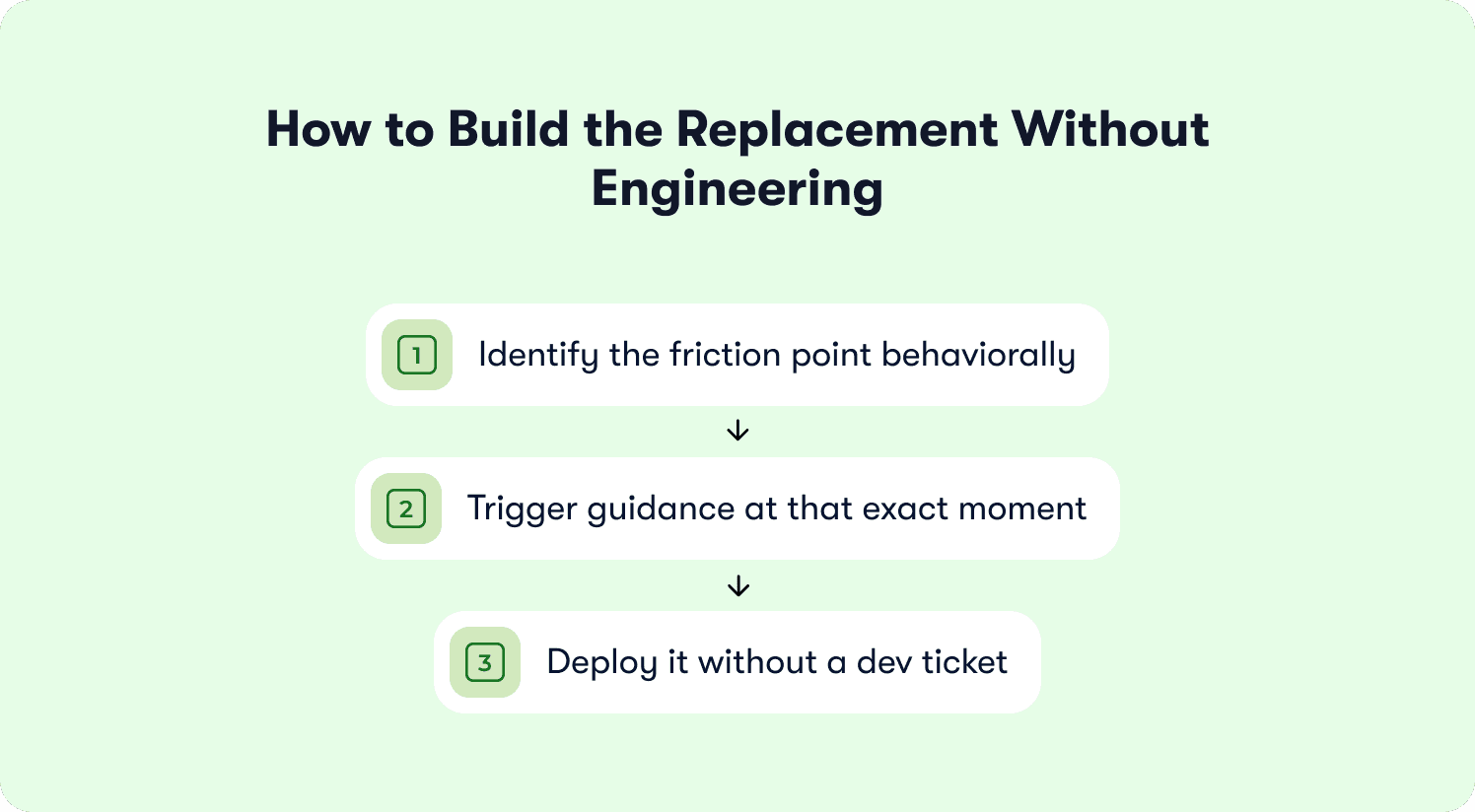
A practical build sequence:
Identify the friction point behaviorally. Look at where the question actually originates in the product, not just that it exists somewhere in the onboarding flow. "How do I invite my team" might really be a stall on one specific permissions field, not the invite flow as a whole.
Trigger guidance at that exact moment, tied to the behavior that signals confusion (hovering over a field, pausing on a step, revisiting the same page twice), rather than showing it generically at signup where most users don't need it yet.
Deploy it without a dev ticket. Tooltips, walkthroughs, resource center entries, and checklists can all be built and published directly, since none of them require custom code or an engineering sprint to ship.
For teams that want to go further, triggering guidance based on real-time user behavior rather than fixed points in the flow is covered in more depth in how AI-powered onboarding adapts to users.
What Changes for Your CS Team When Onboarding Stops Generating Tickets
When repetitive onboarding questions stop reaching the queue, CS time gets redirected toward escalations, expansion conversations, and at-risk accounts, the work only a person can do well. That shift in where time goes is the actual payoff of this framework, not just a lower ticket count on a dashboard.
Zenchef is a useful reference point here as the company cut onboarding time roughly in half after implementing in-app guidance across their onboarding flow, alongside a drop in the support tickets tied to that flow. The mechanism is the same one covered in this article: guidance placed where questions actually originate, so fewer of them turn into tickets in the first place.
This is intelligence-led growth in practice: guidance that responds to where a user actually is in the product, rather than a static set of instructions shown to everyone the same way. The product handles what it can predict, so CS capacity goes toward what it can't.
Measuring Whether In-App Guidance Is Actually Reducing Ticket Volume
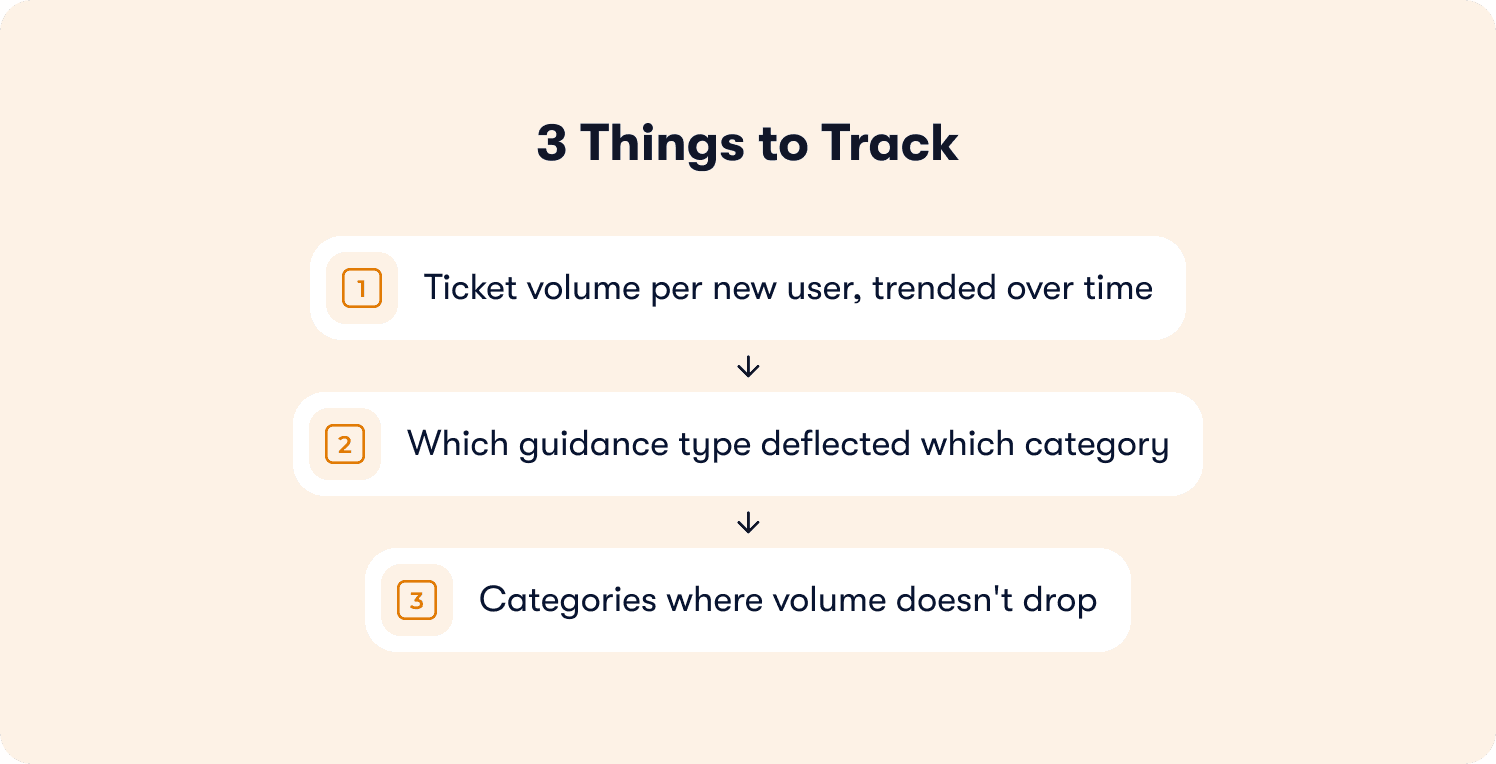
Once guidance is live, the measurement here stays practitioner-level, three things to track:
Ticket volume per new user, trended over time. Look at onboarding-tagged tickets per new signup, not raw ticket counts, so the metric isn't distorted by signup volume changes.
Which guidance type deflected which category. Tag tickets (or their absence) back to the specific tooltip, walkthrough, resource center entry, or checklist meant to prevent them, so it's clear which mechanism is earning its place.
Categories where volume doesn't drop. A category that stays flat after guidance ships usually means the guidance is misplaced, the friction point was misidentified, or the answer wasn't as repeatable as the audit assumed. Worth revisiting rather than assuming the mechanism failed outright.
For the fuller VP-level metrics and ROI framework, including how this ties to activation rate and time-to-value more broadly, see how AI-based onboarding personalization is measured rather than rebuilding that model here.
Let Your Product Answer the Questions It Already Knows the Answer To
Every onboarding ticket that gets deflected before it's raised is CS time returned to the accounts and conversations that actually need a person. That's the real case for this framework: not fewer tickets as a metric, but a support team that spends its time on judgment calls instead of repetition.
For a B2B SaaS team running a PLG or hybrid motion, where onboarding volume scales faster than headcount usually can, this shift matters more with every new signup. Your product doesn't just sell itself, it activates itself, answering the questions it already knows the answer to, so your team can focus on the ones it doesn't.
See how Jimo's in-app guidance tools work for teams facing this exact problem. Book a demo to walk through tooltips, walkthroughs, resource centers, and checklists built for your onboarding flow specifically.
FAQs
What causes the most repetitive onboarding support tickets?
Setup and navigation questions tend to generate the highest ticket volume, things like connecting an integration, finding a settings page, or knowing what to do next in a flow. These questions are usually high-repetition and low-complexity, which makes them strong first candidates for in-app guidance rather than a CS response.
Can in-app guidance fully replace onboarding support, or only reduce it?
It reduces support volume rather than replacing it outright. Predictable, repeatable questions get deflected in-app, while account-specific or judgment-based issues still need a person, which is the point: freeing CS time for the tickets that actually require one.
How do I know which onboarding questions to automate first?
Prioritize by volume multiplied by repeatability, not by how complex the underlying issue feels. A high-volume, low-complexity category, like connecting a first integration, is a stronger starting point than a rare but complicated edge case.
Does deflecting onboarding tickets with in-app guidance require engineering resources?
No. Tooltips, walkthroughs, resource center entries, and checklists can be built and published directly, without a dev ticket or engineering sprint, once the friction point and the right mechanism have been identified.
How is in-app guidance different from a help center or FAQ page?
A help center is pull-based: the user has to know to go looking for an answer. In-app guidance is placed at the exact point in the product where the question arises, so it answers the question before the user has to search for it at all.