/
7 mins read

TL;DR
You already know the problem: a checklist reorder sits in the same sprint queue as a database migration, waiting on engineering resources it never actually needed. This piece walks you through a repeatable process, record the ideal walkthrough, let AI generate the flow, customize it, publish it, for shipping an onboarding flow the same day you spot the gap, plus what to measure once it's live. Jimo is built for exactly this kind of no-code, AI-assisted launch cycle.
You've seen the gap in the data for weeks now. Users stalling at the same step, over and over, and the fix has been sitting in a sprint queue that won't open for three weeks. You know exactly what needs to change. You just can't ship it yourself. This article covers the process for closing that gap the same day you spot it: record the ideal walkthrough, let AI generate the flow, customize it, publish it, and know what to measure once it's live.
Why Onboarding Launches Get Stuck Behind Engineering in the First Place
You don't need engineering-level complexity for most of what's sitting in your backlog. A tooltip. A checklist reorder. One new step added to a tour. None of these require custom logic or software development in any real sense, and you know that. Yet you're still waiting weeks for a release window built for work that does.
Here's why: your onboarding requests are probably routed through the same sprint-planning process as core product work. Your checklist reorder waits behind a database migration. Your tooltip request competes for engineering resources against a customer-facing feature the whole roadmap depends on. Your product team isn't wrong to prioritize that roadmap item over your request. They're wrong to assume your request needed the same process to begin with, and somewhere along the way, that assumption became the default.
You've probably watched this play out the same way more than once. You flag a stall point in the onboarding journey. An engineer scopes it. It gets sized, slotted into a future sprint, and by the time it ships, your team has moved on to the next quarter's priorities and the gap you flagged has been sitting open for two months. None of that reflects how hard the fix actually was. It reflects a workflow that funnels every request through the same queue, regardless of what the request actually needs.
The fix isn't more engineering headcount, and it's not another low-code platform bolted onto your existing analytics stack for someone to learn on top of everything else. It's pulling the requests that don't need engineering out of that queue entirely, so the work that genuinely does need it stops competing against work that never did.
What Actually Needs No Engineering vs. What Still Might
Most of what's sitting in your backlog right now falls into no-code territory.
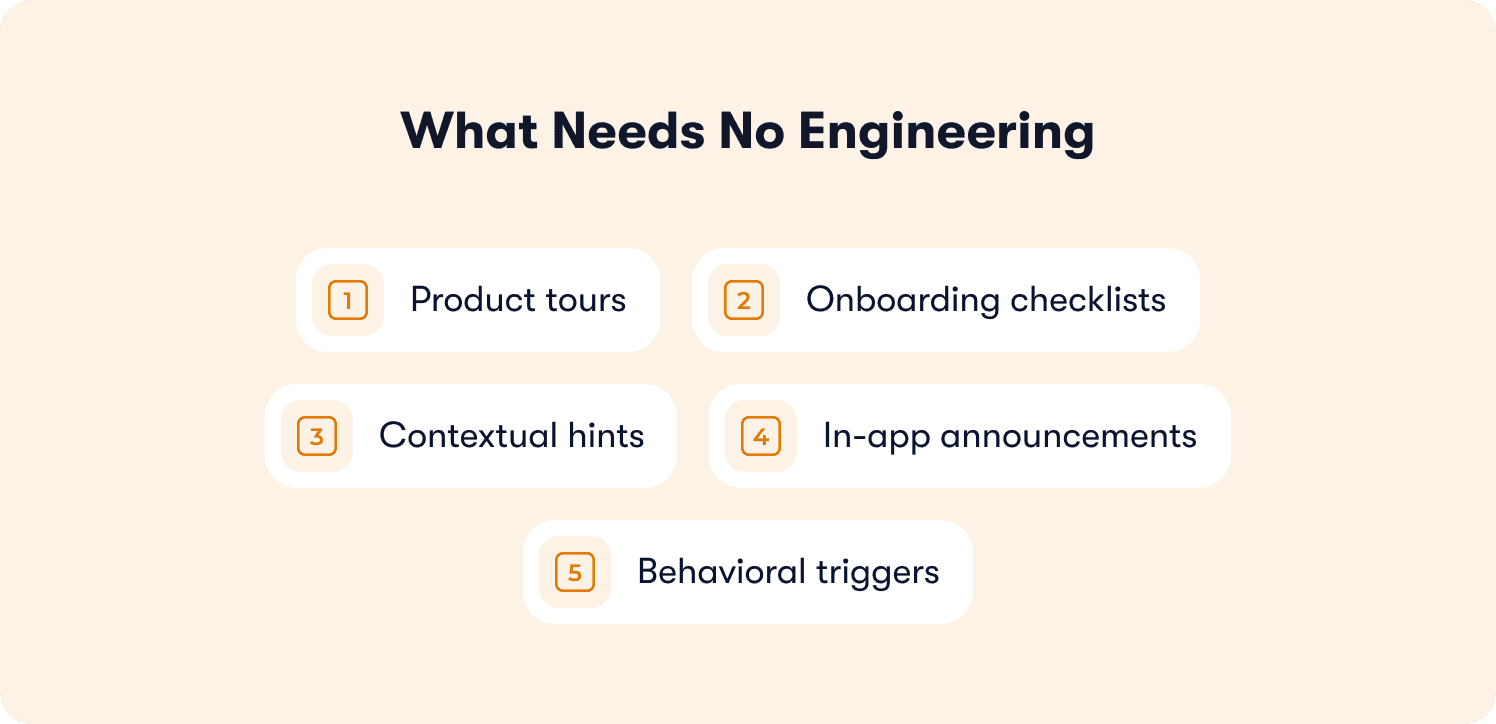
Five categories cover the large majority of it:
Product tours
Step-by-step walkthroughs that guide users through a key workflow the first time they hit it. You don't need a developer to hardcode a sequence of modals anymore. You record the flow once and adjust the steps yourself, through a visual interface.
Onboarding checklists
Tailored checklists that sequence setup steps in order, so new users have a clear path instead of guessing what to configure next. Reordering, adding, or retiring a checklist item is something you can do yourself, not something you file a ticket for.
Contextual hints
In-app hints that answer user questions at the exact moment they come up, placed on the specific field or button causing the confusion, instead of buried in a resource center your user has to go looking for.
In-app announcements
Announcements for new features or changes, useful when you want to drive feature adoption among existing users without spinning up a separate email campaign or writing a release note nobody reads.
Behavioral triggers
Guidance that fires based on what a specific user is actually doing, a stall, a repeated action, a page visit, rather than a fixed point like signup that treats every new user the same.
Onboarding element | Build it yourself | Still needs engineering |
Product tours | ✅ | |
Checklists | ✅ | |
Contextual hints | ✅ | |
In-app announcements | ✅ | |
Behavioral triggers | ✅ | |
Legacy-system integration | ✅ | |
Compliance-driven backend logic | ✅ |
You can build all five in the left column yourself, without touching a codebase. That's the real shift behind the no-code label: what used to require a developer and a ticket now takes zero programming knowledge, a walkthrough recording, and a few minutes of your time.
The exceptions are real, but they're narrower than you might think. Deep legacy-system integration, or compliance-driven server-side logic that has to live in the backend no matter how the onboarding layer is built, still needs engineering.
That's the minority case, not the default, and if you've been treating every request like it might fall into this category, that habit is probably a big part of why your backlog feels stuck. If you're still deciding between no-code, low-code, and custom-coded approaches at a strategic level, rather than trying to triage a backlog that already needs to ship, our guide on no-code vs. code onboarding tools covers that decision in full. This piece assumes you've made that call already and just need to move.
The Launch Process: From Spotted Gap to Live Flow
Here's the actual process, six steps, and you can run it yourself on the next request sitting in your backlog.
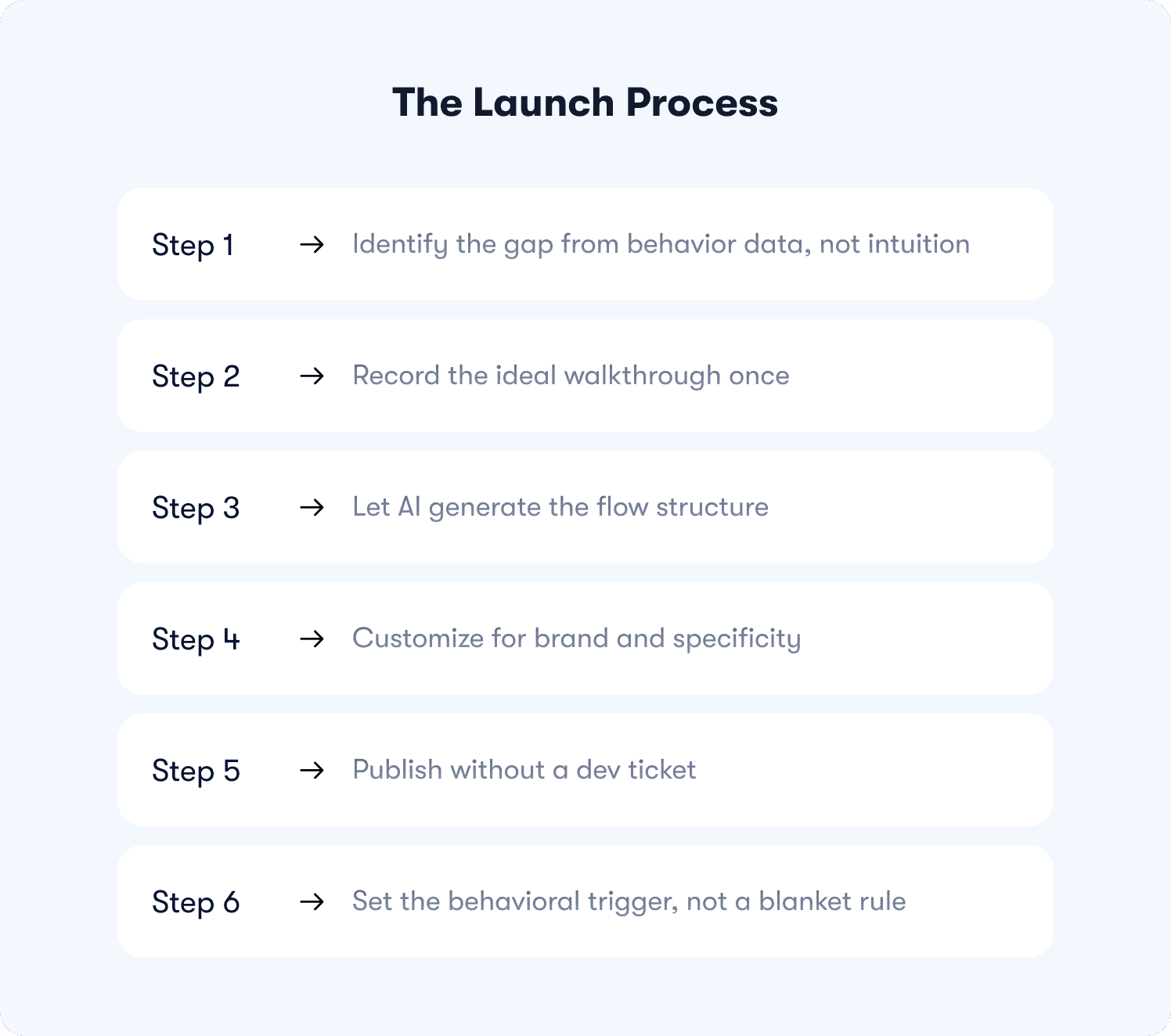
1. Identify the gap from behavior data, not intuition
Pull behavior metrics for the flow you're looking at, and find where users are actually stalling: a step with a sharp drop-off, a feature nobody reaches, a checklist item most people skip. Don't guess at the gap from a support ticket or a hunch. That's how you end up building the loud fix instead of the one that actually moves activation.
This step matters more than it looks like it should. A flow built on the wrong assumption still ships fast under this process, and it still fails, just faster than it would have under the old one. The data is what keeps your speed from being wasted on the wrong problem.
2. Record the ideal walkthrough once
Instead of describing the flow field by field to a builder tool, record the actual product interaction: what the ideal path through this step looks like when it works the way you want it to, click by click. That one recording becomes the source material for everything that follows.
This is a genuinely different starting point than most user onboarding tools have historically given you. You're not assembling a flow from a blank canvas. You're starting from something real, an actual sequence of actions in your actual product, not your best guess at what the flow should probably look like.
3. Let AI generate the flow structure
From that recording, AI drafts the steps, the sequencing, and a first pass at the copy. This isn't a blank template you still have to fill in, and it isn't a pile of reusable components you have to stitch together yourself. It's a working first draft, built directly from what you recorded, that already reflects your real product flow, your actual field names, your actual sequence of screens.
Most no-code solutions on the market still skip this step, defaulting to a drag-and-drop builder where you're still assembling every piece by hand. Generating the structure from your recording removes that manual assembly for you.
4. Customize for brand and specificity
Generic AI copy is going to miss the details only you'd know: your product's specific terminology, the edge case your users hit most often, the tone your brand uses everywhere else. This is the step where a generated flow becomes a genuinely good one, and it's usually your fastest step, since the structure and sequencing are already done.
If you need advanced customization, conditional branching, logic tied to a user's plan tier or role, it's available here. But most of what you're building won't require it. The essential features, correct sequencing, accurate copy, the right trigger, are usually enough to close the gap you found in step one.
5. Publish without a dev ticket
Deploy it yourself. No sprint queue, no engineering resources, no waiting for a release window shared with the rest of the roadmap. Your flow goes live the same day you build it, which is the whole point of pulling it out of the engineering queue.
6. Set the behavioral trigger, not a blanket rule
Your flow should fire when a specific user hits the specific moment it's meant to help with, not universally at signup regardless of whether that user actually needs it. A segmentation rule tied to real behavior, instead of a static rule applied to every new user, is what makes your guidance feel helpful instead of one more thing to dismiss.
Get this step right and your onboarding experience stops feeling like every other generic tour your users have clicked through and ignored before. It starts feeling like it showed up at the exact moment they needed it. Because it did.
What to Measure After You Launch
Completion isn't your success metric. The behavior you built the flow to fix is.
Your flow can post a great completion rate and still fail you. Users click through every step, and the stall point you built it to solve never actually resolves, because completing a tour and adopting the behavior the tour was meant to teach aren't the same thing. The question you actually need answered is narrower than a completion percentage: did the specific stall point you targeted actually resolve?
Track the same behavior data that surfaced your original gap, and check whether it moved. If you built the flow because users were stalling on connecting an integration, what matters is whether more users are successfully connecting integrations now, not whether they clicked "next" five times in a row. Success tracking tied to your original metric, not a generic completion rate, is what tells you whether the flow actually worked or just technically finished.
The same discipline applies if you're using this process to drive feature adoption through announcements or hints. A user dismissing a hint isn't the same signal as a user actually using the feature you pointed them to. Measure the behavior itself, not the interaction with your guidance, or you'll end up celebrating numbers that don't mean what you think they mean.
What Changes When You Own the Full Launch Cycle
AB Tasty's team, led by Morgane Ruaud, cut their onboarding build time down to 90 minutes for a specific flow, from spotting the gap to a live, published experience. That's the kind of speed available when one person owns the record-generate-customize-launch cycle directly, rather than a flow needing to move through separate handoffs between a product manager, a designer, and an engineer before it ships. It's worth reading in full: how AB Tasty cut user onboarding time from three months to two weeks.
That's what this process actually gives you. Not just a faster individual launch, but a cycle that no longer depends on three different people finding the same hour on the same day to agree on scope before anything moves. You record the walkthrough. You review the AI-generated draft. You customize it. You publish it. What used to be a multi-week, multi-handoff process becomes something you can do yourself, in less time than it used to take just to schedule the kickoff meeting.
Metric | Result |
Launch cycle speed | 6x faster |
Build time for a single flow | 90 minutes |
Users through the new flow, week one | 2,000 |
Customer satisfaction (CSAT) lift | 2x |
Worth noticing here: the AI-generated structure in step three does more than drafting. It handles sequencing logic and conditional branching, the kind of decision tree a developer used to have to write by hand, which is part of why AB Tasty's build time compressed the way it did. That's not the same as replacing an engineer entirely. Legacy integrations and compliance-driven backend logic still belong to your dev team, no process changes that. But the line for what counts as "needs engineering" keeps moving, as AI takes on more of the logic that used to require someone writing code line by line.
None of that required a bigger team. It required removing the handoffs between people who all had to weigh in before you could ship anything, and giving you the tools to own the cycle yourself.
This is also where you might notice the case for consolidating your tools. If you're juggling separate tools for tours, checklists, hints, and announcements, you're managing four different systems to solve one problem: closing onboarding gaps fast. A single digital adoption platform that covers all four, with built-in analytics that closes the loop back to step one, means you're not maintaining an internal tools stack that was never designed to talk to each other in the first place.
Ship the Fix the Same Week You Spot the Gap
You shouldn't need a sprint slot to fix a checklist. You already have the data showing where users are stalling. The record-generate-customize-launch process means you can ship the fix the same week, sometimes the same day, instead of waiting behind a queue built for work that actually needs engineering.
This matters even more if you're running a product-led growth motion, where the gap between "I found the problem" and "the fix is live" directly affects activation and retention numbers that compound every week it stays open. For a deeper look at how onboarding fits into that broader growth motion, see our guide on product-led growth versus sales-led growth.
Your product doesn't just sell itself, it activates itself, closing the gaps you find as fast as your data surfaces them, without a ticket standing between you and shipping it.
See how Jimo's AI-assisted flow creation works, from recording to published flow. Book a demo and walk through the full process on your own product.
FAQs
What onboarding changes can actually be built no-code?
Product tours, checklists, contextual hints, in-app announcements, and behavioral triggers are almost always no-code territory now. These cover the large majority of what's likely sitting in your backlog right now, spanning most of the onboarding journey from first login through feature adoption. The rare exceptions are changes requiring deep legacy-system integration or compliance-driven server-side logic, which still need engineering support.
How is AI-assisted no-code onboarding different from a drag-and-drop builder?
A drag-and-drop builder still has you building the flow field by field, choosing each step and writing each piece of copy yourself from a blank canvas. AI-assisted no-code onboarding starts from a recorded walkthrough of your actual product, then generates the structure, sequencing, and a working first draft of the copy from that recording, so you start from a real flow instead of an empty template.
Do I still need a developer for any part of a no-code onboarding launch?
For most of what you're building, no. Tours, checklists, hints, announcements, and behavioral triggers are all things you can build and publish yourself, without a developer or any technical talent on your team. You'll still need one for the narrow set of exceptions involving legacy-system integration or compliance-driven backend logic, but that's a small share of what actually fills most backlogs.
How long does it realistically take to launch a no-code onboarding flow?
It depends on how complex your flow is, but the record-generate-customize-launch process is built to take you from weeks to hours. AB Tasty's team, for example, went from spotting a gap to a published flow in roughly 90 minutes for one onboarding update, though your own timeline will depend on how much customization your flow needs and how familiar you are with the process.
Is no-code onboarding only for simple SaaS products, or does it scale to complex ones?
It scales. The no-code layer handles the guidance itself, tours, checklists, hints, and that stays no-code regardless of how complex your underlying product is. Complexity in your product doesn't mean complexity in how you build the guidance. What actually determines whether you need engineering is a specific requirement, like legacy-system integration or an enterprise security constraint on data handling, not how sophisticated your product is overall.