/
10 mins read

TL;DR
The no-code vs code onboarding tools debate inside most B2B SaaS companies is really a debate about who owns iteration and how fast your team can move. This guide gives Heads of Product a practical framework for choosing between no-code solutions, low-code platforms, and custom-coded onboarding. We cover what each approach actually handles, where each one breaks down, and a four-question test you can bring to your next sprint planning meeting to end the debate. Most Series A–C teams default to custom-coded onboarding for the wrong reasons and discover the cost too late. By the end of this article, you’ll know which approach fits your stage, your team's ownership model, and your activation velocity requirements.
You’ve just walked out of sprint planning. Engineering told you the onboarding rebuild will take six weeks. That’s six weeks before you can respond to the drop-off signal you're already looking at. Six weeks before the cohort that's churning gets any guidance. Six weeks for a tooltip.
The wrong tooling decision at the wrong growth stage locks your team into exactly that cycle. Every onboarding change requires a sprint, every user behavior insight expires before you can act on it, and your product team watches activation metrics decline while waiting on developers to ship copy changes.
The average SaaS activation rate is just 36%. Every week your onboarding sits on a backlog is a week your monthly active users number reflects that delay. And yet the internal debate about no-code vs code onboarding tools drags on in most teams because nobody has given it a clean decision framework.
This article does that. We won’t tell you no-code is always the answer, because it isn’t. We’ll give you an honest map of what each approach handles, where each one breaks, and a four-question test you can apply to your own situation today.
The real tradeoff isn’t about code
Most teams frame the no-code vs code dilemma as a technical capability question. They want to know if a no-code platform has enough power for what they need. That's the wrong frame, and it's why the debate runs in circles.
Instead, look at how fast does your team need to iterate on onboarding, and who owns that iteration? Those two variables determine the right answer more reliably than any feature comparison. A no-code platform with slightly less raw flexibility than a custom build will still deliver better activation outcomes if it means your product team can ship and test a fix in an afternoon rather than waiting for a sprint cycle to open up.
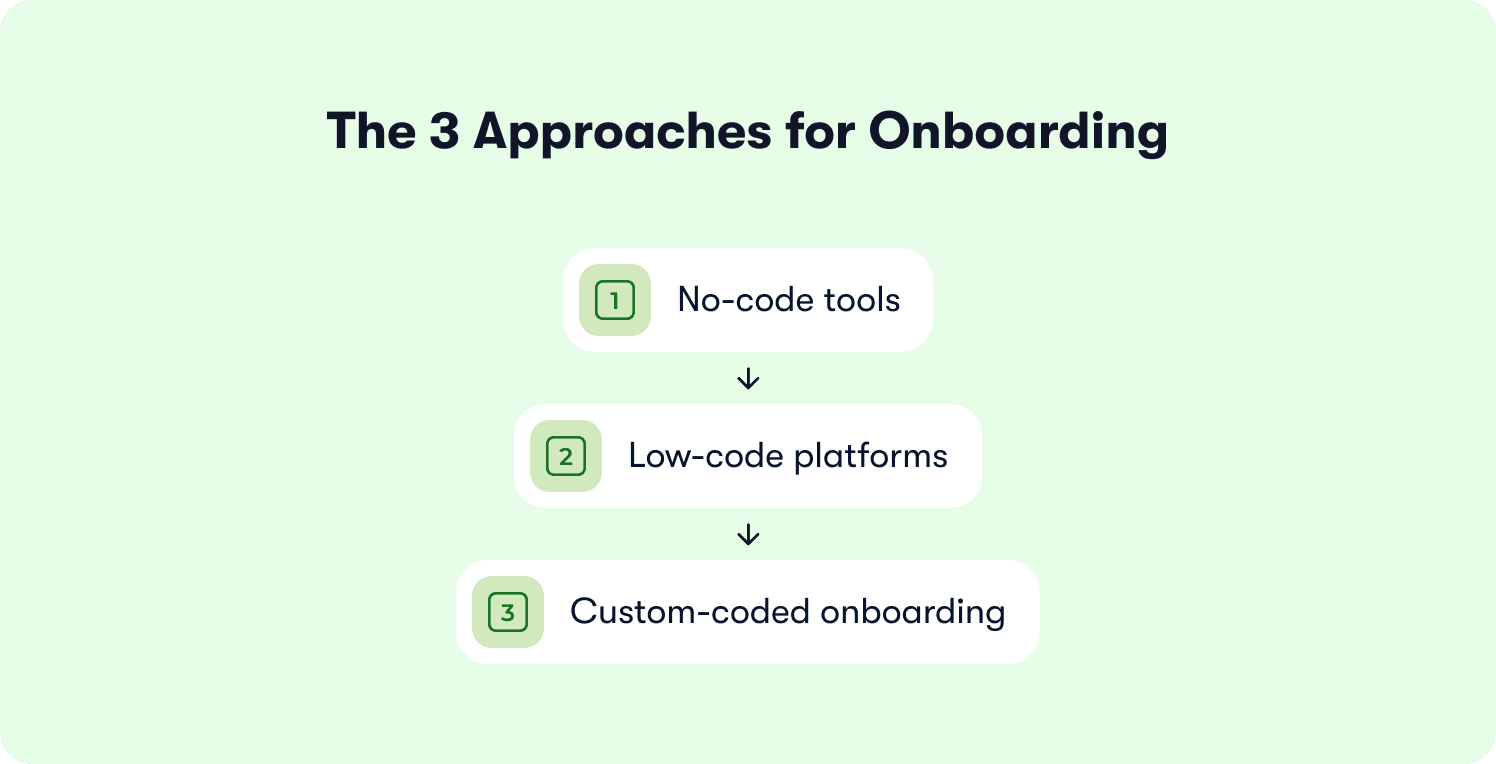
There are three approaches on the table:
No-code tools let non-technical teams and business teams build, deploy, and adjust onboarding experiences through visual interfaces and drag and drop builders, with zero programming knowledge required.
Low-code platforms sit in the middle and add a scripting layer for edge cases, which reduces but doesn't eliminate the need for professional developers when you need to add custom logic.
Custom-coded onboarding means writing code from scratch, owned entirely by engineering, with full control over every behavior and integration.
Each of these is a choice about who does the work and how long each change takes. It's not really a matter of coding skills or technical talent. It's more about debate regarding iteration speed and team ownership. Now, the fastest-growing product teams have already settled it. The right approach is the one that lets the product team act without an engineering ticket.
Custom-coded onboarding is PLG-era thinking. You build something once, scale it, and maintain it. ILG says the product activates itself, which means onboarding has to adapt to individual user behavior rather than deliver a fixed sequence to everyone. That's a different kind of tool. And it requires a different kind of decision about who owns it.
No-code onboarding tools: What they can and can't do
Let's start with what no-code platforms genuinely handle well, because this is where most skepticism is misplaced.
Where no-code platforms excel
Modern no-code DAPs cover a serious capability footprint. Tour creation, behavioral triggers, user segmentation, in-app messaging, and feature walkthrough delivery are all native to the category.
A product manager can build an onboarding checklist with action-based completion rules, rich media (images, GIFs, video), and conditional logic that fires only when a user has performed a specific action inside the product. And no-code onboarding tools allow all this to happen without writing a line of code.
Event tracking that would previously require an engineering ticket can be set up in minutes using element-level capture and AND/OR logic groups. The onboarding process can auto-progress based on user interactions, responding to what the user actually does rather than waiting for them to click “next.”
The activation impact of getting this right is measurable. Recollective switched from emailing users about new features to delivering contextual in-app guidance with tooltips, modals, and tours triggered at the right moment inside the product. They reached 20x more users compared to their previous email-based approach, with no product changes and no engineering involvement.
Modern no-code DAPs give product teams full ownership of the onboarding iteration cycle without engineering dependency. Interactive onboarding strategies that would previously require a sprint ticket and a developer handoff can now be built, deployed, and adjusted entirely within a visual editor.
The limits of no-code onboarding tools
Where first-generation no-code platforms hit real limits is in adaptability. Static tour builders in the early no-code category showed users the same experience regardless of what they'd already done in the product, what features they'd activated, or how they'd previously behaved.
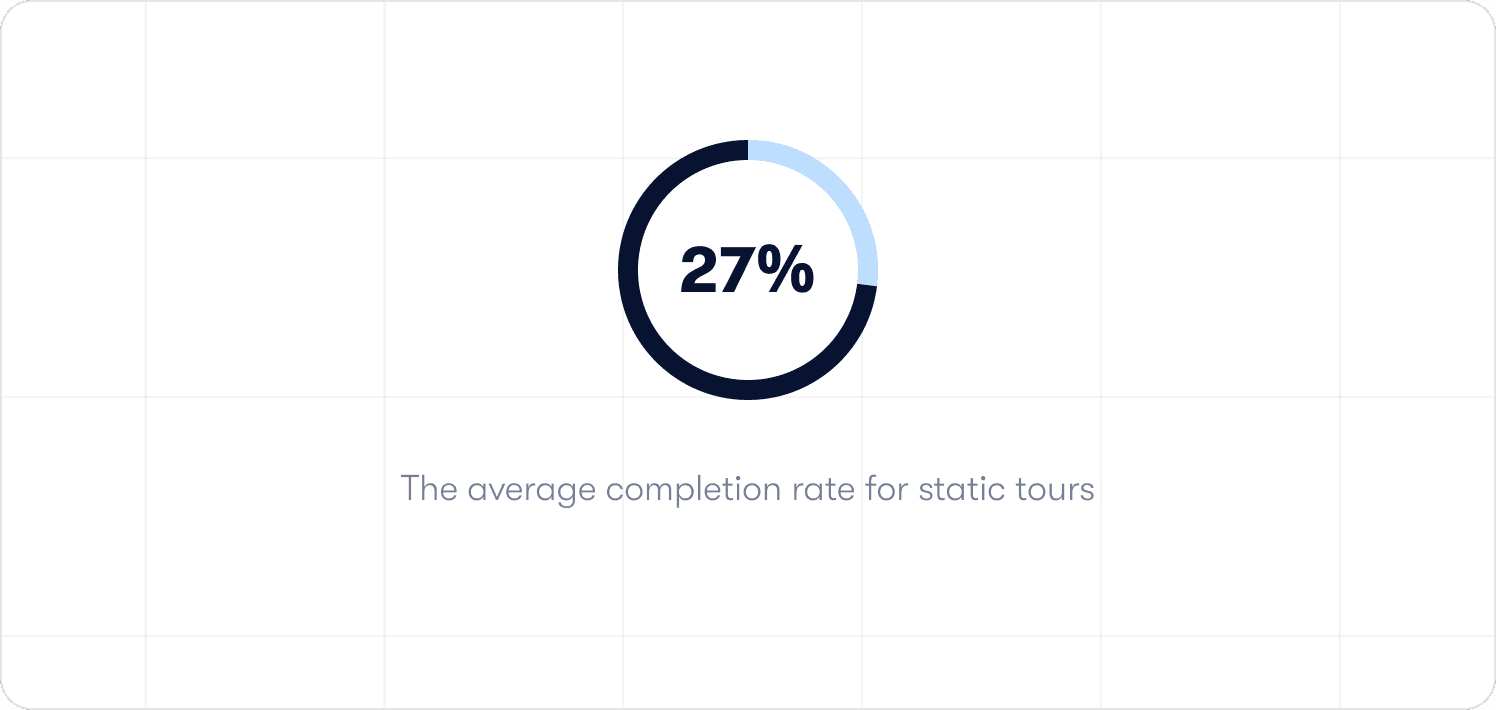
These tools delivered visual building blocks and drag and drop interfaces without any intelligence connecting the experience to the user's actual journey. Users skipped them. Completion rates for static tours average around 27% on a good day, with a median closer to 15%. That's not a problem with no-code as a category. That's a problem with PLG-era no-code tools that don't adapt.
Where AI-native no-code platforms extend the ceiling
The newer generation connects behavioral signals to experience delivery at the individual level, not just the cohort level. Rather than targeting “users in the trial segment,” these tools can target “users who completed step two but haven't triggered the billing feature in the last seven days” and deliver a specific, contextual hint or guided walkthrough at that exact moment.
The experience responds to what the user is doing. And personalized onboarding experiences increase retention by 40% compared to generic flows and deliver 52% faster time-to-productivity. Generic flows overwhelm users with features they don't need yet. Individual-level targeting treats each user as a segment of one, surfacing the right guidance at the right moment. Self-service documentation is surfaced in context, not buried in a help center that requires the user to leave the product to find it. Behavior metrics feed directly back into targeting logic, meaning analytics segments don’t require a data team to build and maintain.
The importance of the team ownership model
The team ownership model here is the structural advantage that won’t ever appear in feature comparison tables. When a product manager owns the full onboarding tactics cycle from build to measurement, changes happen at the speed of insight rather than the speed of the sprint queue. For teams thinking through their app onboarding, the no-code ownership model is increasingly the one that defines what “best” looks like in 2026.
Low-code onboarding solutions: the middle ground
Low-code occupies the space between full no-code and custom-built. A low-code platform gives business users and citizen developers a visual builder for the majority of work, with the option to drop into scripting for edge cases that the visual layer can't handle.
The promise is flexibility without the full overhead of traditional software development. But the reality is often more complicated.
When low-code tools win
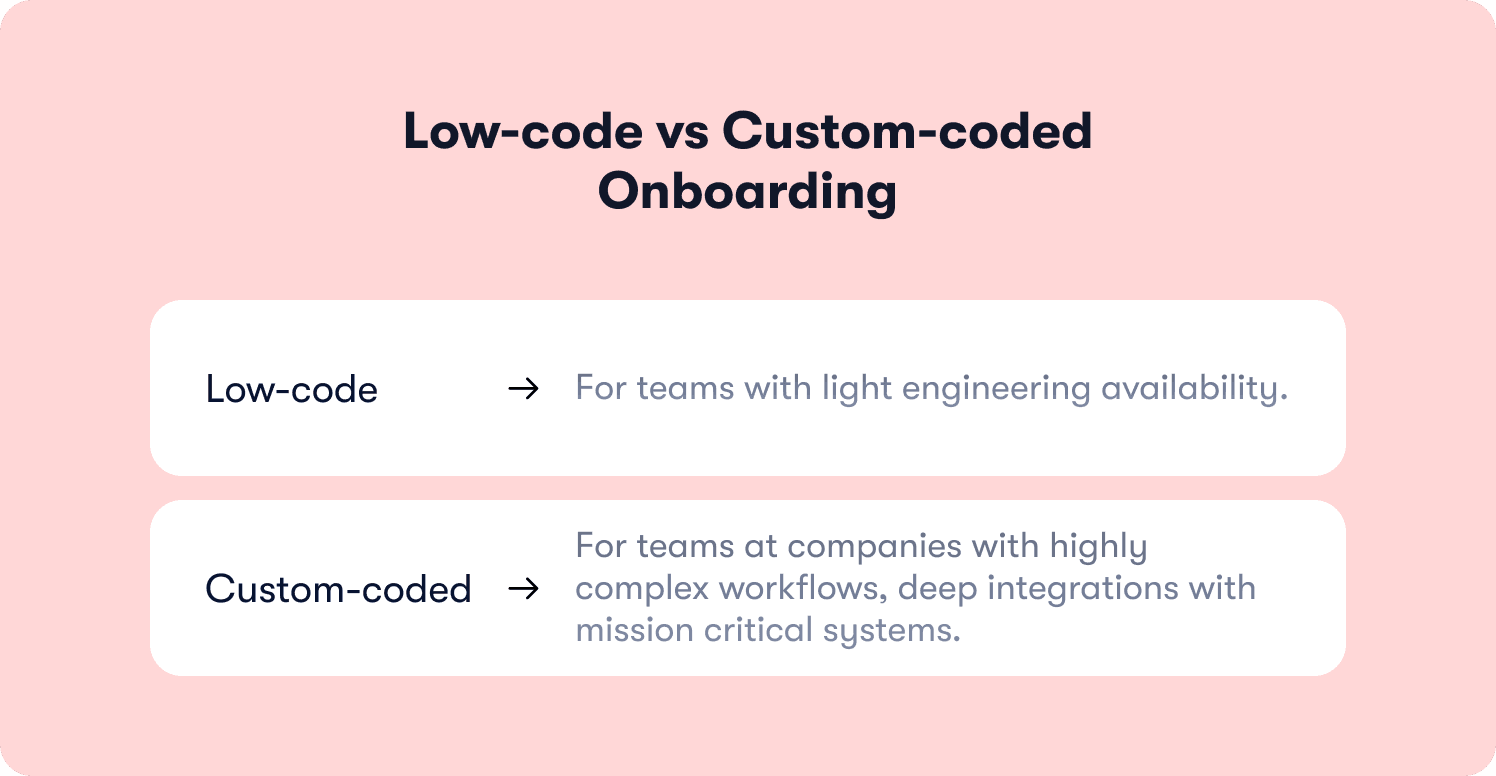
Low-code makes the most sense when a team has light engineering availability and needs custom integrations or business logic that a no-code platform can't express.
Legitimate cases for a low-code solution include:
Connecting onboarding state to legacy systems
Writing custom logic for core systems with non-standard APIs
Handling enterprise security requirements that need code-level control
IT teams at larger organizations often prefer low-code because it gives them a defined integration surface without the full commitment of custom code development.
The risk of going low-code
But the strategic risk of low-code in the onboarding context is one that teams discover after they’ve committed. Every time the visual builder can't handle something and a developer needs to write code, the sprint dependency problem comes back, at least partially.
You’ve reduced the dependency but you haven’t eliminated it. The low-code development platform is now running two ownership models simultaneously. There’s PM ownership for the standard flows and engineering ownership for every edge case. That hybrid model usually doesn’t satisfy either team. The PM is blocked on anything complex. The developer is context-switching to maintain onboarding logic instead of building core products. The low code development workflow that looked like a compromise ends up as a constraint.
Potential vendor lock-in is also a real consideration with low-code platforms. The custom integrations and custom logic written inside a low-code environment are often difficult to migrate. If the tool changes its pricing, acquires a competitor, or deprecates a feature, the embedded code creates switching costs that a pure no-code platform, which owns no proprietary code, doesn't carry.
Custom-coded onboarding: When it makes sense
Custom-coded onboarding deserves a fair hearing before we deliver the verdict. It’s not “bad” or “wrong,” it’s just built for a very specific use case. It’s expensive, slow to iterate, and architecturally hostile to PM autonomy, but there are genuine times where it's the right call.
When to choose custom-coded tools
Teams at companies with highly complex workflows, deep integrations with mission critical systems, or compliance requirements in regulated industries where enterprise security demands code-level control have real reasons to build onboarding in-house.
Custom code is sometimes the only path if your onboarding flow needs to:
Reflect real-time data from multiple core systems
Trigger actions inside legacy systems that have no standard API
Run custom business logic that no off-the-shelf tool can express
Enforce compliance-driven audit trails or consent logic that requires server-side control a client-side overlay tool can't provide
Teams at the enterprise end of the market sometimes operate in environments where a no-code tool's integration surface genuinely doesn't reach.
The true and hidden costs of custom-code
The cost of custom-coded onboarding, though, isn’t necessarily the build. It’s also everything after. Six to twelve months of initial custom development is the typical build cycle. Every subsequent change requires an engineering ticket, a sprint cycle, and a full QA and deployment sequence. Adjusting a tooltip or updating copy after a product change carries the same overhead as shipping a new feature.
The PM has no autonomy. The data team has to pull reports to measure whether anything worked. And the development process that looked like maximum control in the planning phase looks like maximum overhead in the iteration phase.
The hidden cost is competitive. During those six to twelve months, a competitor team that chose a no-code solution shipped, tested, and iterated their onboarding 20 times. That's 20 rounds of activation data, 20 rounds of A/B insights, 20 improvements to the moment where their users first experience value.
Custom-coded onboarding teams often don't feel this cost until they try to make an urgent change, discover it requires a three-week engineering cycle, and realize the sunk cost of their build is now the thing stopping them from responding to what their users are telling them.
There's also a vendor lock in risk that runs in the opposite direction from what teams expect. Custom-built onboarding creates internal lock-in. The onboarding logic is embedded in the codebase, owned by whoever wrote it, and difficult for a new PM or engineering hire to understand, modify, or replace. If your technical talent rotates, the institutional knowledge of the custom build often goes with them.
If your onboarding needs change every quarter, and at any healthy Series A–C company they should, custom-coded onboarding is the wrong default. The overhead is real and the iteration tax compounds.
The decision framework: A four-question test
Come equipped with this framework before the next debate with your engineering lead or CTO. There’s four questions, and three possible outcomes.
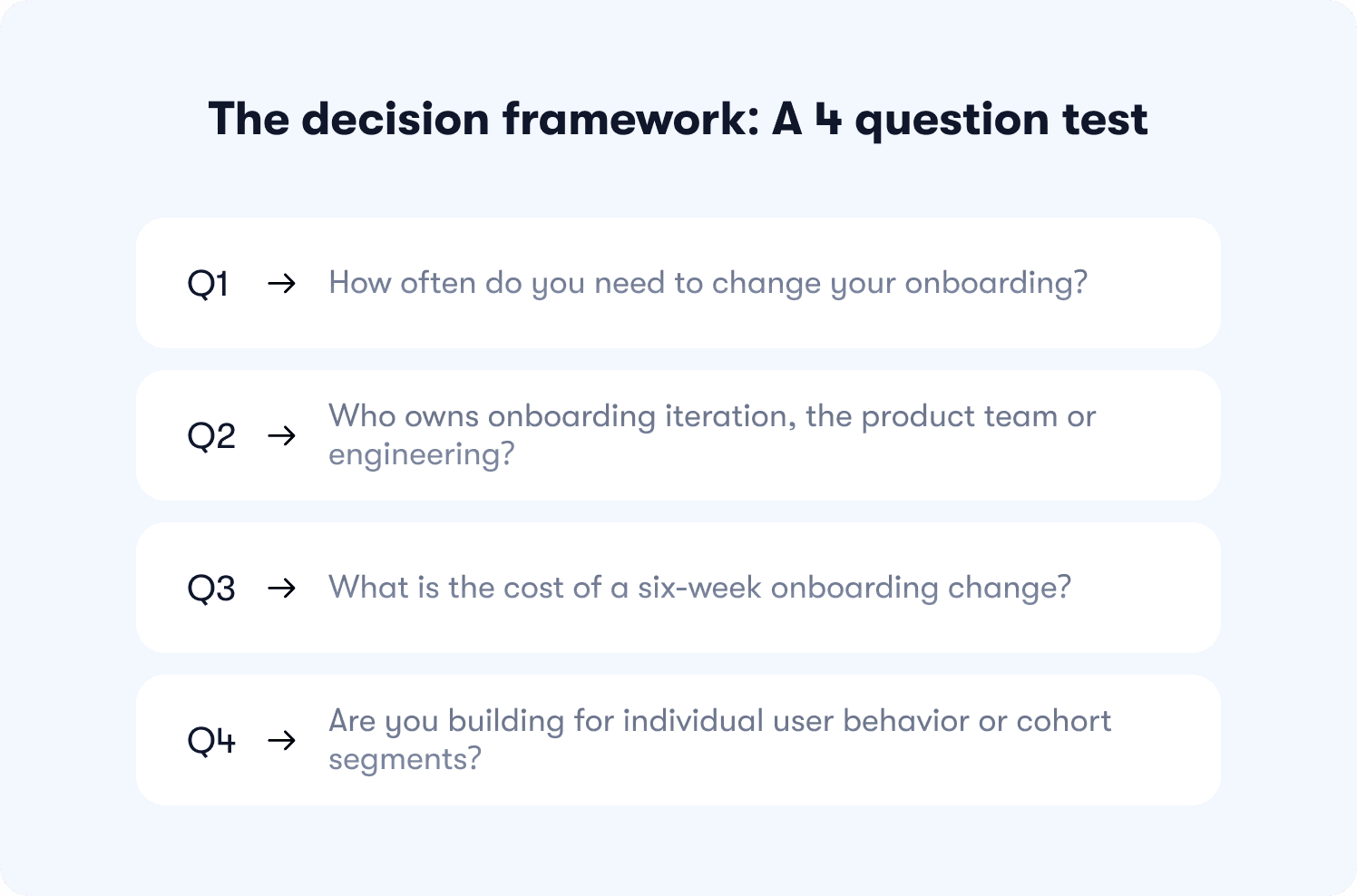
Question 1: How often do you need to change your onboarding?
If the honest answer is monthly or more, no-code wins on first principles. Onboarding should change whenever your product changes, whenever activation data reveals a new drop-off point, or whenever a new user segment starts behaving differently. That’s more often than most teams admit. If changes are honestly rare, maybe once a year for a stable business application with a fixed workflow, custom-coded is more defensible.
Question 2: Who owns onboarding iteration, the product team or engineering?
Product team ownership points clearly toward no-code. If the PM can build, adjust, and ship without an engineering ticket, your retention insights translate into fixes in hours rather than weeks. Shared ownership is the riskiest answer, because it creates a model where neither team does it well. Engineering treats onboarding changes as low-priority interruptions while the PM treats the backlog as the process. Meanwhile, activation suffers.
Question 3: What is the cost of a six-week onboarding change?
Not the engineering cost, what’s the activation cost? If you spot a drop-off in your behavior metrics today and the fix won't ship for six weeks, how many users will have made their decision before the change lands? At a typical SaaS company running a product-led growth motion, that window is the difference between retaining a cohort and losing it. If six weeks is too slow, custom-coded onboarding is disqualifying on this criterion alone.
Question 4: Are you building for individual user behavior or cohort segments?
Static cohort-level targeting, like “send this tour to all trial users,” is something first-generation no-code platforms handle adequately. Individual adaptive targeting, where the experience responds to what this specific user has and hasn't done, requires an AI-native no-code platform. Complex custom logic that needs to integrate deeply with internal tools, core systems, or proprietary business logic may point toward low-code or custom. But most B2B SaaS teams at Series A–C aren’t in the last category, even if their engineering team believes they are.
The three outcomes
Most B2B SaaS teams at Series A–C should default to no-code unless they have a documented constraint that prevents it. The documented constraint needs to be specific, whether that’s a named mission critical system with no standard API, a compliance requirement that’s been verified with legal, or a security vulnerability risk that’s been assessed against the no-code platform’s security posture.
“We need flexibility” isn’t a documented constraint. “Our engineering team prefers writing code” isn’t one either. If the constraint isn't documented and specific, the default is no-code.
If there's a genuine edge case requirement that a no-code platform can't handle natively, low-code is the next step, with a clear rule. The percentage of work that requires code should be small and stable. If it’s growing, the low-code platform is becoming a custom code project under a different name.
Custom-coded onboarding is the right answer when the compliance, security, or integration requirements are documented, verified, and outside what any no-code or low-code solution can address. It’s a small category of teams. Most of them know who they are before they start this debate.
Where Jimo fits: the AI-native no-code layer
The failure mode that sends teams to custom-coded onboarding isn’t usually a real complexity requirement. Rather, it’s when they hit the ceiling of a first-generation no-code tool and conclude the whole category has that same ceiling. Static tour builders gave no-code a bad reputation it no longer deserves. Users never discover features because a static tour never guides them there.
Jimo is an AI-native no-code DAP built for a different model. Its AI Copilot guides, assists, and executes tasks inside the product in response to what users are actually doing, not what the PM scripted three weeks ago. The product team builds and deploys product tours, checklists, hints, and announcements through a visual editor with zero programming knowledge required. Behavioral triggers connect guidance to the specific user action that signals someone needs help. The Success Tracker measures whether it moved the activation metric. Deployment requires one script tag. Iterations happen in minutes.
Jimo’s own data shows AI-powered interactive tours completing at 44% versus 27% for standard tours because they adapt to the individual rather than delivering a fixed script.
Jimo built their own Resource Center using Jimo. One widget replaced five separate help tools, adapting in real time to each user's context. Ask AI answers questions from the docs and can launch the relevant tour directly.
"The whole thing is contextual. The Resource Center a new user sees isn't the one a six-month user sees. It adapts in real time,” says Jimo Co-founder Thomas Moussafer. “This is what we help SaaS teams build every day. Building it on ourselves was the best way to prove the architecture works."
Custom-coded onboarding is PLG-era thinking. It’s slow, expensive to iterate, blind to individual user behavior. AI-native no-code is an upgrade in the dimension that determines whether your product activates itself or waits for your engineering team to catch up. Jimo's pricing starts at $249/mo, with setup taking days, not months.
Book a demo to run the four-question test against your own stack live.
FAQs
Can no-code onboarding tools handle complex behavioral triggers?
Modern AI-native no-code DAPs handle behavioral triggers at a level that would have required custom code just a few years ago. They can target specific users based on feature usage history, trigger guidance at the exact moment a user attempts an action and stalls, and adjust the experience based on what someone has and hasn't done across multiple sessions. The ceiling of first-generation no-code tools, which could only target broad cohort segments, is no longer the ceiling of the category.
Is custom-coded onboarding ever worth the investment?
Yes, in a narrow set of cases like regulated industries with verified compliance requirements, products with deep integrations into legacy systems or mission critical infrastructure that have no standard API, and companies where enterprise security requirements have been assessed and require code-level control. Outside those documented cases, the iteration tax and PM autonomy loss of custom-coded onboarding typically outweigh the control benefit, especially for business users and product teams whose job is to move activation metrics faster than the sprint calendar allows.
What's the difference between no-code vs low-code vs custom-coded onboarding solutions?
No-code development gives product teams and citizen developers full ownership of onboarding without any basic coding skills required. The entire build, deploy, and iteration cycle happens inside a visual editor. Low-code reduces but doesn't eliminate engineering dependency, making it a reasonable middle ground when a small number of edge cases genuinely can't be handled visually. Custom-coded onboarding delivers maximum control but trades away iteration speed and PM autonomy. This is where most teams lose business value, not in the build, but in every change they can't make fast enough afterward.
What’s the fastest way to ship onboarding without engineering resources?
An AI-native no-code DAP deployed with a single script tag is the fastest path from zero to a live, behavior-triggered onboarding experience. The no-code development workflow means business users on the product team can build tours, checklists, hints, and behavioral triggers in a visual builder, deploy them the same day, and measure activation impact without writing a line of code or filing a ticket. For teams reviewing the broader landscape of product onboarding tools and digital adoption platforms, the no-code deployment model is the differentiator that determines how fast the first improvement ships, which is usually also the metric that closes the internal build-vs-buy debate.







