/
8 mins read

TL;DR
Signups are up. Paid conversion is not moving. For most B2B SaaS teams, the gap lives in onboarding. Specifically, in static flows that treat a first-time admin the same as a returning power user in a different region with a different job to be done. This article gives you a framework for building AI onboarding that adapts to users in real time. It uses behavioral signals, role context, and lifecycle stage to personalize guidance, without manual segment rules or sprint dependencies. We cover the revenue case, a step-by-step implementation playbook, privacy guardrails, and the metrics that connect onboarding behavior to paid conversion and retention.
Most B2B SaaS teams don’t realize they have an onboarding problem because their top-of-funnel metrics look healthy. Signups are growing, CAC is stable, and pipeline coverage is strong. But revenue tells a different story. Paid conversion plateaus, activation rates fluctuate by cohort, and no one can point to a consistent first-session behavior that predicts who converts and who doesn’t.
The issue isn’t acquisition or pricing. It’s that your onboarding system is producing inconsistent paths to value, which means your data can’t reliably tell you what works. Until that changes, every optimization you make downstream is built on noise. This is where adaptive AI onboarding becomes a revenue lever, not just a product experience upgrade.
Why one-size-fits-all onboarding stalls revenue growth
The growth dashboard looked fine. Signups were climbing month over month. Trial starts were up. The acquisition funnel was performing. But paid conversion had not moved in two quarters, and nobody could explain why.
The answer was sitting in the first-session data. Nobody was reading it.
Static onboarding delivers the same flow to every user who signs up, regardless of role, intent, plan tier, or region. An enterprise admin landing in your product for the first time gets the same three-step tour as a solo founder on a free trial. A user in Germany sees the same interface, the same guidance, and the same language as a user in California. A user who has already completed the core workflow sees the same prompts as someone who has never clicked the primary action.
This is not a UX problem. It is a revenue problem.
When onboarding is generic, activation rates become volatile and unpredictable. The users who convert are the ones determined enough to find value despite your onboarding, not because of it. You cannot tell from your data which first-session behaviors predict paid conversion, because the experience is too inconsistent to produce reliable signal.
The compounding effect is worse. Every sprint your team spends manually updating flow rules for a new segment is a sprint not spent on product. Every time engineering gets pulled to change an onboarding step, you have introduced a fixed cost into what should be a continuously improving system. And every week that passes with a static flow is a week where users who could have been guided to their activation moment instead hit a generic wall and quietly stop logging in.
The data backs this up. Most teams assume their onboarding is working because users are completing it. The numbers tell a different story.
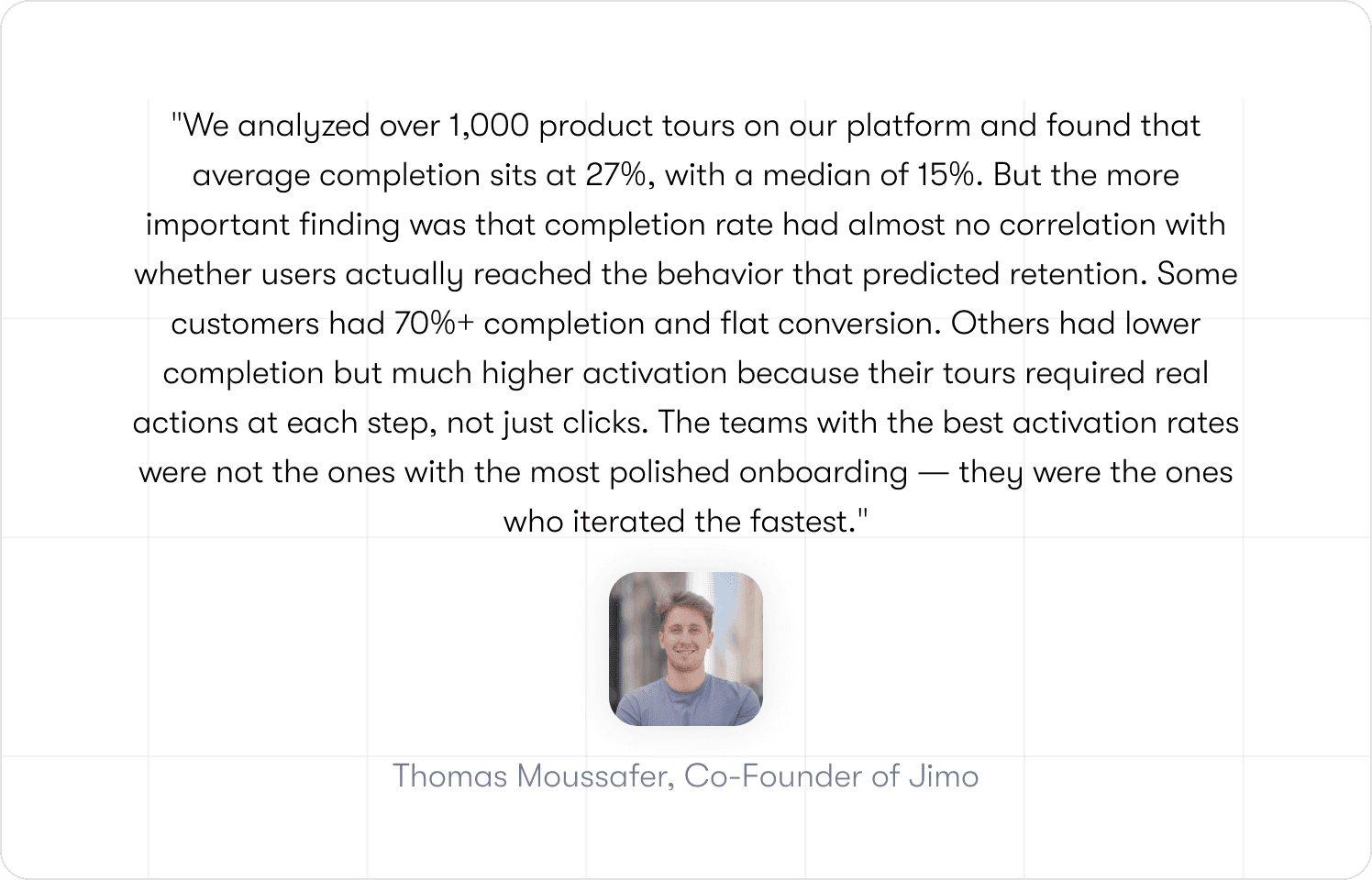
The product adoption curve tells you that a significant proportion of your users are sitting in the early majority. They are willing to adopt and capable of seeing value, but they are not persistent enough to overcome friction without help. Static onboarding loses these users at exactly the moment they are most convertible.
The fix is not more onboarding steps. It is the right step, for the right user, at the right moment, delivered automatically, without requiring anyone to manually configure which user sees what.
What adaptive AI onboarding actually means (vs. rule-based personalization)
The term "AI-powered" appears on more onboarding tools than it deserves. Before evaluating whether any system will fix your activation problem, it is worth being precise about what adaptive AI onboarding actually does, and how it differs from the manual process most teams are running today.
What most teams are doing: manual rule-based personalization
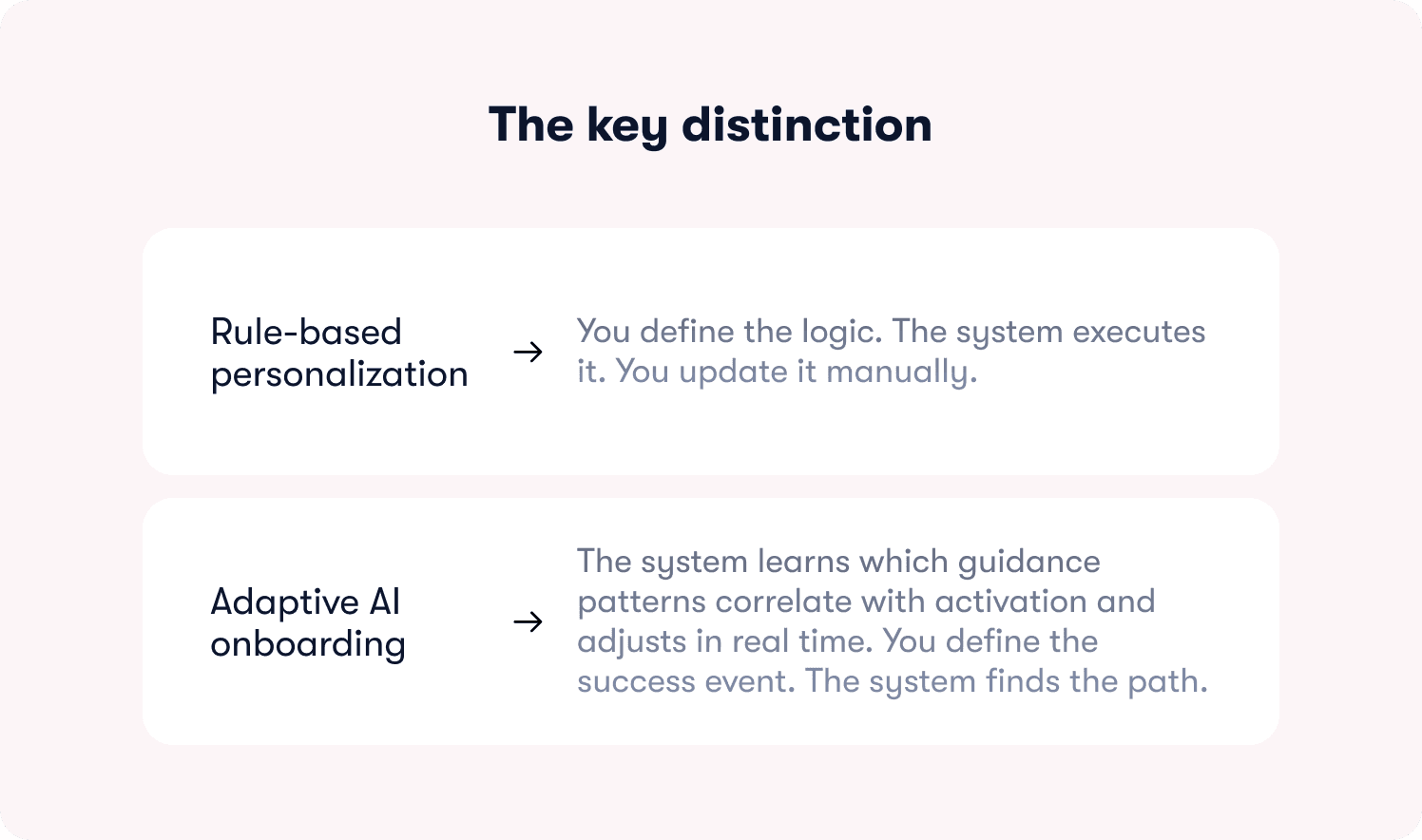
In a rule-based system, a product manager or product ops specialist defines segments manually. If role = admin and plan = enterprise, show flow A. If role = member and plan = starter, show flow B. These rules are written once, stored in a configuration file or tool, and updated when someone with access to the system decides to update them.
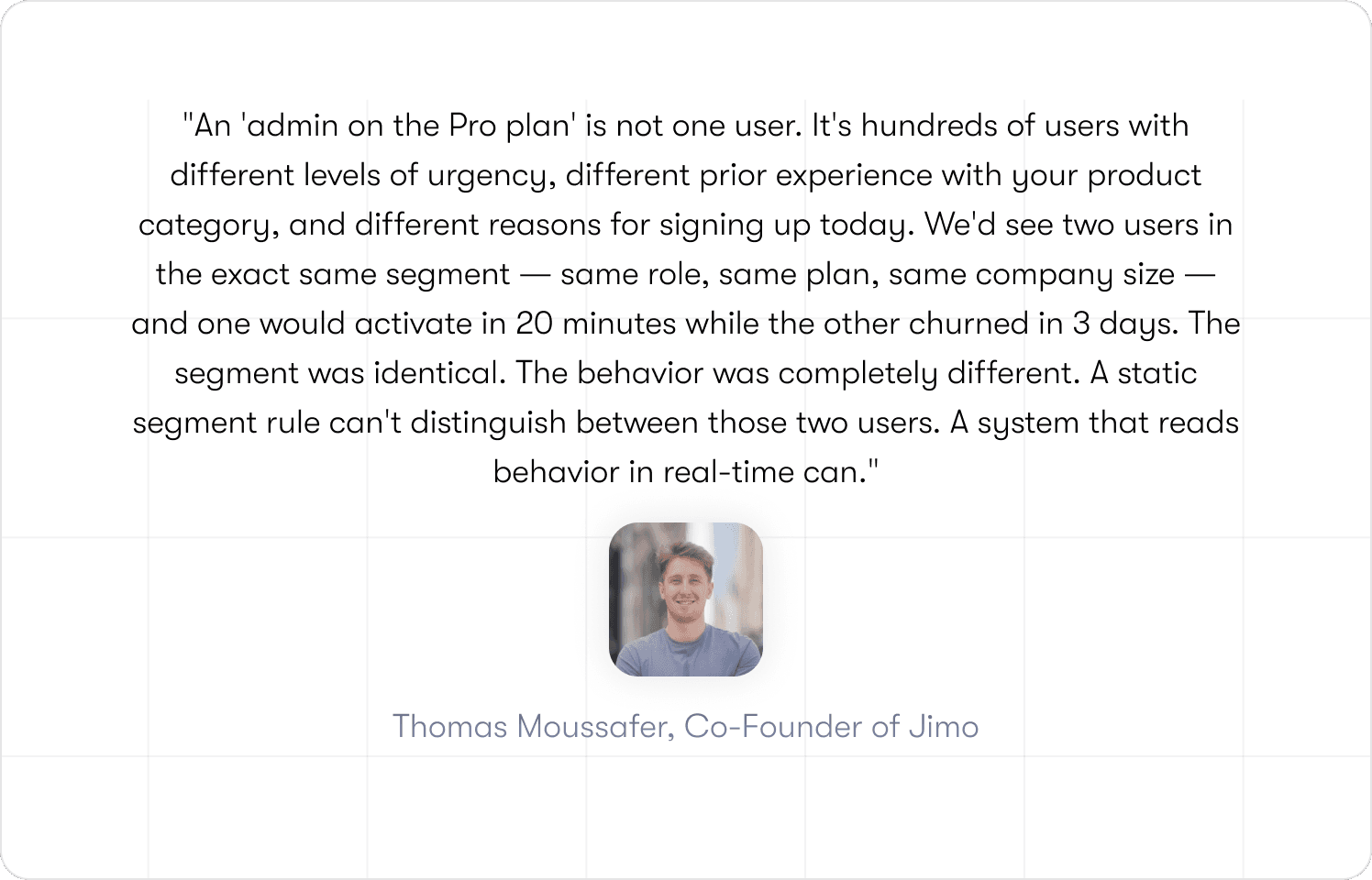
The problem is the maintenance ceiling. As your product evolves, as new user segments emerge, as pricing tiers change, as regional nuance accumulates, the rule library grows. Rules conflict. Rules go stale. The person who wrote the original logic has moved teams. Nobody is confident the right users are seeing the right flows, because verifying it requires reading documentation that has not been updated since last quarter.
The deeper problem is not maintenance. It is that segments are averages.
When a user stalls for 90 seconds on the integration page, that is a signal. When a user skips the checklist and goes straight to the editor, that is a different signal. Both require different guidance, and neither is captured by a label assigned at signup.
What adaptive AI onboarding does instead
An adaptive system reads real-time behavioral signals, including role, page context, actions taken or skipped, lifecycle stage, session depth, and time in product, and uses that input to determine what guidance to show, when to show it, and in what format. It does not require a human to define every decision path in advance. The system learns which guidance patterns correlate with activation and adjusts accordingly.
The practical difference shows up in speed and coverage. A manual system can realistically maintain a handful of well-defined segments. An adaptive system handles the long tail: the user who arrives at 11pm from a mobile device, completes two steps, pauses for three days, and returns with a different intent than they had at signup. No manual rule anticipates that user. An adaptive system does.
Jimo's AI engine analyzes user behavior to deliver personalized in-app messaging, product tours, checklists, and hints. It targets the right guidance at the right moment so new users reach first value faster and power users discover advanced capabilities, all without engineering dependency.
The mechanism is specific. Jimo ingests user attributes from your CRM and CDP (role, plan, company size), product events from your analytics stack (what the user has done, what they have not done, where they stalled), and support signals (ticket patterns, query types). These signals feed the Audience, Page Targeting, and Triggers configuration. So guidance responds to live behaviors: "completed import" triggers advanced tips, while "attempted but failed" launches a corrective tour. You can see all available integrations here.
The revenue case: how onboarding behavior changes affect paid conversion and retention
Product teams know onboarding matters. The conversation stalls when a CFO asks what fixing it is actually worth. This section gives you the model to answer that question and the math to run it with your own numbers.
The illustrative baseline
The numbers below are illustrative model inputs. Substitute your own actuals. The structure of the calculation is what matters.
Input | Illustrative Value |
|---|---|
Monthly signups | 1,000 |
Current activation rate | 28% |
Activated users who convert to paid (trial-to-paid) | 22% |
Average contract value (ACV) | $4,800/year |
Monthly revenue from signups | 1,000 x 28% x 22% = 61.6 conversions x $400/mo = $24,640 MRR |
Average CAC | $320/signup |
CAC payback period | ~9.8 months |
The intervention: adaptive AI onboarding
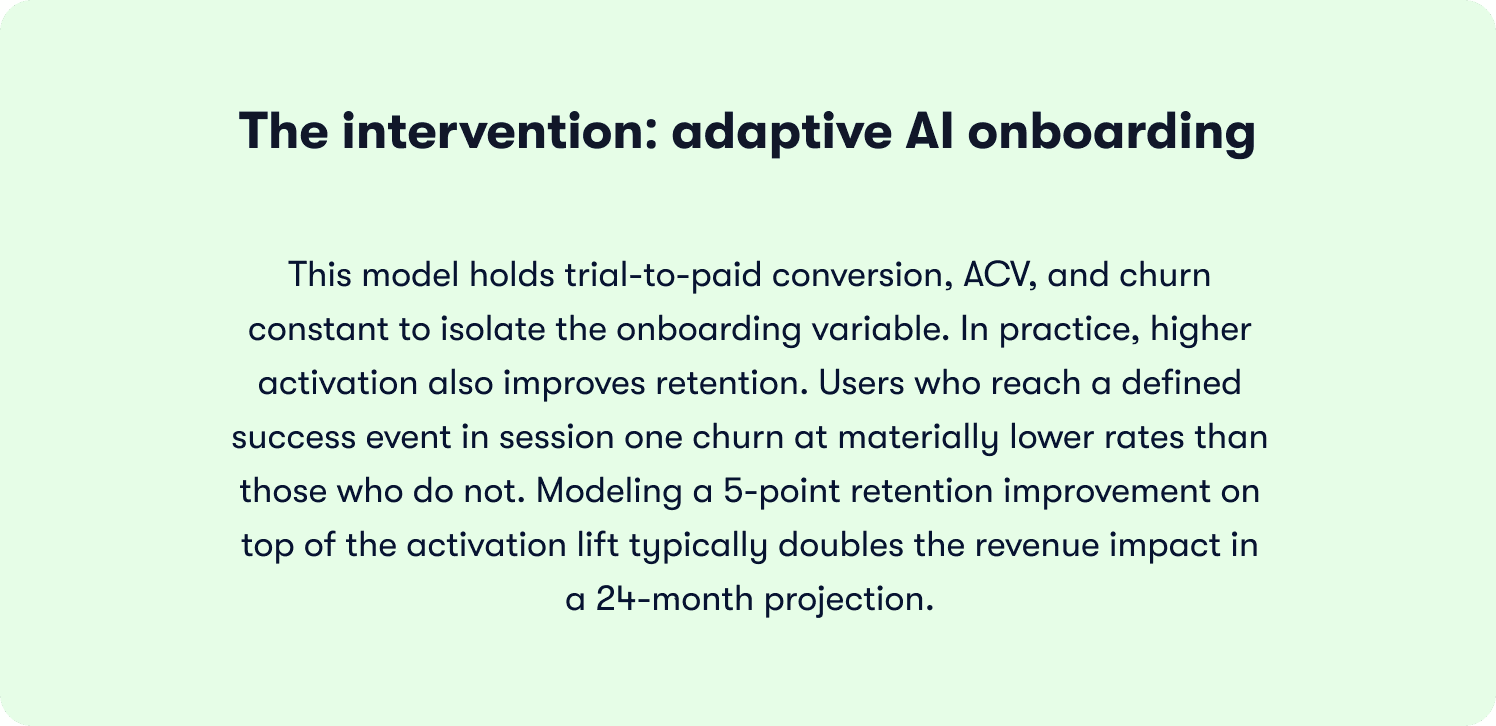
Industry benchmarks suggest that teams moving from static to adaptive onboarding see activation rate improvements in the range of 15 to 35 percentage points, depending on baseline quality and segment diversity. For this model, we use a conservative 12-point lift (from 28% to 40%) and hold all other variables constant.
After adaptive onboarding (illustrative) | Value |
|---|---|
New activation rate | 40% |
Activated users converting to paid | 22% (unchanged, isolating the onboarding variable) |
Monthly conversions | 1,000 x 40% x 22% = 88 conversions |
Additional conversions vs. baseline | +26.4 per month |
Additional MRR | +26.4 x $400 = +$10,560/month |
CAC payback period (same acquisition spend, more conversions) | ~6.9 months (-2.9 months) |
12-month revenue impact | +$126,720 from additional MRR alone |
Use case: Zenchef and what they measured
Zenchef, the restaurant management platform, reduced onboarding time from 30 days to 14 days after implementing adaptive in-product guidance with Jimo. Every metric their SVP Product tracked moved in the right direction: faster onboarding, fewer support tickets, better feature adoption, higher NPS. The activation improvement was not an isolated UX win. It was a signal that users were reaching value faster, which in turn reduced early churn and improved the customer lifetime value of each cohort.
7 ways AI adapts onboarding to user behavior, role, and intent
Each mechanism below represents a point in the onboarding flow where a static system delivers the same experience to every user and an adaptive system does not. The difference is not cosmetic.
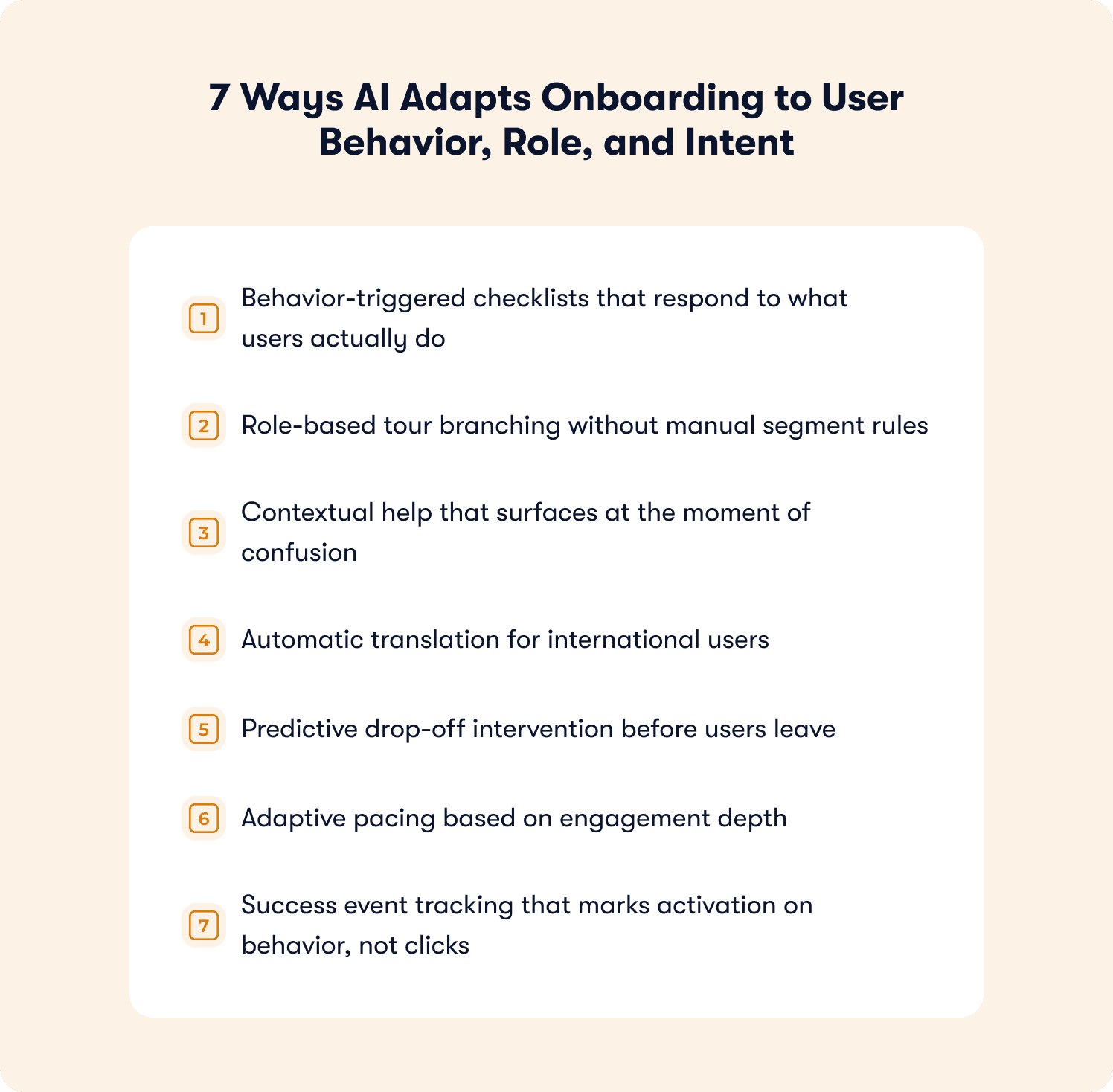
Behavior-triggered checklists that respond to what users actually do
A static checklist shows the same steps regardless of what the user has already completed or skipped. An adaptive onboarding checklist surfaces only the steps that remain relevant given the user's current state. It marks completion only when the user has performed the defined action, not just clicked through the step.
This distinction matters because completion rate and activation are not the same metric. A user who clicks through a five-step checklist without performing the core workflow has navigated your UI, not adopted your product. Adaptive checklists enforce the difference. For the full framework on building checklists tied to activation events, see our SaaS onboarding checklist guide.
Role-based tour branching without manual segment rules
An enterprise admin landing in your product has different permissions, different first actions, and a different path to value than a member or a viewer. A single product tour designed for one persona creates friction for everyone else.
Jimo's behavioral targeting reads role attributes synced from your CRM or set at signup and branches the tour accordingly, without requiring a PM to manually configure each decision path. Crossbeam used this approach with Segment and Salesforce behavioral targeting, achieving a 3x CTR on action-driving banners by reaching users with guidance that matched their actual workflow context.
Contextual help that surfaces at the moment of confusion
Contextual help is guidance that appears because of what a user is doing right now, not because they opened a help menu. Jimo's AI Resource Center and hints serve contextual prompts inline, detecting hesitation signals, repeated navigation patterns, and time-on-page indicators to surface the right explanation at exactly the right moment.
The business impact shows up in support ticket volume. Teams using contextual in-product guidance through Jimo's self-service docs tools report ticket deflection rates of up to 80% for self-onboarded users, because the question gets answered in context before it becomes a support query.
Automatic translation for international users
Onboarding guidance written in English and shown to a user in German, Spanish, or French creates friction rather than removing it. Jimo supports automatic translation and regional display so all published experiences appear in the user's language while staying on-brand. No manual localization workflow required. You can see how the feature walkthroughs tool handles this across markets.
Zenchef used this to roll out consistent onboarding across five languages simultaneously. AB Tasty's onboarding team found that removing language friction was one of the fastest ways to improve activation rates in non-English markets, not because the product changed, but because users could understand what they were being asked to do.
Predictive drop-off intervention before users leave
Most drop-off interventions are reactive: a user disappears, a re-engagement email goes out three days later. By then, the moment has passed. Adaptive AI onboarding identifies drop-off risk signals within the session. A user who reaches a configuration step and stops advancing, or a user who navigates away from the core workflow within two minutes of landing, triggers a corrective tour or hint before they close the tab.
The mechanism is pattern matching. Users who stall at a specific step follow recognizable behavioral sequences. An adaptive system identifies those sequences and responds. A static system waits. Jimo's behavior metrics tools surface these patterns so you can see exactly where the friction lives before it costs you a conversion.
Adaptive pacing based on engagement depth
Not every user needs the same level of guidance at the same speed. A technical user who navigates to the API documentation before completing onboarding is signaling product fluency. Showing them a five-step beginner tour is friction. A user who has spent three minutes on the same modal without advancing is signaling that they need more support, not less.
Adaptive pacing reads these engagement signals and adjusts. AB Tasty's team compressed their feature launch cycle from three months to two weeks by building onboarding that matched guidance depth to user readiness, reaching over 2,000 users in the first week of a new launch without a single manual configuration change. Their in-app announcements went to the right users at the right stage automatically.
Success event tracking that marks activation on behavior, not clicks
A success event is the specific in-product action that predicts week-four retention. Not "completed tour." Not "clicked through checklist." The action that, when a user performs it, correlates with paying, staying, and expanding. Adaptive onboarding defines this event precisely and tracks whether users reach it, not whether they completed the guidance experience. Jimo's onboarding tactics tools are built around this principle.
Jimo's Success Tracker lets product ops teams point at any UI element to tag it as an adoption event, then view step-level drop-off, cohort comparison, and activation lift, all without engineering involvement. The result is the activation rate measurement that boards actually trust, because it connects to revenue outcomes rather than engagement metrics.
📖 Curious how top SaaS teams apply this in practice? → Get 19 real onboarding tactics
The implementation playbook: from instrumentation to rollout
Most teams overestimate how much setup adaptive onboarding requires. The four-stage process below can be completed in a single sprint with no engineering dependency. AB Tasty's product design team built their first tour in 90 minutes.
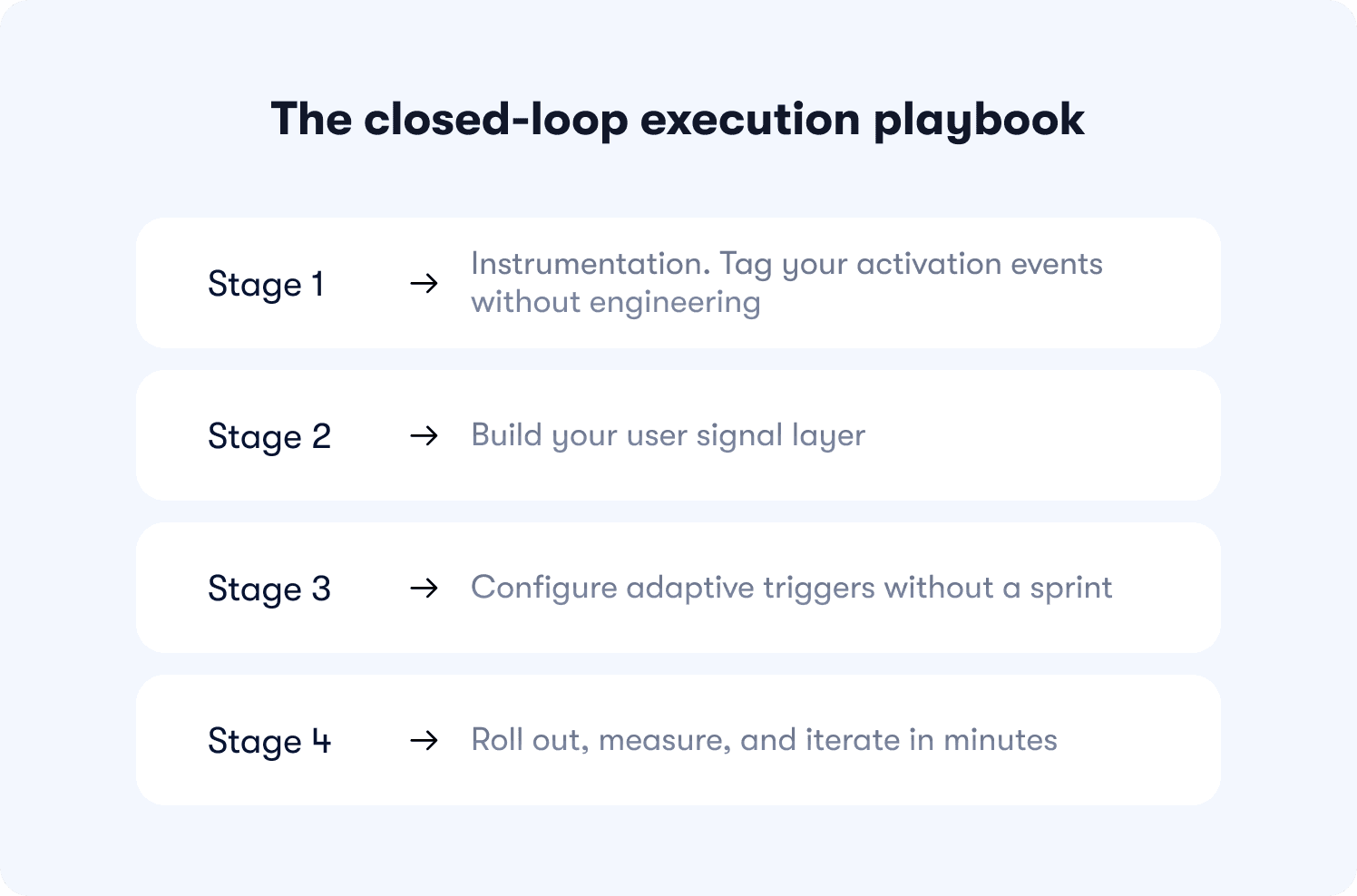
Jimo customers typically see measurable lift within three weeks of deploying a first-value tour, a 3 to 5 item checklist, or momentum-based triggers. See the full onboarding process toolkit for reference templates and workflow guides.
Stage 1: instrumentation and tagging your activation events without engineering
Before you can build adaptive guidance, you need to know what "activated" means in your product. Start by defining your primary activation event: the single in-product action that best predicts 30-day retention. (If you have not done this yet, the SaaS onboarding checklist walks through the framework for identifying it.)
Once defined, use Jimo's no-code Success Tracker to tag it. Click the element in your live product (a button, a form submission, a page load) and Jimo tags it as an adoption event. No CSS selectors, no developer tickets, no sprint delay. Visual tagging survives product changes because it identifies elements by position and context rather than fragile technical identifiers.
Tag three to five events for your core activation flow. These become the funnel you measure against.
Stage 2: build your user signal layer
Connect Jimo to your existing data sources via no-code integrations: CRM or CDP for role and plan attributes, analytics tools for behavioral events, help desk for support signal. These inputs feed the Audience and Targeting configuration, creating a live intent model that answers "what does this specific user need right now?" without anyone having to write a rule.
For teams earlier in their data maturity, start with what you have: role from signup form, plan from your billing system, page context from URL. Even two or three clean attributes produce meaningfully better targeting than zero.
Stage 3: configure adaptive triggers without a sprint
With your activation events tagged and your user signals connected, configure your triggers. A trigger is the condition that fires a guidance experience: "user has visited pricing page twice without starting trial" shows a feature value tour; "user completed import event" surfaces an advanced configuration hint; "user has been on the same step for 90 seconds without advancing" launches contextual help from the AI Resource Center.
Jimo's no-code logic builder lets you connect these conditions visually. The system handles the delivery layer, providing self-service guidance that reaches users inside the product, not via email, where open rates average below 20%.
A key principle: trigger on behavior, not on time. "User has been in the product for 7 days" is a time trigger. "User has logged in twice without completing the core workflow" is a behavior trigger. Behavior triggers produce higher engagement because they respond to actual user state. Jimo's analytics segments tools give you the segmentation infrastructure to make this precise.
Stage 4: roll out, measure, and iterate in minutes
Deploy your first experience to a test cohort, typically 20 to 30% of new signups. Measure activation lift against the control group.
Jimo's actionable reports and retention insights show not just "users who saw the tour activated at X%" but the delta against users who did not, with statistical confidence intervals. When AB Tasty needed to update a tour after a UI change, the update took minutes, not a sprint. That speed means you can test one hypothesis per week instead of one per quarter. Over six months, the team that iterates weekly has 24 data points. The team that iterates quarterly has two.
Privacy and security guardrails for AI onboarding
Adaptive onboarding works because it uses user data. That creates a compliance obligation that product and legal teams need to address before deployment. The checklist below covers the practical decisions, not legal boilerplate, but the operational questions that actually come up during implementation.
What data does adaptive onboarding actually need?
A well-configured adaptive system needs very little sensitive data. The inputs that drive the most targeting value are:
Role and plan tier (from CRM or signup form): non-sensitive, usually already collected
In-product behavioral events (page visits, feature interactions, workflow completions): pseudonymized by default
Session context (time in product, navigation path, drop-off point): no PII required
Language and region (for auto-translation): regional, not personal
What adaptive onboarding does not need: names, email addresses, payment information, or any data beyond what describes how a user interacts with your product. If a vendor or internal system requires PII to deliver personalized guidance, that is a design problem, not a requirement.
Data minimization in practice
Collect and process only what influences the guidance decision. Before adding a new attribute to your intent model, ask: does this data point change what guidance this user receives? If the answer is no, do not collect it. This principle satisfies both GDPR's data minimization requirement and the practical goal of keeping your model clean and interpretable.
Compliance decision checklist
Question | Action |
|---|---|
Does the data identify a specific individual? | Use pseudonymized IDs only. Do not pass names or email addresses to the guidance layer. |
Is behavioral data stored and for how long? | Define a retention window (90 days is common for onboarding data). Configure automatic deletion. |
Does your guidance system train on user data? | Verify with your vendor whether user behavioral data is used for model training. If yes, ensure this is disclosed in your privacy policy and that users have opted in where GDPR requires. |
Are you serving EU users? | Ensure your vendor stores EU user data in EU data centers or documents an adequate transfer mechanism. Confirm a Data Processing Agreement (DPA) is in place. |
Are you serving California residents? | Confirm CCPA compliance: users must be able to request deletion of their behavioral data. Ensure your vendor supports this programmatically. |
Can you explain what triggers a specific guidance experience? | Maintain a log of active trigger conditions. Auditability means being able to say: this user saw this experience because they met condition X. If you cannot reconstruct that, your triggers need documentation. |
Measuring success: activation, retention, and expansion metrics that matter
For the full framework on what these metrics mean and how to calculate them, see our guides on product adoption metrics and how to measure product adoption. This section focuses on what changes when you add adaptive AI onboarding to the measurement equation.
The metric hierarchy: from onboarding behavior to board-level outcome
Onboarding metric | What it tells you | Board-level outcome |
|---|---|---|
How fast users reach the activation event in session one | Paid conversion rate (users who reach value in session one convert at 3 to 4x the rate of those who do not) | |
First-session drop-off rate | Where users stall before reaching the activation event | CAC payback: every point of drop-off reduction improves yield from acquisition spend |
Percentage of signups who complete the defined success event | Trial-to-paid conversion, the most direct leading indicator | |
Cohort retention at day 30 | Whether activated users stay active after first value | Net revenue retention, the compounding metric that drives LTV |
Feature adoption depth | Whether users expand beyond the core workflow | Expansion revenue and upsell signal |
Multi-user adoption within 14 days | Whether the product embeds in team workflows, not just one person's | Account-level churn risk (multi-seat accounts renew at 2 to 3x the rate of single-user accounts) |
What adaptive AI onboarding changes about measurement
The metric hierarchy above is not new. What changes with adaptive onboarding is how quickly you can act on it.
In a static system, discovering that 63% of users drop off at step three of your core workflow means filing a ticket, waiting for a sprint, building a fix, and measuring results six weeks later. By then, your product has changed and the analysis is stale.
In an adaptive system, the same discovery triggers an immediate response: record the correct workflow once, let AI generate a corrective tour, publish it to the affected segment, and measure cohort lift within days. Jimo's segmented responses tools and growth tools connect this loop so the intervention cycle compresses from quarters to weeks.
When the VP asks whether the last onboarding sprint moved conversion, you open Jimo's actionable reports and show cohort analysis with confidence intervals, not engagement metrics that leadership does not trust.
The product-led growth connection
Product-led growth strategies depend on the product itself converting and expanding users, which means onboarding quality directly determines whether your PLG motion works. If users who self-serve do not activate, the model breaks. Adaptive onboarding is the mechanism that makes self-serve activation reliable at scale. Jimo's full tools overview covers how each piece of the guidance stack connects to activation and retention outcomes.
From static tours to adaptive flows
Static onboarding tours do not fail dramatically. They fail quietly, in the cohort data, in the trial-to-paid conversion rate that has not moved in two quarters, in the support queue that keeps fielding the same three questions. The users who were going to activate did. The users who needed a better first experience did not come back.
Adaptive AI onboarding closes that gap by personalizing guidance in real time using behavioral signals, role context, and lifecycle stage. It turns a one-size-fits-all first session into a guided path to a defined success event, with no engineering dependency, no sprint delay between identifying a drop-off point and fixing it, and no manual rule library that goes stale the moment your product evolves. Jimo's full set of growth tools are built around exactly this loop.
The results speak for themselves. AB Tasty built their first tour in 90 minutes. Zenchef halved their onboarding duration. The common thread: they stopped optimizing the tour and started optimizing for the activation event, using an adaptive system to reach that event reliably across every role, region, and user type. In another case, Customer Alliance saw a 970% spike in feature adoption after deploying Jimo's AI Resource Center for contextual self-service guidance. Read how they did it on our customer stories page.
The question for your team is not whether adaptive AI onboarding works. The question is: what is your current activation bottleneck worth to fix?
Map your activation bottleneck to revenue outcomes in a 30-minute roadmap diagnostic with the Jimo team. We identify where your current onboarding flow loses convertible users, model the revenue impact of closing that gap, and show you what an adaptive system looks like running inside your product.
Book your strategy call or explore Jimo's full platform to see all the tools in one place.
FAQs
What are the key steps in the conversational AI workflow for onboarding?
A conversational AI workflow for onboarding follows this sequence: collect user context at signup (role, intent, use case); deliver a personalized welcome experience based on that context; monitor in-session behavior for drop-off signals; serve contextual guidance at friction points without requiring the user to leave the product to search for help; mark activation on successful completion of a defined behavior, not tour completion; trigger secondary onboarding sequences based on post-activation behavior. The defining characteristic is that every step responds to real user behavior rather than a predetermined schedule.
What are the outputs of generative AI in onboarding?
In an onboarding context, generative AI produces: automatically generated tour steps from a single workflow recording (Jimo generates a complete product tour, including steps, triggers, and progression logic, after you record a flow once); AI-written guidance text that matches your brand tone; translated onboarding content in multiple languages without manual localization; contextual help responses via the AI Resource Center that answer user questions inline without requiring them to leave the product.
How do you evaluate whether an AI onboarding system is truly adaptive vs. just automated rules?
The difference comes down to whether the system improves without manual intervention. Rule-based onboarding relies on predefined segments and logic that must be continuously updated by your team, creating a lag between insight and execution, while a truly adaptive system learns from real user behavior, adjusts guidance in real time, and improves targeting based on what actually drives activation and retention. A practical test is operational: if your team needs to regularly maintain and rewrite onboarding logic, it’s rule-based; if the system updates how and when guidance is delivered based on live behavioral signals while your team only defines success events, it’s adaptive.
How do you design an intent model for AI onboarding without overfitting or adding unnecessary complexity?
The key is to keep the model minimal and tied directly to your activation event rather than trying to capture every possible user signal. Start with a small set of high-impact inputs like role, plan, core behaviors, and lifecycle stage, and include only data that changes what guidance a user sees; anything else adds noise without improving outcomes. To avoid overfitting, test signals incrementally using cohort-based activation lift, not engagement metrics, and expand only when a new variable proves it meaningfully improves conversion, since most teams see strong results with just a handful of well-chosen signals.







