/
10 mins read
TL;DR
Cybersecurity SaaS products face a structural onboarding problem that generic best practices do not address: compliance checkpoints, role-fragmented user bases, and threat-sensitive interfaces create cognitive load that front-loaded training cannot absorb. The median SaaS activation rate is already just 30% (Lenny Rachitsky and Yuriy Timen, 500+ products). For security products, that number may even start lower because setup is non-negotiable overhead before users touch any value. This article covers the practices that close the gap: defining the activation moment per role rather than per feature, replacing front-loaded training with contextual just-in-time guidance, measuring adoption depth rather than setup completion, and deflecting the recurring support tickets that consume CS capacity at scale.
Security products fail users before a single threat is detected.
Not because the product is weak. Because the onboarding buries them first. An IT admin configuring SSO, a SecOps analyst learning alert triage logic, and an end user trying to complete their first login without opening a ticket are all inside your product on day one. They are not the same person, they do not have the same activation moment, and they cannot absorb the same onboarding sequence.
Most cybersecurity SaaS teams build one flow anyway. That flow front-loads compliance requirements, stacks feature explanations on top of access configuration, and treats setup completion as the goal. Users clear it and stall. They completed onboarding. They never actually activated. The CS team finds out at the 30-day check-in, sometimes at the renewal. By then the damage is done: 72% of users abandon software when onboarding requires too many steps (Clutch), and every 1% drop in activation correlates with roughly 2% higher churn.
Security products carry mandatory front-load costs that consumer SaaS does not. The answer is not to eliminate those costs, but to stop piling training on top of them, and to distribute guidance across the user journey instead, at the exact moments users need it.
Why cybersecurity SaaS onboarding is structurally different
Most SaaS onboarding advice starts from the same assumption: users sign up, they want to see value fast, you get out of their way. Build a short tour, define your activation moment, reduce steps. That framework works when the product can be simplified on day one.
Cybersecurity products cannot.
Before a security user touches anything that resembles product value, they sit through mandatory access configuration, MFA enrollment, policy acknowledgment, and role-based permission setup. None of these steps are optional. None can be collapsed into a friendlier flow without operational risk. They are the price of entry and they are cognitively expensive before a single feature has been demonstrated.
That front-load problem compounds because the people clearing it are not a single user type. Three roles typically share the same onboarding sequence, each with a completely different activation rate target:
The IT admin needs infrastructure live, which includes integrations connected, permissions configured, and policies enforced. Feature education is noise until the environment is operational.
The SecOps analyst needs workflow access. First detection query run, first alert triaged, first investigation opened. They were sold on a specific capability and they need a direct path to it.
The end user needs to complete a task without calling IT. Their activation moment is friction-free task completion, nothing more.
Generic onboarding, which is composed of one sequence for all three, serves none of them. The IT admin wastes time on feature education they do not need yet. The SecOps analyst cannot find the workflow they were sold on. The end user hits a permission wall and emails CS. The data reflects this: 72% of users abandon software when onboarding requires too many steps (Clutch). In cybersecurity SaaS, those steps are real requirements. That abandonment is not a UX failure. It is a sequencing failure.
There is also a UI problem that no amount of design polish resolves. Alert dashboards, policy matrices, and access control panels look complex because every field carries operational weight. You cannot empty-state your way out of a SIEM configuration screen. Skipping a step presents a steep security gap. Even motivated, well-intentioned users stall.
This is what makes cybersecurity onboarding structurally different from generic SaaS, and why the standard playbook breaks down for it. The solution is not a simpler product. It is guidance distributed across the user journey rather than front-loaded before it begins — and it applies specifically to teams running self-serve or trial-based onboarding flows with a dedicated CS function. If onboarding is entirely sales-led and human-mediated, the dynamics below do not apply in the same way.
The front-loading problem and what it actually costs
Setup completion is a lag measure. By the time it registers on a dashboard, the user has already decided whether to stay. What happened between signup and their first meaningful action, what we will call the time to first protected event, the cybersecurity equivalent of time-to-value is where retention is won or lost.
For most security products, that moment looks like one of these:
First threat detected and resolved
First policy enforced across the account
First alert triaged by a non-admin user without a support call
Users who clear the security setup sequence but never reach one of those events are not activated. They are processed. They have credentials, permissions, and a completed checklist. They have no behavior that predicts renewal.
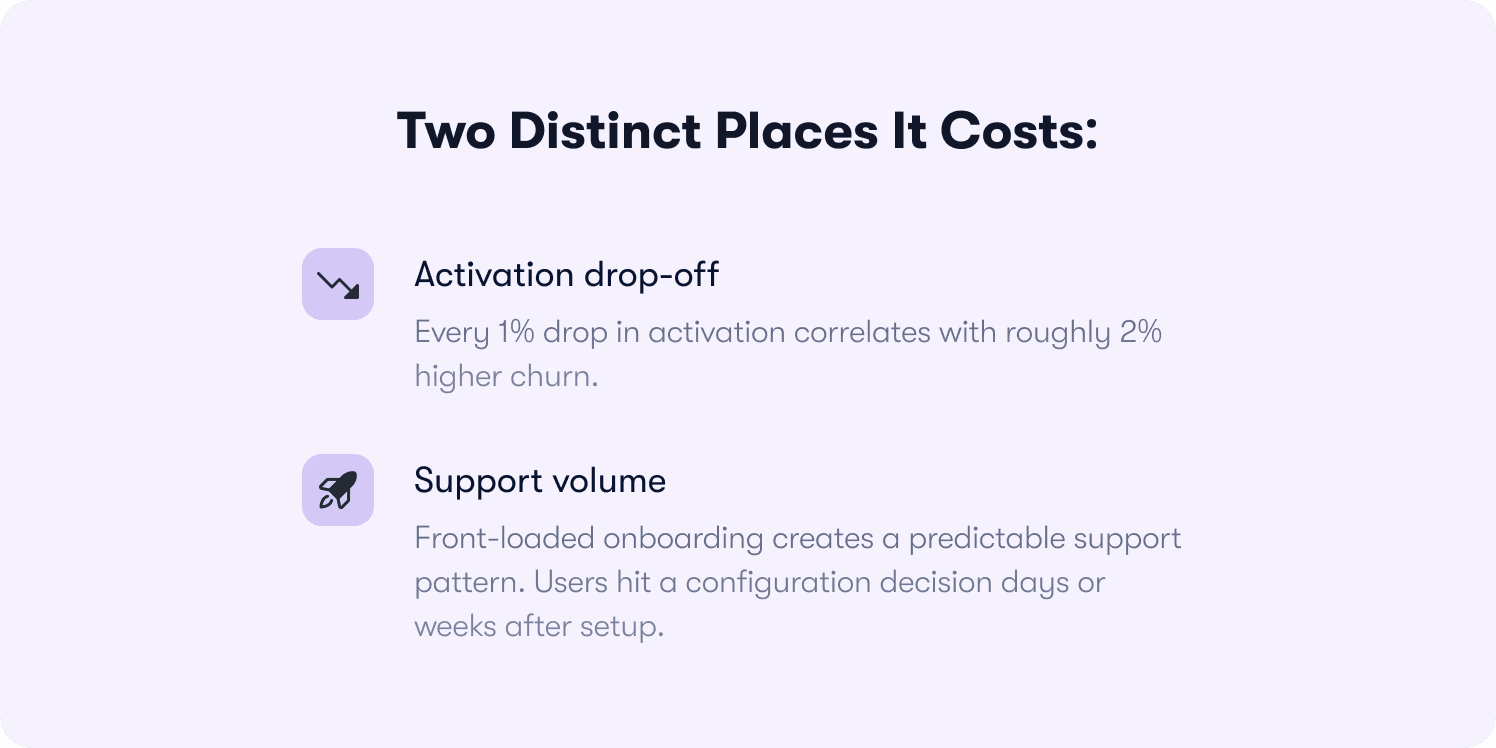
The cost shows up in two distinct places.
Activation drop-off
Every 1% drop in activation correlates with roughly 2% higher churn (Designrevision, 2026). For a CS team managing 150 accounts, a 5-point activation gap does not stay abstract for long. It surfaces at the 60-day check-in as accounts that look fine on paper — setup complete, seat assigned — but have generated zero product behavior worth measuring.
By then, winning them back costs more than activating them correctly in the first session would have. And the CS team finds out at the point where intervention is hardest, not at the point where it would be cheapest.
Support volume
Front-loaded onboarding creates a predictable support pattern. Users hit a configuration decision days or weeks after setup. For example, this covers how to adjust an alert threshold, how to update permissions for a new team member, what a specific policy field controls with no in-context guidance, and how to open a ticket. The same five questions repeat at scale.
Each one is individually small. Collectively, they consume CS capacity that belongs on expansion conversations, renewal risks, and QBRs — the work that actually moves NRR. Contextual help surfaced inside the product at the point of friction preempts those tickets before they are raised. In one documented case, Jimo customers have seen up to 80% ticket deflection using this approach — though that reflects a top-quartile outcome, not a guaranteed average.
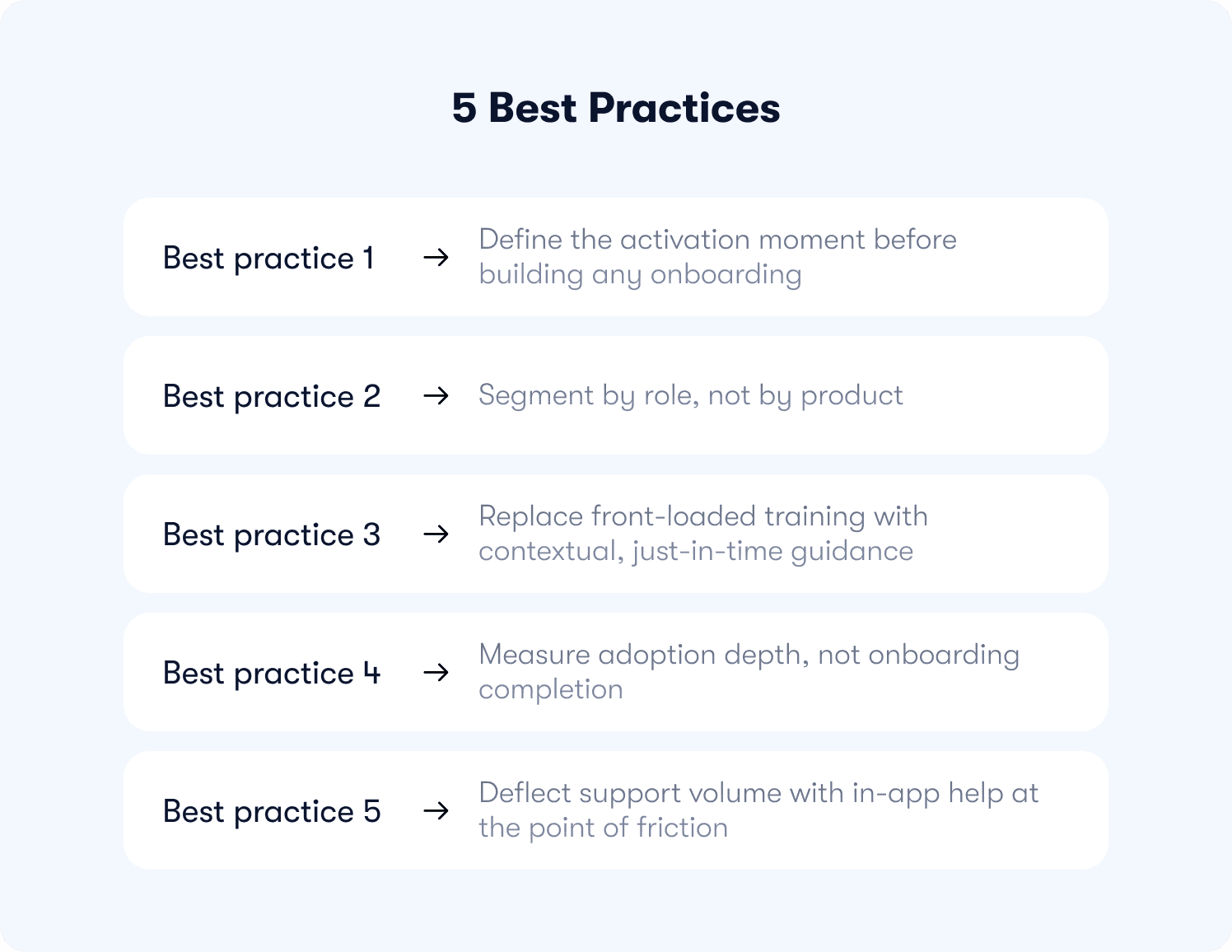
Best practice 1: define the activation moment before building any onboarding
Most cybersecurity CS teams build onboarding toward a finish line that does not predict retention. Setup confirmed. Checklist complete. Seat assigned. Those are process milestones. They tell you the user cleared the gate. They tell you nothing about whether the product delivered on what the user signed up for.
The activation moment is different. It is the specific in-product behavior that separates customers who renew from customers who churn — identifiable through cohort analysis, not assumed from the product roadmap. In cybersecurity SaaS, it is almost never setup completion. It is closer to:
The first threat detected and actioned without a manual escalation
The first policy enforced across the full account, not just a test environment
The first alert a non-admin user triaged independently
Everything before that moment is overhead. The entire onboarding job is to minimize it — not to explain every capability along the way, not to demonstrate feature breadth, and not to treat policy acknowledgment screens as learning opportunities. Users do not need a tour of the product. They need the shortest credible path to the moment that makes paying for it feel obvious.
Finding that moment requires one thing: cohort analysis on your own retention data. Pull the behavior of customers who renewed at month six against those who churned at month two. Look for the action that appears consistently in one cohort and rarely in the other. That action is your activation event. Everything in onboarding should sequence toward it.
This matters more in cybersecurity than in most SaaS categories because the mandatory front-load is already consuming the user's patience budget. Compliance gates, MFA enrollment, and access configuration are non-negotiable — they happen before any value is experienced. Piling feature education on top of that sequence does not onboard users. It exhausts them. Every step that does not point toward the activation event is a step that increases the probability the user stalls before reaching it.
Jimo's behavior metrics tool lets CS teams map guidance directly to behavioral milestones rather than calendar days or checklist steps, so onboarding sequences are built around the activation event, not around the product feature map. For a deeper look at how to instrument this measurement without engineering dependency, how to measure product adoption covers the five retention-predictive metrics and the no-code event schema that connects them to revenue outcomes.
Best practice 2: segment by role, not by product
Once the activation moment is defined, the next question is whose activation moment it is. The answer is almost always: it depends on the role. Which means a single onboarding flow is the wrong architecture from the start.
The IT admin, the SecOps analyst, and the end user are not variations of the same user on a spectrum of technical sophistication. They have different jobs, different success criteria, and different tolerances for the complexity that cybersecurity products require. Routing them through the same onboarding sequence does not save time. It guarantees that every role has a degraded experience and none reaches activation cleanly.
Role-specific paths fix this. Two to three questions at signup establish enough context to route each user correctly — role, primary use case, team size at most. Every additional question beyond that reduces signup completion without meaningfully improving segmentation. Behavioral data fills the gaps over time. The paths themselves do not need to be elaborate:
IT admin path: Skip feature education entirely in the first session. Sequence directly toward integration setup, permission configuration, and policy enforcement. The activation event for this role is infrastructure live, not product familiarity.
SecOps analyst path: Surface the detection and response workflow as the first guided experience. First alert triaged, first investigation run, first report exported. The product earns this user's confidence through workflow, not through orientation.
End user path: Reduce decision points aggressively. The goal is first task completed without a support call. Every additional screen between login and that outcome is a support ticket risk.
The segmentation argument is not theoretical. Personalized onboarding increases retention by 40% compared to generic flows (Moxo, 2025) and delivers 52% faster time-to-productivity (Clevry, 2024). In a category where the mandatory front-load is already consuming goodwill, the margin for a mismatched onboarding experience is thin. A SecOps analyst who spends their first session navigating IT admin setup screens does not come back for a second look.
Jimo's analytics segments tool deploys role-specific onboarding flows — by role, plan, or behavioral signal — without engineering dependency. CS builds and adjusts the paths directly. For teams that want to go further, AI-powered onboarding that adapts to users covers how behavioral signals and lifecycle stage can drive personalization beyond static role routing, without manual segment rules or sprint dependencies.
Best practice 3: replace front-loaded training with contextual, just-in-time guidance
The Spacing Effect is one of the most replicated findings in learning research: information retained at the moment of need outperforms information delivered in advance, every time. A user who watches a 10-step onboarding tour on day one and then encounters a policy configuration panel on day seven has retained nothing from that tour relevant to the decision in front of them. The tour happened too early. The guidance was not there when it mattered.
This is the core execution problem in cybersecurity onboarding. Training is front-loaded because it feels thorough. It is not thorough. It is premature. Users cannot absorb configuration logic for workflows they have not yet attempted. They click through, clear the sequence, and encounter the real complexity later with nothing to support them.
The fix is not better training content. It is better timing. Guidance delivered at the exact moment a user interacts with a high-friction UI element — an alert threshold field, a permission matrix, an integration configuration panel — lands because the user is already trying to solve the problem it addresses. That is contextual help working as designed, and it is the mechanism that closes the gap between setup completion and actual activation.
In practice, this means replacing the front-loaded training sequence with four layers of guidance distributed across the user journey.
Interactive product tours — 3 to 5 steps, targeted at the activation event
Tours should not cover the product. They should cover the path to the activation moment for each role. A 3-step tour that walks a SecOps analyst from first login to first alert triaged does more activation work than a 12-step tour of every dashboard panel. Across 1,025 product tours analyzed by Jimo in early 2026, median completion sat at 15%. AI-powered interactive tours that require users to perform real actions — not click Next — reached 44% completion. The gap between passive and action-based is not marginal. Build tours around real actions, keep them short, and let behavioral data drive what comes next.
This is where static digital adoption platforms break down in cybersecurity environments specifically. A flow built once — fixed steps, fixed triggers, fixed sequence — starts degrading the moment a user's behavior does not match the path the flow anticipated. In a product category where IT admins, SecOps analysts, and end users move through the same interface with entirely different objectives, a static tour is not just suboptimal. It actively routes users away from their own activation moment.
Jimo AI solves a different problem. Rather than requiring CS or product teams to manually configure and maintain separate flows for each role and use case, Jimo AI generates interactive tour drafts from the product itself, adapts guidance based on what users actually do inside the product, and improves completion over time without manual reconfiguration. When a SecOps analyst skips a step that IT admins complete, that behavioral signal informs what the next user in that role sees. The guidance learns. The flow does not stay fixed while user behavior moves around it.
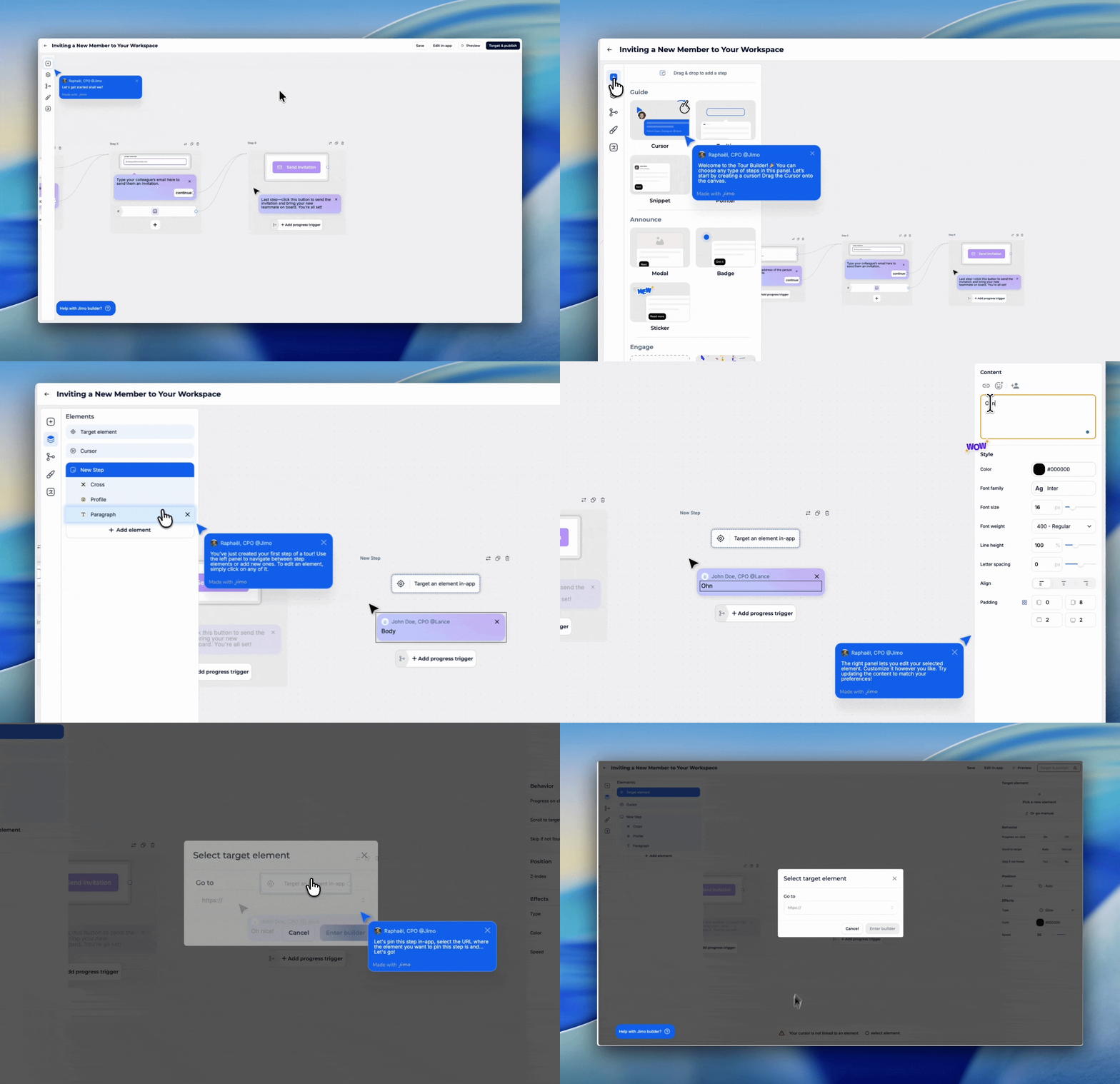
For cybersecurity CS teams, this matters beyond onboarding efficiency. A static tooltip deployed on an alert configuration screen six months ago may no longer reflect the current UI, the current permission model, or the current configuration logic after a product update. Jimo AI keeps guidance current with product changes automatically, which removes the maintenance overhead that causes most in-app guidance programs to degrade quietly over time. For the mechanics of what separates tours that drive activation from tours that get skipped, interactive onboarding strategies that convert users covers the action-based progression framework in detail.
Contextual tooltips on high-friction UI
Every cybersecurity product has three to five UI elements that generate a disproportionate share of support tickets. Alert threshold configuration. Permission inheritance logic. Integration authentication fields. These are exactly where tooltips belong — hover-triggered, one to two sentences, answering what this field does and what happens if it is set incorrectly. Not during an upfront tour. At the moment the user's cursor is on the element and the decision is live. Jimo's hints deploys these without engineering involvement, targeted by role and session context so experienced users are not patronized by guidance they no longer need.
Behavior-triggered nudges for users who stall
If a user completes setup but has not reached the activation event within 72 hours, a behavior-triggered in-app message can surface the next step. This is not a day-three email. It fires on product inactivity at the relevant moment, inside the product, pointing toward the specific action the user has not yet taken. Time-based messaging assumes all users are at the same stage. Behavior-based messaging responds to what users are actually doing (or not doing). The difference in relevance is significant, and relevance is what determines whether the nudge moves the user or gets dismissed.
Onboarding checklists — 4 to 6 items, each tied to the activation event
A checklist works when every item on it points toward the moment that predicts retention. It fails when it becomes a feature inventory. Four to six items is the functional ceiling — completion rates drop sharply beyond that threshold. Pre-check the first item so the user starts with visible progress. Link each task directly to an interactive walkthrough rather than a help article. A user who clicks a checklist item and lands in a guided flow completes the task. A user who clicks and lands in documentation does not. For the full checklist architecture, user onboarding checklist covers how to map checklist steps to activation events and measure the cohort lift they produce.
Jimo's product tours and checklists deploy all of this from a single platform, built and iterated by CS without opening a sprint ticket.
Best practice 4: measure adoption depth, not onboarding completion
Onboarding completion rate is the metric that makes CS dashboards look healthy while accounts quietly churn. A user who clicked through every checklist item and never returned to the product scores 100% on completion. They are not retained. They are gone. The metric measured the wrong thing.
The shift is from output to outcome. Not whether users finished the onboarding sequence, but whether they reached the behavior that predicts renewal. That requires replacing the standard completion dashboard with adoption depth signals and the product adoption metrics that actually correlate with retention rather than the ones that are simply easy to count.
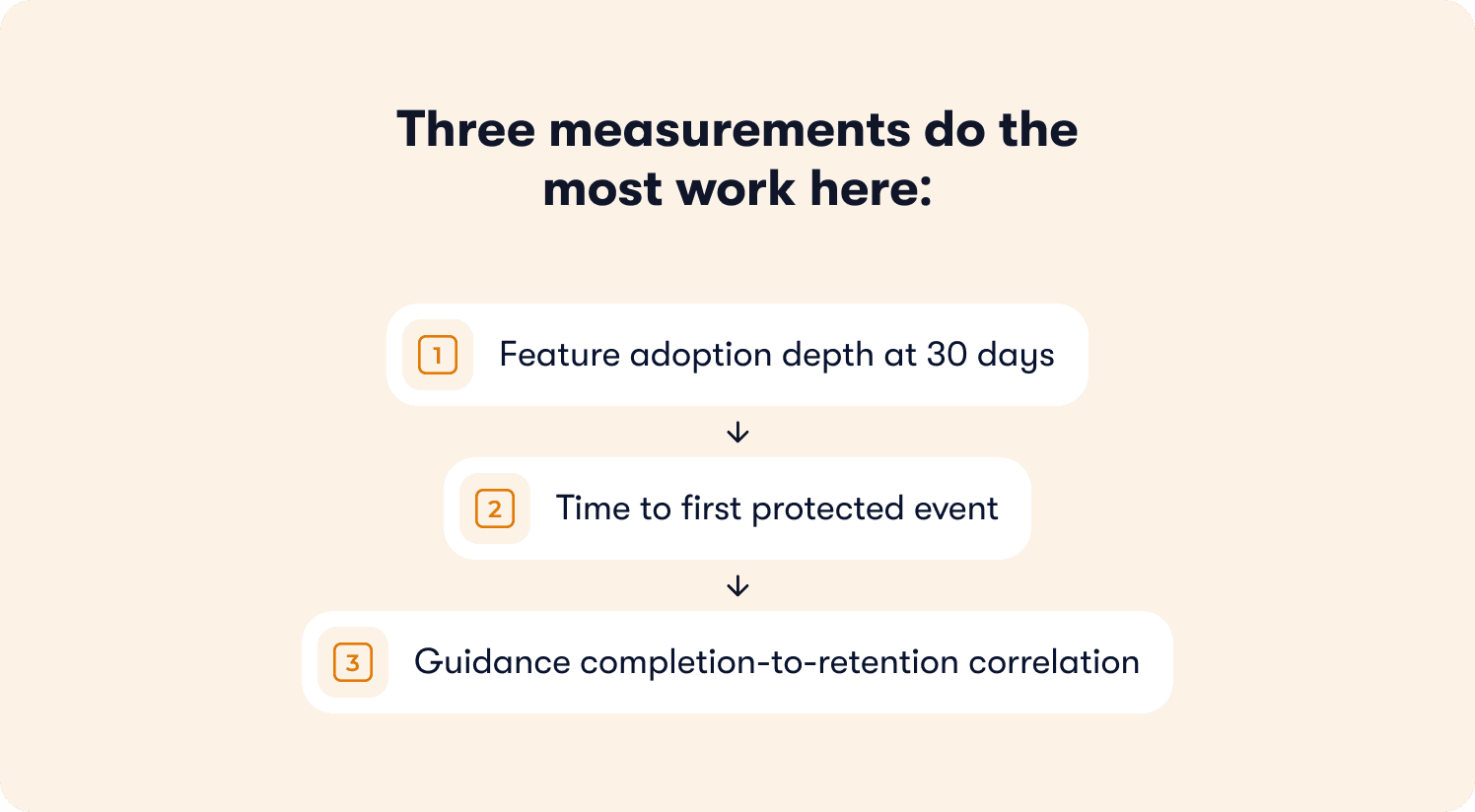
Three measurements do the most work here.
Feature adoption depth at 30 days
Which features are users actually reaching after setup? In cybersecurity SaaS, a customer who has configured their account but has never run a detection query, enforced a policy, or reviewed an alert is at significant churn risk regardless of what their setup completion rate says. Feature adoption depth — the proportion of active users who have engaged with the features that predict retention — is the signal that surfaces this risk while there is still time to act. A CS team with this data can prioritize intervention. A CS team without it finds out at renewal.
Time to first protected event
This is the cybersecurity-specific time to value metric, and it is more actionable than any generic onboarding KPI. How long does it take from a user's first login to their first threat detected, first policy enforced, or first alert independently triaged? That number is the single most honest measure of whether onboarding is working. If it is measured by cohort across role segments, it tells CS exactly where each role is stalling and how far from activation they typically arrive at the 30-day mark.
Guidance completion-to-retention correlation
This is the measurement most teams skip, and skipping it makes everything else harder to justify. Do users who complete the onboarding tour have meaningfully higher 30-day retention than users who skip it? If the answer is yes, the tour is earning its place. If the answer is no, or if the data has never been pulled, the tour is a completion metric in a dashboard, not an activation driver. Connecting guidance interactions to downstream retention outcomes is what separates adoption programs that CS can defend in a QBR from adoption programs that exist because someone built them. The how to improve customer onboarding process piece covers how to close this loop between product behavior data and CS workflows without engineering dependency.
Jimo measures how each guidance interaction affects downstream retention, shifting the measurement frame from completion to outcome. For teams benchmarking their current activation rate against industry standards before building the business case for any onboarding investment, product adoption benchmarking analysis covers quartile positioning and the revenue at stake from each gap to median.
Best practice 5: deflect support volume with in-app help at the point of friction
Every cybersecurity SaaS support queue tells the same story. Pull the last 90 days of tickets and sort by category. Five to seven question types will account for the majority of volume — how to configure a specific integration, what an alert threshold controls, how to adjust permissions for a role that was not scoped at setup, what a compliance field requires before a policy can be enforced. The questions are predictable. They repeat across accounts, across segments, across quarters. And they land in a CS queue that should be focused on renewal risk and expansion, not configuration support at scale.
This is not a documentation problem. Most cybersecurity products have documentation. Users are not opening tickets because the answer does not exist. They are opening tickets because finding the answer requires leaving the product, navigating a help center, and locating the relevant article at the moment they are already frustrated. The friction of that search is enough for a significant portion of users to decide that emailing CS is faster. For many of them, it is.
The fix is self-service help that lives where the question arises inside the product at the exact UI element or workflow step where users stall. Not a help center link in a nav bar. Not a chatbot on the homepage. Contextual guidance embedded in the product at the point of friction, answering the specific question the user is looking at right now.
In practice, this takes two forms.
In-app resource center
A persistent, searchable help layer inside the product that surfaces relevant answers based on the user's current page and context. When a SecOps analyst is on the alert configuration screen, the resource center shows alert configuration content — not the full help center index. When an IT admin is in the integration setup panel, they see integration-specific guidance. The context is the filter. Users get answers in seconds without leaving the product or opening a ticket. A resource center delivers this with AI-powered answer synthesis — not article links, but direct responses drawn from help content, product documentation, and guided tours, adapted to the user's current location in the product.
Targeted in-app guidance at known friction points
The ticket data already tells CS teams exactly where users stall. Those locations are the deployment map for contextual tooltips, inline help text, and short walkthroughs that preempt the question before it becomes a ticket. An alert threshold field that generates 40 tickets a month gets a tooltip explaining what the field controls and what the common configuration looks like for a team of this size. A permission matrix that produces weekly escalations gets a two-sentence inline explanation at the point of decision. The intervention cost is low. The ticket deflection is immediate and measurable.
The cumulative impact is significant. Jimo customers have seen up to 80% support ticket deflection using contextual in-app guidance — a top-quartile outcome achieved by teams who systematically mapped their highest-volume ticket categories to specific product locations and deployed targeted help at each one. The self-service docs tool covers the operational side of building and maintaining that content layer without engineering involvement.
For CS leaders building the internal case for this investment, the math is straightforward. Take the weekly ticket volume driven by onboarding and configuration questions. Multiply by average resolution time per ticket. That is the CS capacity currently allocated to questions a well-deployed in-app guidance layer answers automatically. Redirecting even half of that capacity toward renewal conversations and expansion signals is a more direct NRR lever than most CS teams have available to them without adding headcount.
A practical onboarding checklist for cybersecurity SaaS CS teams
The five practices above are not a sequential project. Most CS teams can act on two or three of them this week without an engineering ticket or a platform change. The bottleneck is almost never tooling. It is knowing which gap to close first.
Use the diagnostic below to identify where your onboarding is losing users, then work from there.
Before you build anything
Define the activation moment for each user role through cohort analysis — not assumption. Pull 90 days of retention data and find the behavior that separates retained accounts from churned ones at month two.
Audit your current onboarding sequence against that activation event. Count the steps between first login and first protected event. Every step that does not point toward that moment is a candidate for removal.
Pull your last 90 days of support tickets and sort by category. The top five question types are your in-app guidance deployment map.
Onboarding structure
Route users to role-specific paths at signup using two to three questions — role, primary use case, and team size at most. Do not ask for more than is needed to segment correctly.
Cap interactive tours at three to five steps, each requiring a real user action to advance. Passive "click Next" progression does not build the muscle memory that predicts activation.
Build onboarding checklists around four to six items that sequence directly toward the activation event. Pre-check the first item. Link each task to a guided walkthrough, not a help article.
Guidance deployment
Deploy contextual tooltips on the three to five UI elements generating the highest support ticket volume. Hover-triggered, one to two sentences, answering what the field controls and what the correct configuration looks like for a typical account.
Set behavior-triggered nudges for users who complete setup but have not reached the activation event within 72 hours. Fire on product inactivity inside the product, not on a calendar schedule.
Build an in-app resource center that filters help content by the user's current page and role context. The goal is answers in seconds without leaving the product.
Measurement
Replace onboarding completion rate with time to first protected event as the primary CS onboarding metric.
Track feature adoption depth at 30 days by role segment — not overall active user counts.
Pull guidance completion-to-retention correlation quarterly. If users who complete the tour do not retain at meaningfully higher rates than users who skip it, the tour is not reaching the activation moment.
Connect product behavior data to CS workflows so intervention triggers on adoption signals, not on calendar check-ins.
The gap is not in your product
Cybersecurity SaaS teams spend significant budgets acquiring users who already have the problem the product solves. They evaluated it, they signed a contract, they completed the setup. The product works. What breaks down is the sequence between setup and the moment the product proves it.
That sequence, from first login to first threat detected, first policy enforced, first alert an end user resolves without a support call and is where retention is decided. It is also where the expansion story either begins or stalls. Accounts that reach adoption depth across multiple roles do not just renew. They grow. The IT admin who configured the environment becomes the internal champion who pushes for additional seats. The SecOps analyst who built a detection workflow becomes the person who requests the advanced tier. The end user who never called IT becomes the reference account. None of that happens if the activation gap is never closed.
CS teams who instrument adoption depth rather than setup completion can see this progression before it happens. Which accounts are engaging with high-value features at 30 days. Which roles within an account have activated and which are still stuck at setup. Which accounts have the behavioral profile of expansion-ready customers versus accounts that are quietly at risk. That visibility does not come from check-in calls and gut instinct. It comes from product behavior data connected to CS workflows, surfaced in time to act rather than in time to explain.
If you lead CS at a cybersecurity SaaS company with a self-serve or trial-based onboarding flow, a role-fragmented user base, and a support queue dominated by predictable configuration questions, the gap described here is almost certainly costing you in retention and CS capacity simultaneously. Jimo is built for exactly this problem. CS teams build and iterate guidance without engineering dependency, measure adoption depth rather than completion rates, and deploy contextual help at the friction points that generate the most ticket volume.
For teams that want to see where their activation rate sits against industry benchmarks before making any changes, the retention insights tool is a practical starting point. For teams ready to see how contextual in-app guidance works across a product like theirs, customer stories cover how companies in adjacent categories have closed the activation gap and measured the outcome.
FAQs
What is the difference between onboarding completion and user activation in cybersecurity SaaS?
Onboarding completion measures whether a user finished a sequence. Activation measures whether they reached the behavior that predicts renewal. In cybersecurity SaaS, the gap between the two is wider than in most product categories because setup — MFA enrollment, access configuration, policy acknowledgment — happens before users touch any value. A user who clears every setup screen and never returns has a 100% completion rate and zero activation. The metric that matters is time to first protected event: the first threat detected, the first policy enforced, the first alert a non-admin user triaged without a support call. That is the moment the product proves itself, and it is the only finish line worth building onboarding toward.
How do you identify the activation moment for a cybersecurity SaaS product?
Pull 90 days of retention data and run a cohort comparison between accounts that renewed and accounts that churned at month two. Look for the in-product behavior that appears consistently in one cohort and rarely in the other. That behavior is your activation event. In cybersecurity products it is almost never setup completion — it tends to be a specific operational action: a detection query run, a policy enforced across the full account, an alert resolved by a non-admin user without escalation. Once identified, every onboarding sequence, checklist item, and guided tour should point toward it. Everything that does not is overhead.
Why does role segmentation matter more in cybersecurity onboarding than in other SaaS categories?
Because the mandatory front-load compounds the cost of a mismatched experience. In a product with a light setup requirement, routing an IT admin through a SecOps workflow costs them a few wasted minutes. In a cybersecurity product where compliance gates, access configuration, and permission setup have already consumed the user's patience before they reach any feature, a mismatched onboarding sequence on top of that overhead is enough to lose the user entirely. The IT admin, the SecOps analyst, and the end user have different activation moments, different tolerances for complexity, and different definitions of a successful first session. One sequence cannot serve all three, and in this category the cost of trying is measurably higher than in SaaS products where setup is lighter.
How do you reduce support ticket volume from onboarding without rewriting help documentation?
The tickets are not coming in because documentation does not exist. They are coming in because finding the answer requires users to leave the product, navigate a help center, and locate the relevant article at the moment they are already frustrated — and for many users, emailing CS is faster. The fix is contextual help deployed inside the product at the exact UI elements where users stall: a tooltip on the alert threshold field that explains what it controls, inline guidance on the permission matrix at the point of decision, an in-app resource center that filters content by the user's current page rather than presenting a full index. The intervention does not require new documentation. It requires existing answers to be surfaced at the moment the question arises, inside the product, before the user decides it is easier to open a ticket.
How should a CS team measure whether their onboarding improvements are working?
Replace onboarding completion rate with three outcome-based metrics. First, time to first protected event — measured by cohort across role segments, this tells CS exactly where each role is stalling and how far from activation they typically sit at 30 days. Second, feature adoption depth at 30 days — which features users are actually reaching after setup, not just whether they finished the onboarding sequence. Third, guidance completion-to-retention correlation — whether users who complete a guided tour retain at meaningfully higher rates than users who skip it. If the answer is no, or if the data has never been pulled, the tour is a completion metric in a dashboard, not an activation driver. These three measurements together tell CS whether onboarding is moving users toward renewal or simply moving them through a process.








