/
8 mins read
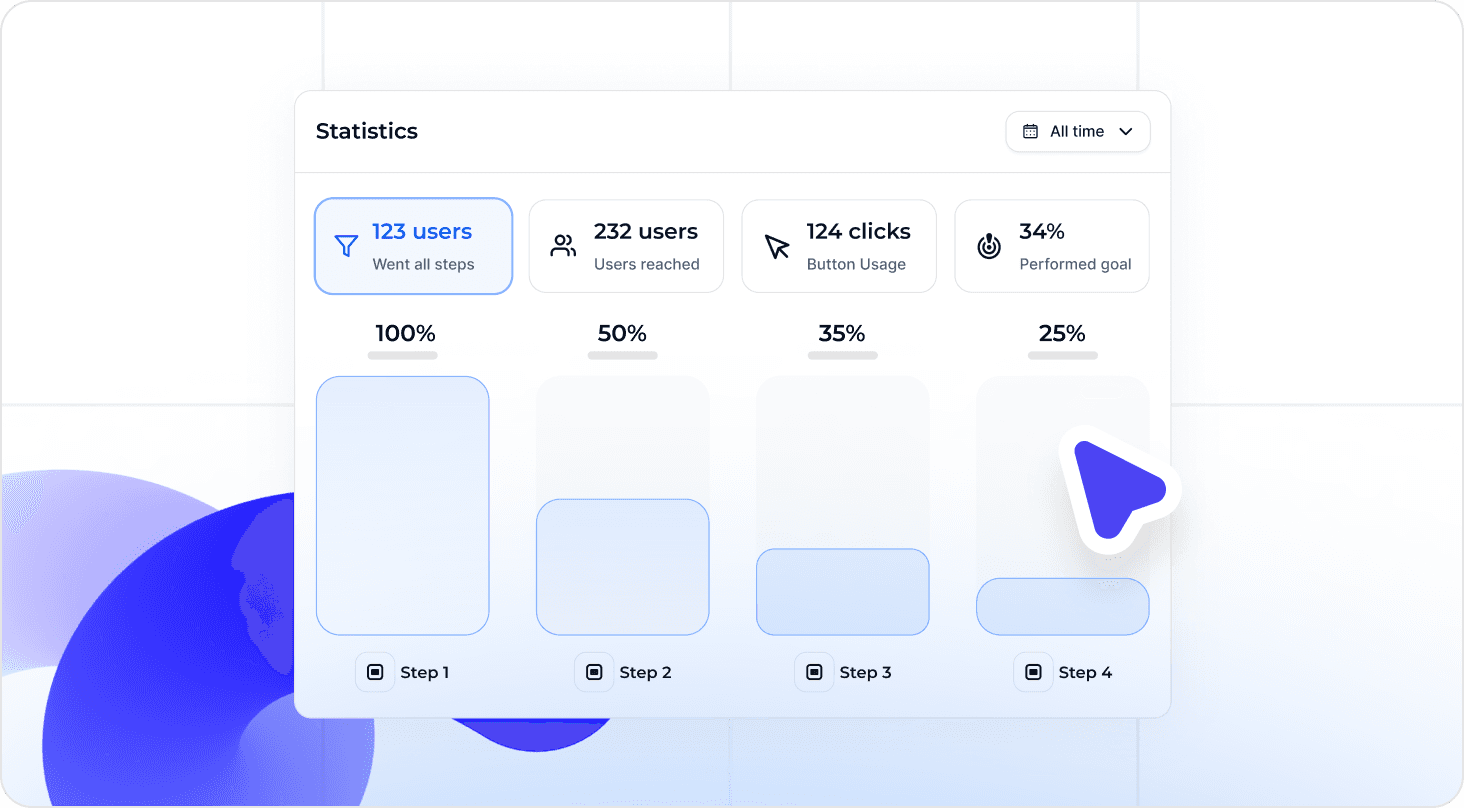
TL;DR
Most product tours fail not because they're poorly designed, but because they're disconnected from the activation event that turns a trial user into a paying customer. The product tour best practices in this article are organized around a single mechanism: define the activation moment first, then build the shortest, most relevant guided path to reach it. High-impact practices include segmenting tours by role, plan, or region so each user follows the path most relevant to their use case; triggering guidance contextually based on what users actually do in the product rather than time-based sequences; and instrumenting every tour step so teams can see where users drop off before reaching first value, not just whether they finished the flow. The article also covers how to run holdout tests that prove tour impact on activation, how to sync tour logic with CRM data for lifecycle-stage personalization, and how to use AI to surface next-best actions for non-linear user journeys. Teams that apply these practices stop optimizing for completion rates and start proving which guidance changes move users from signup to activation.
Following product tour best practices doesn't feel like a strategic problem until you're staring at a 70% tour completion rate and a trial-to-paid conversion number that hasn't moved in two quarters.
You built the tour. Users finish it. And then they leave.
That gap, between a user who completed your onboarding flow and a user who actually reached first value, is where growth stalls, acquisition spend evaporates, and the product team loses credibility with leadership. The problem isn't effort. It's that most tours guide users through generic steps with no connection to the specific action that triggers real value.
This article covers 17 practices for building tours that tie guidance directly to activation moments, including how to define your activation event, segment tours by persona, instrument the path from signup to first value, and iterate without waiting on engineering.
Tour Completion Is Not Activation (And Confusing the Two Is Costing You)
Your tour completion rate is not an onboarding metric. It's a vanity metric wearing one.
When a user clicks through every tooltip, reads every modal, and closes the final step of your product tour, they've demonstrated one thing: they can follow instructions. What they haven't done is reach the moment in your product that makes them likely to pay, stay, or expand. That moment, the activation event, is the only onboarding metric with a direct line to revenue. And most product tours aren't built around it.
The reason is structural. Most teams build tours around the product's feature set, not the user's path to value. They sequence steps based on UI layout or what the product team thinks is important. Nobody sits down and asks: what is the single action a user needs to take before they're genuinely likely to convert? Without that anchor, tours optimize for completion by default, because completion is the only thing they can measure.
The measurement gap compounds the problem. When the only signal your tour tool reports is "tour completed," you have no visibility into what happened next. Did those users reach the activation event? Did they drop off on step three and never come back? Did the users who skipped the tour actually activate at a higher rate? You don't know, so you can't act. Onboarding improvements get queued behind engineering sprints, debated without data, and shipped months after the drop-off was first spotted.
This is the operational reality for most product ops teams: in-app guidance exists, performance is unknown, and the team optimizes blindly. Applying the right product tour best practices starts with closing that measurement gap, not with adding more tour steps.
The Activation-First Framework: How Effective Tours Are Built
Before any of the 17 practices below will work, one thing has to be true: your team has agreed on what activation actually means for your product. Not "user engaged with the tour." Not "user explored three features." A specific, observable action that a user takes inside your product that correlates with them becoming a retained, paying customer. Sent their first campaign. Created their first dashboard. Invited a teammate. Connected their first integration. One event. One measurable signal.
That single decision changes how you build tours entirely. Instead of starting from your UI and working outward, you start from the activation event and work backward. Which steps does a user need to complete to reach it? Which of those steps do users consistently skip or abandon? Where does drop-off happen, and how much of it is caused by the tour itself versus the product? Knowing how to build effective product tours means answering those questions before you write a single line of copy or place a single tooltip.
The 17 practices below are organized by that logic: define the destination, build the shortest path to reach it, instrument everything so you can see what's working, and iterate fast enough to act on what the data tells you.
The 17 Product Tour Best Practices That Move Activation Metrics
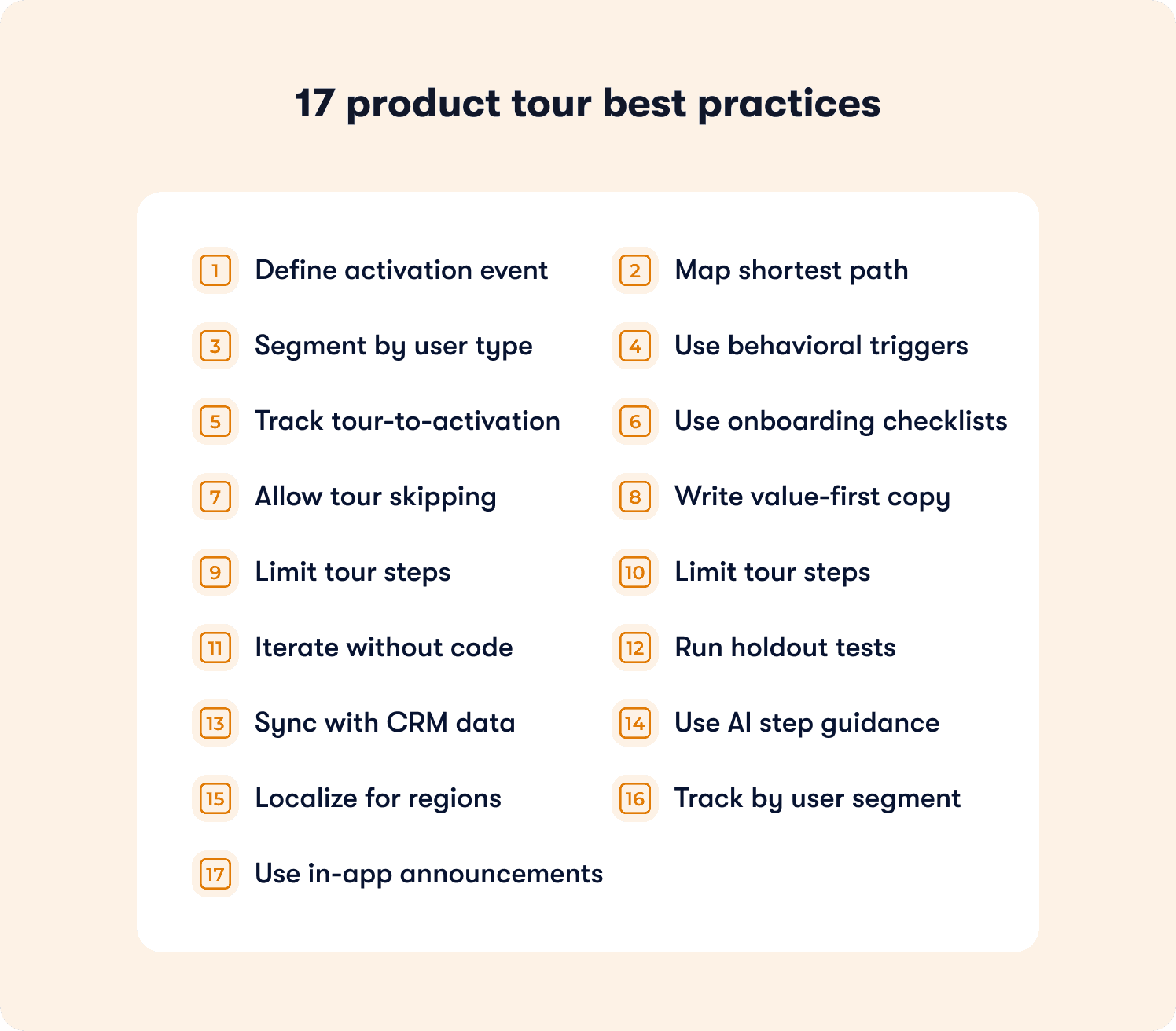
These practices are organized by implementation priority: define the activation destination first, build the shortest path to reach it, then instrument and iterate fast enough to act on what the data shows you. Each practice names the operational failure it fixes and what changes when you fix it.
1. Define Your Activation Event Before Building the Tour
Most product ops teams inherit a tour that nobody can justify. It exists because a PM built it at launch, it's never been meaningfully changed, and when someone asks whether it's working, the only answer available is the completion rate. That number doesn't tell you whether users reached first value. It tells you they clicked through the steps. The fix starts before you open your tour builder: identify the single observable action that proves a user got value from your product. Sent their first campaign. Connected their first integration. Created their first dashboard. One event. Not a cluster of behaviors, not a vague definition of engagement. When that event is defined, every tour decision has a measurable success condition, and your team can finally answer the question leadership is actually asking: did that onboarding change move conversion, or didn't it?
2. Map the Shortest Path from Signup to Activation
Here's a pattern product ops teams see constantly: the tour was built by walking through the product feature by feature, and somewhere along the way, the activation event got buried under eight steps of context that felt important at the time. Users make it to step four, lose the thread, and close the tour. The acquisition spend that got them to signup evaporates. The fix isn't a better-designed version of the same long tour. It's a fundamentally shorter one. Map every step a user needs to complete to reach your activation event, then cut every step that isn't strictly required to get there. Not everything that might be useful. Not everything that showcases depth. The minimum viable path. Each step you remove is an exit point you've eliminated. Time-to-value drops. First-session activation rate increases. Both move trial-to-paid conversion in a direction your leadership team will notice.
3. Segment Tours by Role, Plan, and Geography
One of the most consistent pain points for product ops teams is inconsistent activation rates across segments, and one of the most consistent causes is a single tour trying to serve every persona at once. An admin configuring a workspace for their entire team has a different activation event than the end user adopting a single workflow. A free-tier user evaluating solo has a different first-value moment than an enterprise buyer running a multi-team pilot. When both see the same tour, neither is following the shortest path to their activation moment. Following best practices for designing high-conversion product tours means accepting that the path to value is different for different people, and building guidance that reflects that reality. Segment by role, plan tier, and region. Activation rates stop varying unpredictably across your user base because each segment is finally following a path built for their specific use case, not an averaged-out version of everyone's.
4. Trigger Tours Contextually, Not on a Timer
Time-based triggers feel logical until you watch the data. A tour fires on day two of a trial because someone decided that's when users are "ready." But half those users haven't logged back in yet. The other half are already three steps past what the tour is trying to show them. The guidance lands at the wrong moment for almost everyone it reaches, and the team reads the low engagement rate as a content problem when it's actually a timing problem. Behavioral triggers solve this by firing guidance when users demonstrate readiness through what they actually do in the product. A user navigates to your integration settings page for the first time: that's a signal. A user creates their first record but doesn't connect it to a workflow: that's a signal. Surface the tour at that moment, and it lands when the user is already moving toward the action you want them to take, not before they've thought to try it. Feature adoption lift follows because the guidance is relevant when it appears.
5. Instrument the Full Path from Tour Exposure to Activation
This is the practice that separates product ops teams who can prove their onboarding is working from teams who are guessing. Knowing how to create product tours that move metrics requires tracking more than whether a user opened the tour or clicked through to the final step. Every tour step should fire an event. Those events should be connected, in your behavior metrics system, to the activation event you defined in practice one. When that instrumentation is in place, you can answer the questions that actually matter: which step loses the most users before they reach activation? Do users who skip the tour activate at higher or lower rates than users who complete it? Which tour change moved the activation rate, and which one just inflated completion counts? Without this data, you are spending engineering and product time on onboarding improvements with no way to know whether any of them worked.
6. Use In-Product Checklists to Guide Multi-Step Activation
Some products have activation events that require users to complete several prerequisite actions before first value becomes accessible. Connect an integration. Configure a workspace setting. Invite a teammate. Each one is a step on the path to the moment that makes retention likely, and each one is an opportunity to lose a user who can't hold the full sequence in memory while simultaneously trying to learn a new tool. A linear tour addresses one action at a time and disappears when the session ends. An onboarding checklist keeps the full activation path visible and persistent across sessions, lets users complete steps in whatever order their workflow demands, and gives them a clear visual signal of how close they are to completion. Users who engage with checklists don't just activate faster; they activate at meaningfully higher rates, because the checklist removes the cognitive burden of tracking a multi-step journey on top of learning the product itself.
7. Allow Users to Skip or Dismiss Tours Without Penalty
Forced tours create a specific kind of frustration that product teams underestimate: the frustration of a user who already knows what they're doing being made to sit through guidance they don't need. Power users returning after a gap. Users who came from a competitor and recognize the workflow immediately. Users who explored the feature on their own before the tour triggered. For all of them, a mandatory tour isn't helpful; it's friction. Worse, it inflates your completion rate with users who clicked through just to get the tour out of the way, making your data harder to interpret. Include a visible skip option on every step. High skip rates on a specific step aren't a failure to communicate; they're a diagnostic signal telling you the tour is triggering for users who don't need that guidance, or that the step is disconnected from something users actually care about at that moment. That signal is more useful than a completion rate that hides it.
8. Write Tour Copy That States Value First, Steps Second
Tour copy written by people who know the product well tends to describe what to click before explaining why it matters. That sequence makes sense from the inside, but it's backwards for a new user who is still deciding whether each next step is worth their attention. "Click the blue button in the top right corner" is a command. "Send your first campaign and see how your audience responds in real time; click Launch in the top right corner" is a reason to act. The distinction sounds small. The impact on completion rates is not. When users understand the outcome they're moving toward before they're asked to take the action, hesitation drops. They're not following instructions; they're pursuing a result they've already decided they want. That shift in framing is one of the lowest-effort, highest-return changes a product ops team can make to an existing tour without touching a single trigger or segment rule.
9. Limit Tour Steps to 5 or Fewer
The tours that accumulate the most steps are usually the ones that were built by committee: every stakeholder added the feature they cared about, and nobody had the authority to cut anything. The result is an eight or ten-step tour that drops off sharply after step three, and a team that reads the drop-off data and concludes the tour needs better copy rather than fewer steps. If reaching your activation event genuinely requires more than five steps, the solution is not a longer tour. It's multiple shorter contextual tours, each triggered at the moment in the user journey when that specific piece of guidance is relevant, each focused on a single milestone within the larger activation path. Distributing the guidance across sessions and moments doesn't dilute the experience; it makes each individual interaction feel manageable. Completion rates increase. Time-to-activation decreases. And your drop-off data becomes easier to act on because each tour is short enough that you can identify exactly which step is causing the problem.
10. Test Tours in Staging Before Releasing to Production
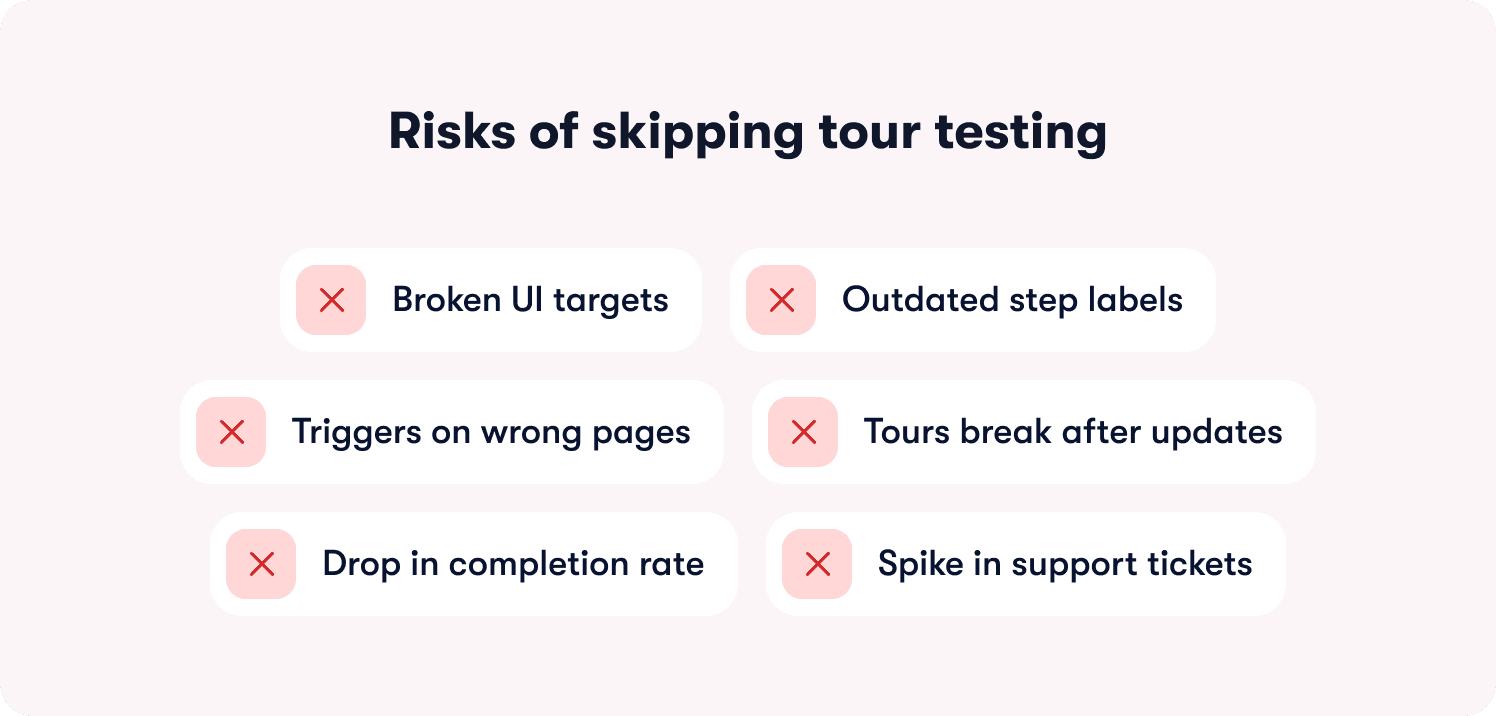
Product ops teams discover broken tours in the worst possible way: through a sudden spike in support tickets, a confused Slack message from a customer success manager, or a completion rate that drops to near zero after a UI update nobody thought to flag. Among best practices for managing staging and production content for tours, this is the one that prevents the most preventable damage. Product UIs change constantly. A button gets renamed. A modal restructures. A page redirects. Any of those changes can silently break a tour that was working correctly the week before: tooltips point at elements that no longer exist, triggers fire on pages that moved, checklists reference steps with outdated labels. Catching those breaks in a staging environment before they reach production users costs almost nothing. Discovering them after the fact through a support queue costs considerably more, in user trust and team credibility.
11. Iterate Tours Without Engineering Cycles
The operational reality for most product ops teams is that they can see the drop-off but can't act on it at the speed the data demands. A tour step is losing 40% of users before the activation event. The fix is clear. But the fix requires a ticket, a sprint slot, a developer, a review cycle, and a release. By the time the change ships, another full cohort of trial users has moved through that friction point. Some converted despite it. Most didn't. No-code tour builders break that dependency by putting tour iteration directly in the hands of the product ops team. Step copy, trigger logic, segmentation rules, and tour structure change in minutes, not sprint cycles. Teams that operate at that speed don't just fix problems faster; they run more experiments per quarter, accumulate more learning about what actually moves activation, and build an onboarding function that improves continuously instead of in occasional lurches.
12. Run Holdout Tests to Prove Tour Impact on Activation
There's a version of this conversation that happens in almost every product ops team at some point: leadership asks whether the tour is actually driving conversion, and the honest answer is "we think so, but we can't prove it." Users who engage with onboarding guidance are often more motivated to succeed with the product than users who ignore it. That self-selection inflates apparent tour performance and makes it nearly impossible to separate the tour's contribution from the baseline behavior of users who would have activated anyway. Holdout tests close that gap: expose one group to the tour, expose a control group to nothing, compare activation rates while controlling for other variables. The result is causality, not correlation. When those findings surface in actionable reports, the conversation with leadership changes from "we believe the tour is working" to "here's the activation lift we can attribute directly to guidance, and here's what we're testing next."
13. Sync Tour Triggers with CRM Data to Personalize by Lifecycle Stage
Among best practices for integrating product tours with CRM, the highest-impact move is one most teams haven't made: using the data your CRM already holds about deal stage, renewal risk, and expansion opportunity to determine what in-product guidance a user sees next. Right now, accounts flagged as renewal risks are receiving the same tour as net-new trial users. High-usage accounts with clear expansion potential are getting generic onboarding flows instead of targeted guidance toward the advanced features that would justify an upgrade conversation. CRM-connected tour triggers let you address each of those scenarios with in-product guidance calibrated to where the account actually sits in the customer lifecycle. CS teams stop flying blind on which accounts need intervention and which are ready for an expansion conversation. Feature adoption increases in the segments where it has the most direct impact on revenue.
14. Use AI to Recommend Next Steps Based on User Behavior
Static tour sequences are built on an assumption that rarely holds: that all users follow the same path to activation. In practice, a meaningful percentage of your users skip steps, complete actions out of order, or reach your activation event through a route that your tour never anticipated. A linear sequence doesn't accommodate any of that. It either forces users back onto the prescribed path or abandons them when they deviate from it. AI-driven tour logic handles non-linear journeys by analyzing behavioral patterns across user cohorts and surfacing the next-best action for each individual based on what users with similar behavior profiles actually did to reach activation. Following best practices for AI product tours and CRM integration means layering account-level context on top of those behavioral signals, so the recommendations reflect not just what a user did in the product but what their account context suggests they need next. The activation path becomes adaptive. Time-to-value decreases for the users who need it most.
15. Localize Tours for Multi-Region Products
Teams with users across multiple geographies often have an activation gap they haven't correctly diagnosed. Non-English markets underperform relative to English-language benchmarks, and the default assumption is that it's a product complexity issue or a market fit issue. Frequently, it's a guidance issue. A tour written in English, with workflow examples drawn from US business contexts, creates comprehension friction for users whose primary working language is French, German, or Danish, and whose workflows don't map cleanly to the examples being shown. That friction is subtle enough that users don't abandon the tour explicitly; they disengage, complete it without internalizing it, and fail to reach activation because the guidance didn't actually connect. Translated copy and regionally adapted examples remove that friction at the source. Activation rates in non-English markets stop lagging because the guidance finally matches the context of the user it's trying to reach.
16. Monitor Tour Performance by Segment, Not Just Overall
An aggregate tour completion rate of 68% looks like a passing grade until you pull the segment breakdown and see that admins are completing at 84% while end users are completing at 41%. The aggregate was hiding a failure that was large enough to materially affect activation in one of your core user segments. Segment-level reporting makes those failures visible early enough to fix before they compound into retention problems. It also works in the other direction: a segment that outperforms expectations tells you which tour design decisions are working well enough to replicate across other personas or regions. Aggregate metrics give you a headline. Segment metrics give you a decision. For product ops teams responsible for activation performance across multiple user types, plans, and geographies, the segment view isn't a nice-to-have; it's the only view that tells you where to act next.
17. Replace Email-Only Launch Comms with In-App Announcements
The feature launch playbook at most SaaS companies still runs on email: write the announcement, segment the list, schedule the sends, track open rates, and conclude the launch was successful if 25% of recipients opened it. That means 75% of your existing users never saw the feature you spent a sprint building. And of the 25% who opened the email, a fraction clicked through, and a fraction of those actually tried the feature in the session. Best practices for interactive product tours and software demos extend well beyond initial onboarding, because in-app announcements reach users at the moment they're in the product and ready to engage with something new. A contextual walkthrough triggered the first time a user visits the page where a new feature lives converts curiosity into immediate action in a way that an email sent two days before the launch simply cannot replicate. Feature adoption on launch day increases. The success of a release stops being a function of how many people opened an email and starts being a function of how many people actually used the thing you shipped.
📖 Want 19 onboarding tactics beyond product tours? → Read through our free playbook
How Jimo Connects Product Tours to Activation Outcomes
Tours fail when they guide users through generic steps disconnected from the activation event that turns a trial into a paying customer. Most product ops teams know this is the problem. The harder reality is that their current tool doesn't give them the instrumentation to see where the breakdown happens, and every fix requires engineering capacity they don't control.
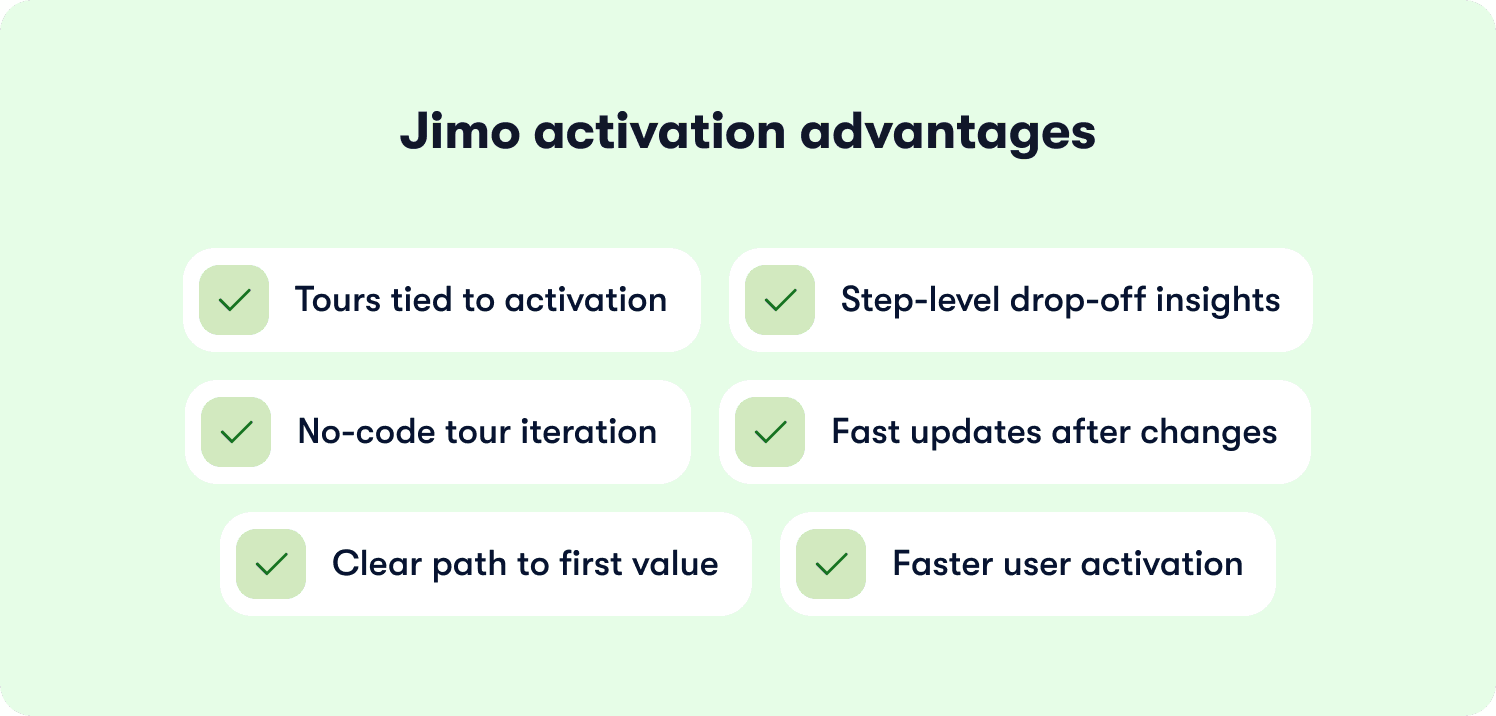
Jimo connects every tour step directly to the activation event your team defines, so you can see the full path from first exposure to first value and identify exactly where users fall off before reaching it. Applying product tour best practices within Jimo means responding to drop-off data with changes that ship in minutes, without queuing a sprint. Unlike static tour builders that require engineering to update triggers or restructure flows, Jimo puts iteration directly in the hands of the product ops team.
The results reflect that operational difference. Zenchef used Jimo's guided tours, checklists, and resource center to cut time-to-activation from 30 days to 14. AB Tasty replaced a three-month engineering dependency with a 90-minute build cycle, reaching 2,000 users in week one of their first campaign. Both stories, and more, are in Jimo's customer stories. The shared mechanism is guidance tied to activation outcomes, not completion counts.
Measuring Tour Impact: The Metrics That Actually Connect to Revenue
Tour completion rate is the metric that gets reported in standups and the one that means the least about whether onboarding is working. What the business needs to know is whether users reached first value and whether guidance got them there.
Four metrics have a direct line to revenue. Activation conversion is the percentage of tour-exposed users who reach your defined activation event. Time-to-activation is the median time from signup to that event, compared across guided and unguided cohorts.
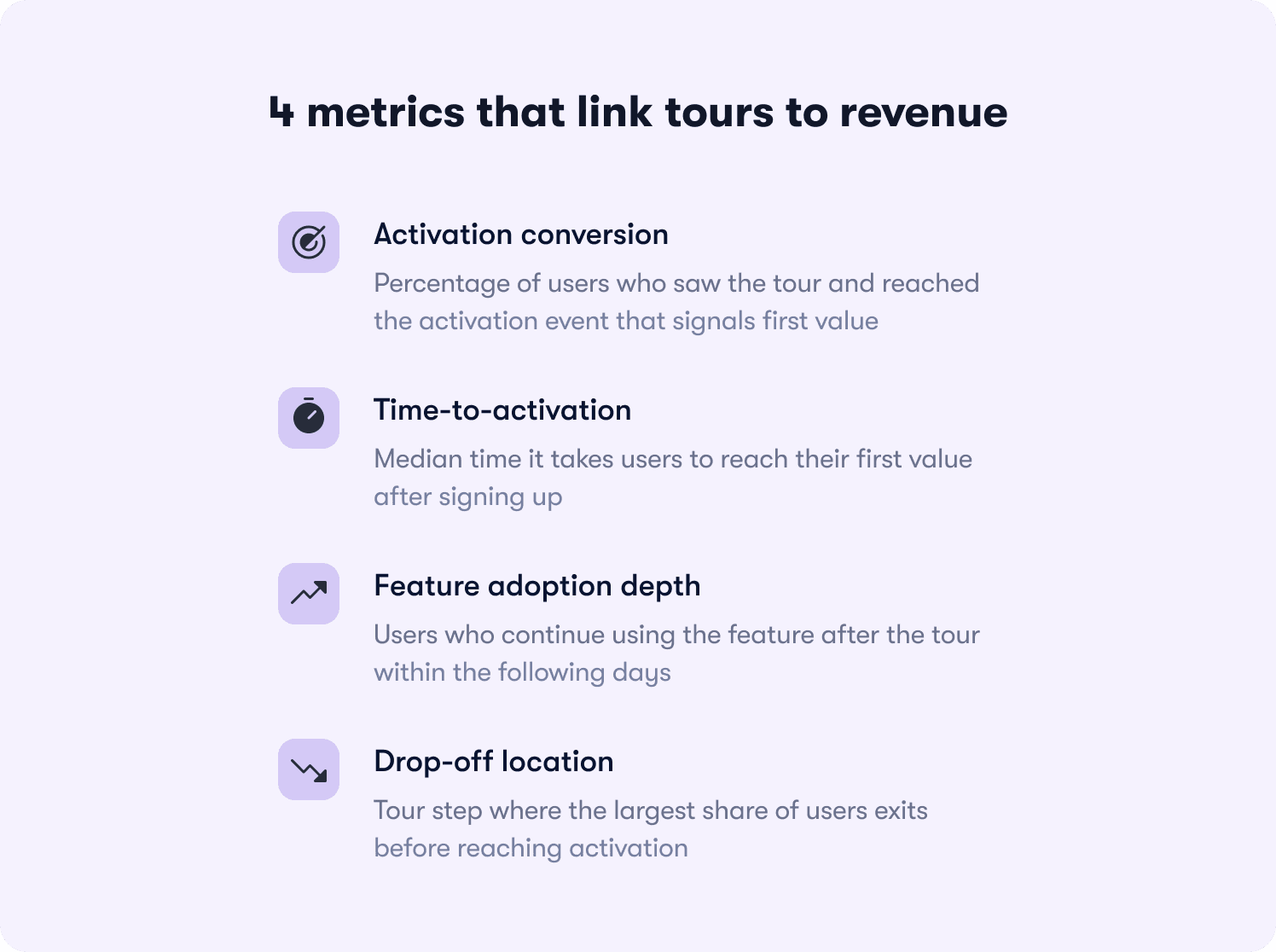
Feature adoption depth tracks how many users who completed the tour used the relevant feature again within seven days, because one-time usage after a prompt is not adoption. Drop-off location identifies which tour step loses the most users before activation, because that's where iteration effort belongs.
Set a baseline by measuring activation rate for a cohort with no tour exposure first. The event naming that makes this clean: tour_started, tour_step_completed, tour_completed, activation_event_reached. Those four events, connected in your behavior metrics system, produce the funnel that shows where revenue is being left behind. Industry benchmarks suggest three-step tours average around 72% completion. If yours sits consistently below 50%, the problem is friction or irrelevance, not copy. Track natively through Jimo's Success Tracker or push events to your existing stack via Jimo's integrations.
The mistakes that corrupt the data before you can use it
Launching without a defined activation event means optimizing for completion by default.
The fix: Define the event before opening your tour builder.
Time-based triggers produce noisy cohorts that mix users who were nowhere near ready with users who already passed the relevant moment.
The fix: Behavioral triggers tied to specific in-product actions.
No skip option inflates completion with users who clicked through to dismiss the tour.
The fix: A visible dismiss option on every step, with skip rates tracked as a diagnostic signal.
Treating all users the same averages together segments with fundamentally different activation paths.
The fix: Segmented responses tracked separately from day one.
Measuring only completion rate means running experiments for quarters without knowing whether anything moved the metric connected to revenue.
The fix: Connect tour events to your activation event before any experiment begins.
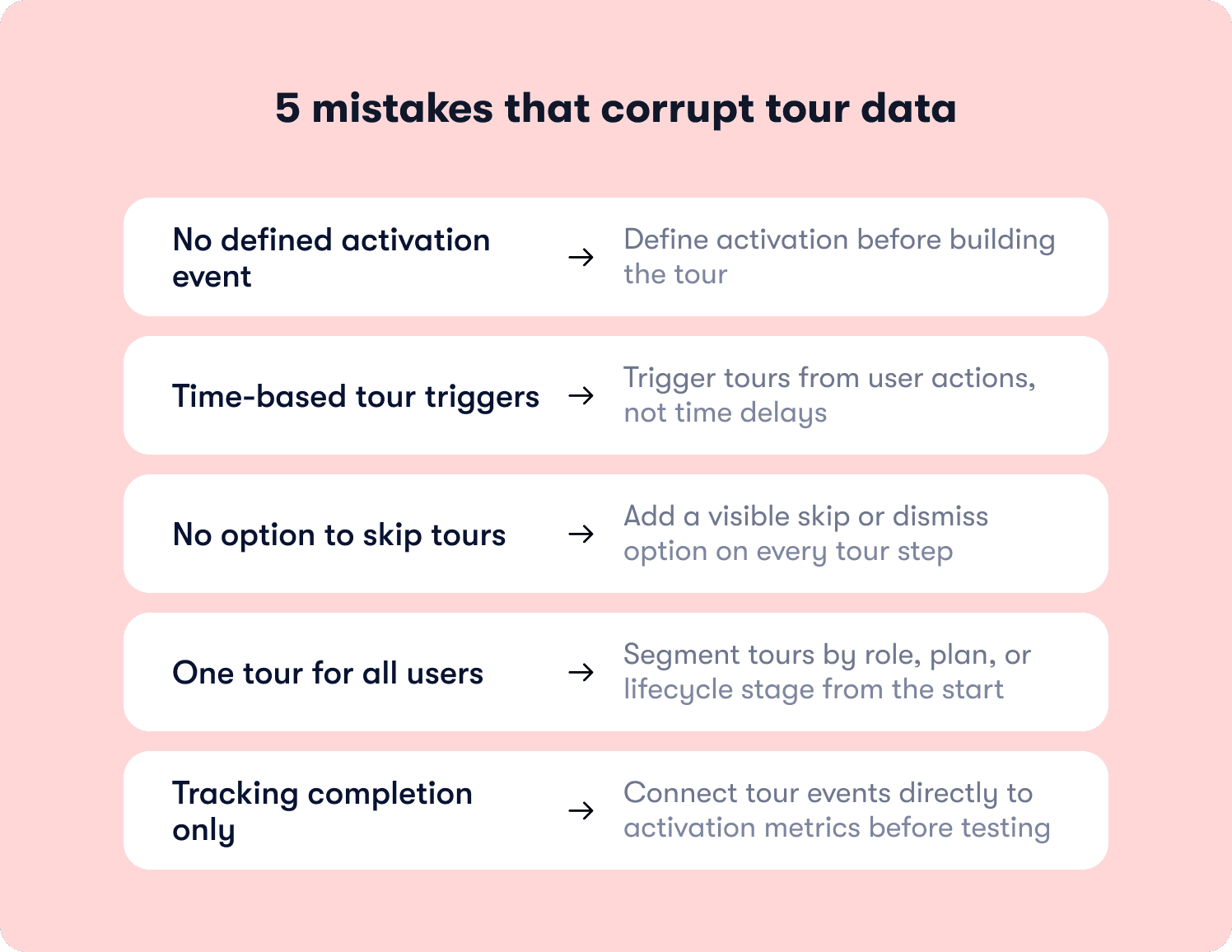
The pattern across all five mistakes is the same: teams skip the instrumentation work upfront and spend months optimizing a number that was never connected to the outcome they actually care about.
Completion rate is easy to measure. Activation rate requires setup. And that setup is the difference between an onboarding function that improves continuously and one that generates reports nobody can act on.
The product tour best practices in this article only compound in value when the measurement foundation is solid enough to show you what's working and what isn't. Without it, you're iterating blind regardless of how well-designed the tours themselves are.
If you're ready to stop measuring completion and start proving activation, see how Jimo works.
FAQs
How do you know if your activation event is the right one to build a tour around?
Compare 30-day retention rates across actions taken in a user's first session: invite sent, integration connected, first artifact created. The action with the strongest correlation to retention is your activation event. It should be specific enough to observe, achievable in one session, and directly connected to the value your product promises. If your analytics aren't there yet, start with the action your highest-value retained customers most commonly completed in their first week and validate as cohort data accumulates.
Your tour completion rate is above 70% but trial-to-paid conversion hasn't moved. What's the diagnostic process?
High completion with flat conversion means one of three things: the tour ends before the activation event, the activation event is defined incorrectly, or the tour is reaching users who would have converted anyway. Pull completion data by segment first. Then check whether the final tour step actually requires users to complete the action that defines first value. If it doesn't, you're measuring guidance engagement, not activation. Run a holdout test to confirm whether the tour is driving conversion at all or just correlating with users already likely to convert.
How do you make the internal case for investing in onboarding iteration when leadership sees it as a cost rather than a growth lever?
Frame it as acquisition cost recovery, not an onboarding project. Every trial user who churns without activating is unrecovered CAC. A 5-point improvement in activation rate across 1,000 trial users at a $300 CAC recovers $150,000 in spend already committed. Back that math with a holdout test isolating the tour's causal contribution to activation, connect it to retention insights, and the conversation shifts from "should we invest" to "how much and how fast."
At what point does a product tour become an obstacle rather than a resource for returning users?
The moment it triggers for a user who already completed the action it's guiding them toward. This happens when triggers are set at the page level rather than the behavior level. Behavioral triggers connected to your onboarding tactics check completion state before firing, so guidance only surfaces for users who actually need it. Monitor skip rates separately for new and returning users: a high returning-user skip rate means your trigger logic is too broad and is creating friction for the people who least need it.
How do you manage tour content across multiple product releases without breaking existing guidance or creating version conflicts?
Three disciplines prevent most version conflicts. QA every tour in staging before each release, not just major ones: small UI changes break tours as reliably as redesigns. Document the element selectors your tours depend on and flag them in your release checklist so any change triggers a review. And use a tool that decouples tour content from code: when triggers, copy, and segmentation update without a deployment, recovery time when something breaks drops from days to minutes. The onboarding process that works is one where product ops controls tour content independently of the engineering release cycle.








