TL;DR
Most SaaS onboarding templates aren't templates at all. They're one-off flows that get rebuilt from scratch every time a segment changes, a feature ships, or a new user type is added. This article is written for product operations managers who need a reusable, in-product template system that can be deployed across segments, iterated without engineering, and updated in real time when the product evolves. It covers what a reusable in-product onboarding template actually contains, the five core template types every SaaS product needs (welcome flow, product tour, onboarding checklist, contextual tooltip sequence, and in-product survey), how to structure templates for adaptation across user segments without rebuilding, the operational failure modes that cause template systems to break down at scale, and how to measure whether your templates are driving activation or just completion. The thread running through all of it: the shift from intelligence-led growth as a product philosophy to ILG as an operational reality and what that demands from the teams responsible for keeping onboarding consistent, current, and effective across a growing product.
Every product operations manager who has managed onboarding at scale has experienced some version of the same problem. A new pricing tier launches. A second ICP segment emerges. A core feature changes enough that the existing product tour no longer reflects how the product works. And each time, the response is the same: someone rebuilds the onboarding flow from scratch, the existing flow gets duplicated and manually edited, or the update goes into the engineering backlog and the live onboarding runs on outdated content for another quarter.
The problem is not a lack of effort. It is a structural one. Most SaaS onboarding systems are built as single flows rather than as template systems. They are designed to serve one segment, one moment, one product state. They have no reuse logic, no adaptation mechanism, and no iteration pathway that doesn't involve either a developer or a complete rebuild. When the product changes, the product always changes and the onboarding system has no way to keep up.
The software adoption ceiling this creates is rarely visible in a single quarter. It compounds. Onboarding that was accurate six months ago starts producing friction for users whose context the original flow wasn't built for. Activation rates plateau. The team adds more guidance on top of guidance that is already outdated, and the problem deepens.
The solution is not a better flow. It is a better system: one built around reusable, modular in-product templates that can be deployed across segments, adapted without engineering, and iterated continuously based on what behavioral data shows. That is what this article covers. Not how to build one onboarding flow, but how to build the template system that makes every onboarding flow faster to deploy, easier to maintain, and more responsive to how the product and its users actually evolve.
Why most SaaS onboarding templates don't survive contact with the product
The word "template" in most SaaS teams means a Notion page, a Confluence document, or a spreadsheet that describes what the onboarding flow is supposed to do. It is a reference artifact rather than an operational one. It describes the intended experience without being connected to the system that delivers it. When the product changes, the document doesn't update.
When a new segment is added, someone duplicates the document and edits it manually. When a flow underperforms, the team looks at the document, decides it needs to be rethought, and starts over.
This is the structural gap between having an onboarding template and having a template system. The first is a record of intent. The second is a reusable configuration that can be deployed, adapted, and iterated without disconnecting from the live product.
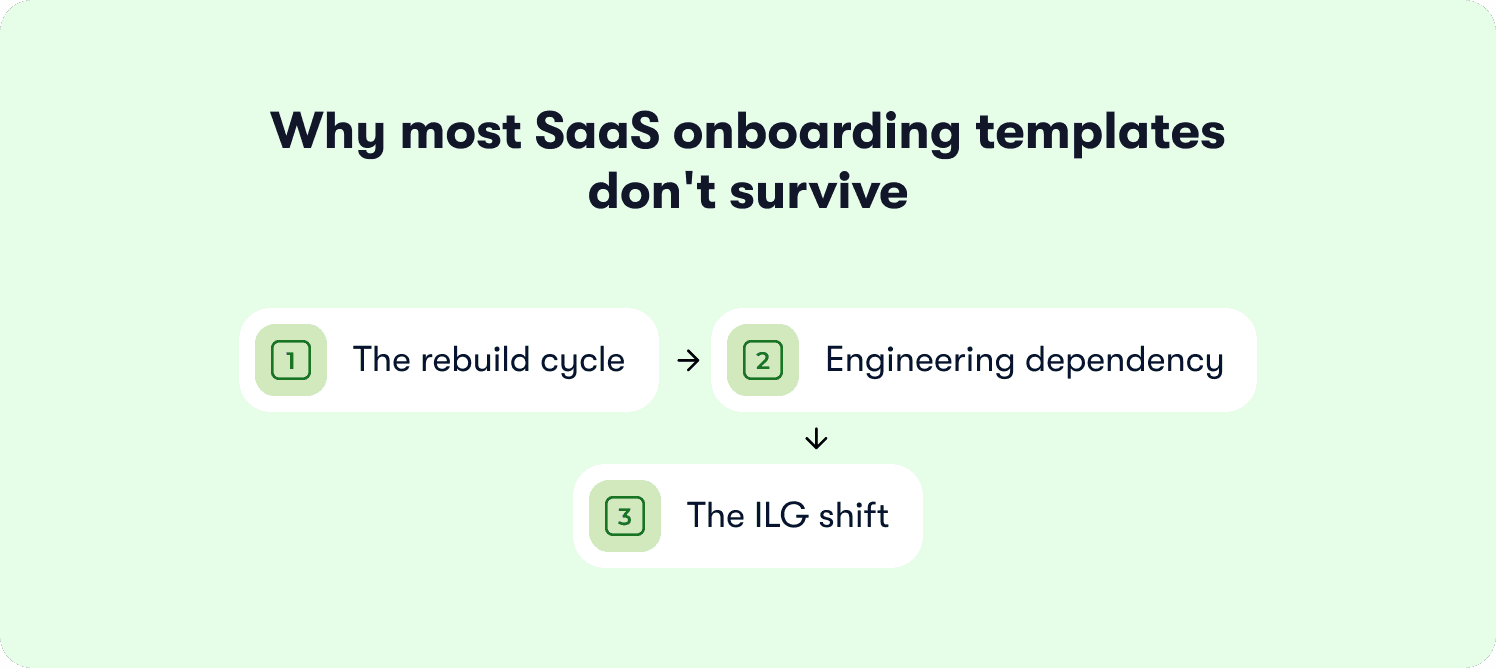
The rebuild cycle is the symptom, not the cause
Product Ops teams that rebuild onboarding flows repeatedly aren't doing it because they lack discipline. They're doing it because the flows they built the first time weren't designed for reuse. The trigger logic was hardcoded to a specific user attribute. The copy was written for one segment's language and job-to-be-done. The success signal was never formally defined, so there's no way to know whether adapting the template produced a better outcome or just a different one.
When a template has no reuse architecture, every adaptation is a rebuild. The operational cost is not just the time spent rebuilding. It is the lag between the product changing and the onboarding catching up, which is the period during which new users are being guided through an experience that no longer reflects the product they signed up for.
Engineering dependency is the accelerant
The rebuild cycle becomes critical when every iteration requires an engineering sprint. A tooltip that fires at the wrong moment, a checklist step that references a feature that has been renamed, a welcome flow that routes users to a screen that no longer exists: each of these is a straightforward fix in a no-code DAP and a two-week ticket in a custom-built onboarding system.
Most SaaS teams underestimate how much of their onboarding debt accumulates not because decisions were made poorly, but because the cost of fixing small misalignments was high enough that they were deprioritized repeatedly until they became large ones. The time to value impact of that debt is direct. Users who encounter outdated or misaligned guidance in their first sessions reach their activation moment later, or not at all.
The ILG shift demands a template system
The PLG-era onboarding model produced single flows because single flows were sufficient for a single ICP at a single stage of product maturity. As products scale, the single flow model breaks under its own weight.
Intelligence-led growth requires onboarding that adapts to each user's context, behavioral signals, and stage in the journey. That adaptation is only operationally viable if the underlying templates are built for it: modular enough to be reconfigured by segment, connected enough to behavioral triggers to respond to what users actually do, and maintainable enough to stay current without a development cycle each time the product evolves.
What a reusable in-product onboarding template actually contains
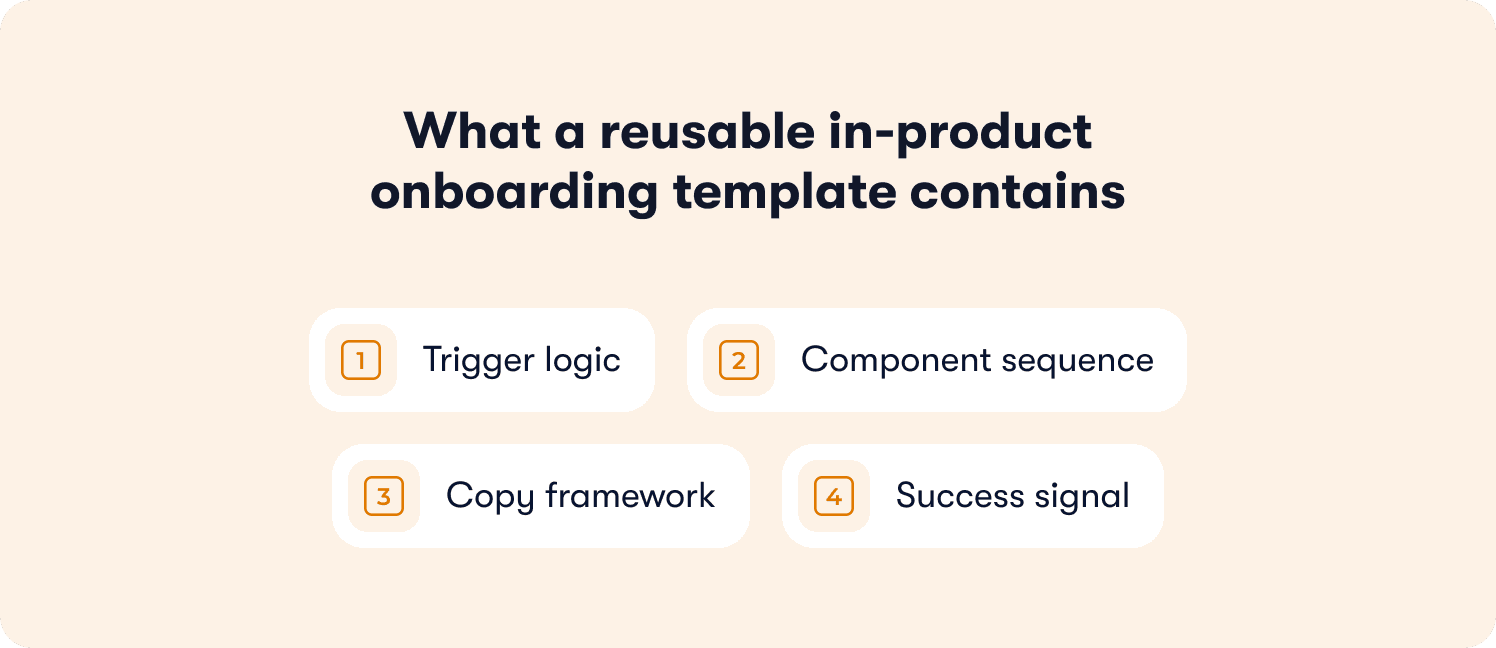
A reusable in-product onboarding template is not a flow diagram or a copy document. It is a structured guidance configuration with four distinct elements, each of which must be designed for adaptation from the start if the template is going to function as a reusable asset rather than a one-time build.
Trigger logic
Trigger logic defines when the guidance fires and under what conditions. In a single-use flow, trigger logic is typically hardcoded: the welcome modal fires on first login, the product tour fires on first visit to a specific page, the checklist appears after account setup is complete. In a reusable template, trigger logic is structured as a configurable condition: behavioral signals, user attributes, or session milestones that can be adjusted for a new segment without changing the component structure beneath them.
Behavior-triggered messaging is the mechanism that makes this possible. A trigger condition built around a behavioral signal, (a user pausing on a configuration screen, reaching a feature for the first time, completing a specific action) holds across segments in a way that a time-based or page-load trigger does not. The behavioral condition is the portable element. The response to it can be adapted per segment.
Component sequence
The component sequence defines which guidance components appear, in which order, and under what conditions each one advances or closes. A reusable template treats the sequence as a structural scaffold: the number of steps, the component types at each step, and the advancement logic remain consistent across adaptations while the content within each component changes.
A checklist template with five steps remains a five-step checklist whether it is deployed for a self-serve free trial user or an enterprise account in an assisted onboarding track. The steps themselves change. The sequence architecture does not. Designing the sequence as a stable scaffold rather than a content document is what makes the template reusable rather than segment-specific.
Copy framework
The copy framework is the set of placeholder copy structures that give each component its content. In a single-use flow, copy is written for one segment's language, job-to-be-done, and product context. In a reusable template, copy is written as a framework: headline structure, body structure, and CTA structure with named variables for the elements that change by segment.
A welcome modal copy framework might look like this: the headline acknowledges the user's stated goal, the body sentence names the one action that will get them there fastest, and the CTA labels that action directly. The structure holds across segments. The goal, the action, and the label change. Writing copy at the framework level rather than the segment level is the difference between a template that requires a copywriter for every adaptation and one that requires a find-and-replace.
Success signal
The success signal is the specific user action that marks the template as completed: the behavioral event that tells the system this user has been onboarded by this template and should no longer receive its components. In most onboarding flows, this is either undefined or set to a proxy like "tour completed" or "checklist dismissed" that does not map to a meaningful activation event.
A reusable template defines the success signal as a behavioral milestone that holds across the segments the template will serve. It may be reached via different paths for different user types, but the event itself is consistent. Defining it at the template level rather than the flow level means that activation rate data is comparable across segment variants, which is the precondition for meaningful template iteration.
The core SaaS onboarding template types and when to use each
The five template types below cover the full in-product onboarding surface for a B2B SaaS product. Each is described in terms of what it is, what job it does in the onboarding system, what a reusable version of it contains, and what causes it to fail in practice. They are not mutually exclusive. A complete onboarding template system will typically deploy all five in a coordinated sequence, with each type handling a distinct moment in the user's journey to activation.
Welcome flow template
What it is: The first-session guidance sequence from signup to first meaningful action. It typically opens with a welcome modal or a brief orientation prompt, moves the user through the empty-state moment, and delivers them to the first action the product needs them to take.
What job it does: It closes the gap between the user's arrival state and the product's first activation milestone. Its job is not to explain the product. It is to get the user to one specific action as directly as possible.
What a reusable version contains: A welcome modal structure with a placeholder for the user's stated goal or segment, an empty-state design that surfaces the first action without requiring additional guidance components on top of it, and a single first-action prompt with a copy framework that can be adapted by segment without changing the component structure.
What makes it fail: The welcome flow template is the most commonly rebuilt onboarding component in SaaS because it is almost always built for the founding segment and never formally adapted as the ICP evolves. A product that has expanded from one user type to three will often have a welcome flow that still assumes the original user's context, language, and goal producing a first-session experience that feels misaligned for every segment added after the first.
Product tour template
What it is: A reusable interactive walkthrough structure for introducing core features to a new user. It is the most visible onboarding component in most SaaS products and the one most frequently cited as the reason users disengage in their first session when it is poorly designed.
What job it does: It bridges the gap between a user who has arrived at a feature and a user who knows what to do with it. Its job is not to demonstrate everything the product can do. It is to get the user to the first action within a specific feature that demonstrates its value.
What a reusable version contains: A defined step count that holds across adaptations (typically three to five steps for a core feature introduction), action-based advancement logic rather than passive next-button progression, a dismissal recovery design for users who close the tour before completing it, and a copy framework with placeholders for feature name, benefit statement, and first action CTA. For completion lift data on action-based versus passive tour structures, see Jimo's breakdown of interactive onboarding strategies.
What makes it fail: Product tour templates fail most consistently when they are rebuilt per feature rather than adapted from a base template. A product with fifteen features that has fifteen independently built tours has fifteen maintenance liabilities. When a UI change affects the element a tour step is anchored to, every independently built tour requires an independent fix. A base template with feature-specific adaptations requires one structural fix propagated across variants.
Onboarding checklist template
What it is: A reusable checklist structure with placeholder activation steps and a defined completion state. The onboarding checklist is the most operationally durable onboarding component in most SaaS products. It persists across sessions, tracks progress visibly, and creates a return-to point for users who don't complete onboarding in a single session.
What job it does: It gives the user a visible map of the path to activation and a sense of forward momentum as they move through it. Its job is not to list everything a user could do in the product. It is to sequence the minimum set of actions that reliably produce an activated user.
What a reusable version contains: A step structure with three to five placeholder activation steps, each defined at the behavioral level rather than the feature level, a progress indicator that updates in real time as steps are completed, a completion state that triggers the template's success signal, and a copy framework for each step that separates the action label from the benefit statement so both can be adapted independently by segment. For the step instrumentation methodology that determines which actions belong in the checklist, see Jimo's guide to building a SaaS onboarding checklist.
What makes it fail: Checklist templates fail when the steps are product-specific rather than structured for cross-segment reuse. A step that says "Connect your CRM" is reusable only for segments that use a CRM, whereas a step structured as "Connect your first data source" with a segment-specific label variable holds across a wider range of user types. The template layer is the structural scaffold. The segment-specific content sits inside it.
Contextual tooltip sequence template
What it is: A reusable trigger pattern for introducing a specific feature at the moment of first use, delivered through a tooltip or a short component sequence anchored to the relevant UI element.
What job it does: It handles progressive onboarding at the feature level, surfacing guidance at the moment the user's behavior signals they have reached a feature for the first time, rather than front-loading all feature introductions into the welcome flow or product tour. Its job is to make the right information available at the right moment without requiring the user to go looking for it.
What a reusable version contains: A trigger condition built around a behavioral signal rather than a page-load event, a component type decision (tooltip for single-element clarification, popover for short contextual explanation requiring a sentence or two), a copy framework with placeholders for feature name, use case, and first action, and a dismissal state that suppresses the component for users who have already engaged with the feature.
What makes it fail: Tooltip sequence templates fail when they are built per feature without a shared trigger pattern. The result is a library of individually configured tooltips with no consistent logic for when they fire, how they behave when dismissed, or how they interact with each other when a user is in multiple first-use states simultaneously. A shared trigger pattern reduces that complexity to a single maintenance point.
In-product onboarding survey template
What it is: A short in-app survey deployed at a specific moment in the onboarding flow to capture user intent or satisfaction signal. It contains one to two questions maximum and is designed either to route the user into the correct template variant based on their stated goal, or to flag friction points for the product team based on their experience of a specific onboarding moment.
What job it does: It gives the template system a feedback loop. Without a signal-capture mechanism inside the onboarding flow, the only data available for template iteration is behavioral. The in-product survey template closes that gap by capturing stated intent and perceived experience at the moment they are most accurate.
What a reusable version contains: A trigger condition tied to a specific onboarding moment (immediately after signup to capture intent, or immediately after the first key action to capture initial experience), a one to two question structure with response options that map directly to template routing logic or friction flags, and a copy framework that keeps the question specific to the onboarding moment rather than generic.
What makes it fail: In-product onboarding survey templates fail when they ask too many questions, fire at the wrong moment, or collect responses that have no downstream action. A survey that appears before the user has seen any product value adds friction to the onboarding flow without adding intelligence to the template system. One well-timed question with a defined routing or flagging outcome is an onboarding tool. Anything longer is a barrier.
How to structure onboarding templates for reuse across segments
Building a template that works for one segment is a flow design problem. Building a template that works for three segments and can be adapted for a fourth without a rebuild, is an operational design problem.
The distinction matters because the decisions that make a template reusable have to be made when the template is first built. They cannot be retrofitted after the fact without effectively starting over.
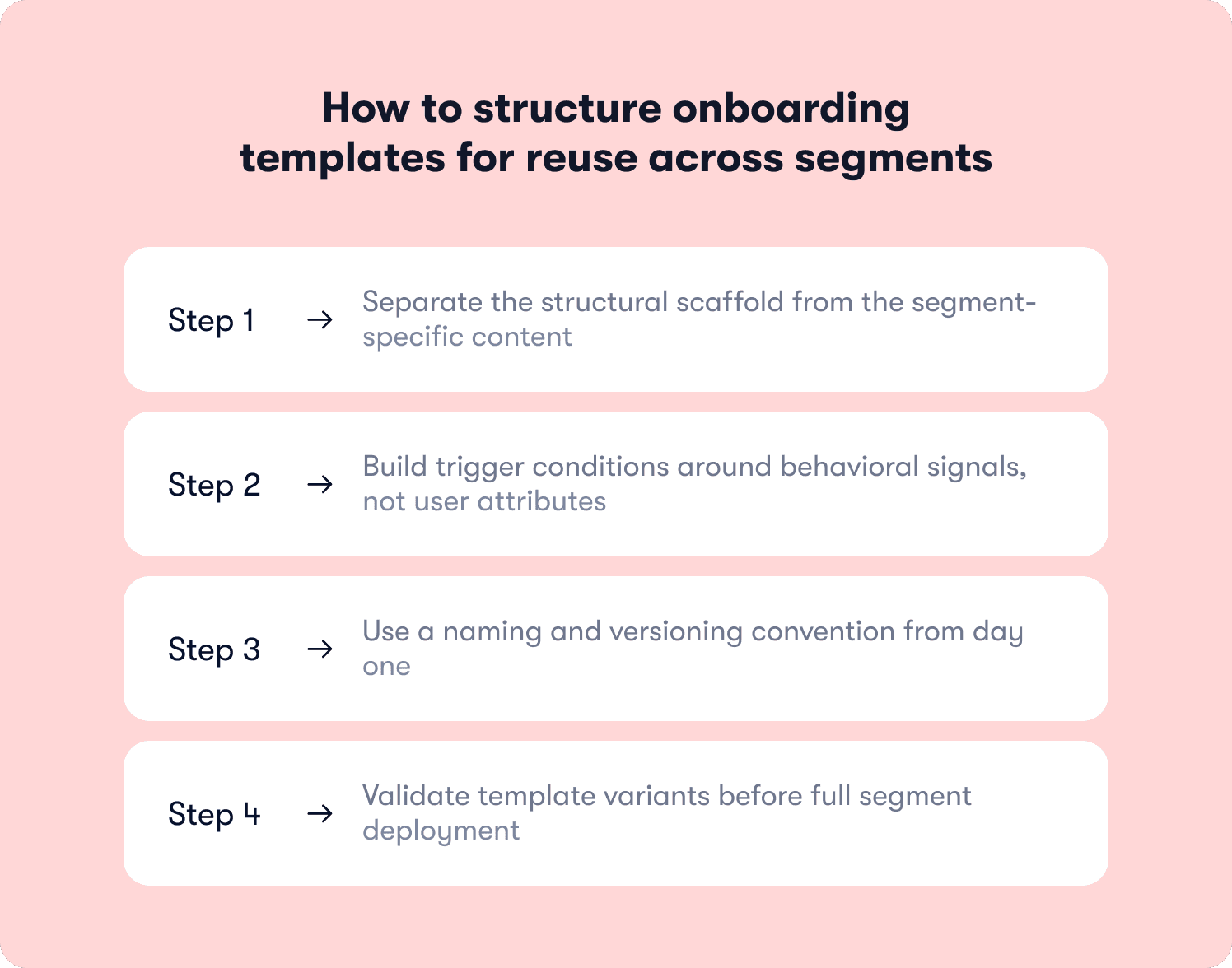
Separate the structural scaffold from the segment-specific content
The most consistent mistake in template design is writing segment-specific content directly into the structural scaffold. When the copy, the trigger conditions, and the success signal are all written for one user type, every adaptation requires unpicking which elements are structural and which are content before anything can be changed.
A reusable template separates these layers explicitly. The scaffold (component sequence, advancement logic, dismissal behavior, success signal definition) is the invariant layer. The content is the variable layer. Adaptations for new segments operate on the variable layer without touching the scaffold. When the scaffold needs to change, the change propagates across all segment variants rather than requiring independent edits to each.
Build trigger conditions around behavioral signals, not user attributes
User segmentation at the routing level is a separate concern from trigger logic at the component level. A common template design error is building trigger conditions around user attributes (role, plan tier, signup source) rather than behavioral signals. Attribute-based triggers work until a new segment is added whose attributes don't map cleanly to the existing conditions. Behavioral triggers hold across segments because they describe what the user is doing rather than who the user is.
For the segment routing architecture that determines which template variant each user receives at the flow level, see Jimo's guide to creating personalized onboarding flows. That layer sits above the template. The trigger logic within the template should be behavioral by default, with segment-specific attribute conditions applied only where the behavioral signal is genuinely insufficient to distinguish user states.
Use a naming and versioning convention from day one
Template reuse creates a version management problem that does not exist when every flow is built independently. When three segment variants of a welcome flow template exist simultaneously, and one of them has been updated twice since the others were cloned from it, the question of which version is current becomes operationally significant.
A naming convention that encodes the template type, the segment variant, and the iteration number costs nothing to implement at the start and prevents significant confusion at scale. A master template log that records which variants were cloned from which version of the master, and when each variant was last updated relative to the master, is the minimum viable version governance system for a template library of more than five active templates.
Validate template variants before full segment deployment
A template variant adapted for a new segment should be validated against a subset of that segment before full deployment. The validation protocol does not need to be elaborate: a defined cohort size, a defined observation window, and three specific signals to check, and guidance dismissal rate on each component in the sequence.
If dismissal rate on a specific component is materially higher in the variant than in the master, the trigger timing or copy for that component needs adjustment before the variant is deployed at scale. This is the operational expression of activation rate improvement through template iteration rather than flow rebuilding. Small, targeted adjustments to components that behavioral data identifies as underperforming, validated on a subset before propagation.
Common reasons SaaS onboarding templates break down at scale
The four failure modes below account for the majority of cases where a template system that worked at launch has stopped working six months later.
Failure mode | What causes it | What it produces |
Template drift | Updates are made directly to deployed flows rather than to the master template | Live onboarding diverges from the template definition and variants become inconsistent with each other |
Version confusion | Multiple variants exist with no master record of which is current | Teams edit the wrong version and segment variants run on different iterations without anyone knowing |
Engineering dependency | Template iteration requires a development sprint | Onboarding runs on outdated content for weeks or months while fixes wait in the backlog |
Measurement disconnect | No success signal is defined at the template level | There is no data to inform iteration and the team rebuilds rather than improves |
Template drift
Template drift occurs when the people managing the live onboarding flow make updates directly to the deployed experience rather than to the master template. It is the most common failure mode and the hardest to detect because it happens incrementally. A tooltip copy change here, a checklist step reorder there, a trigger condition adjusted for one segment but not updated in the master: each change is small and reasonable in isolation. Collectively they produce a state where the live experience no longer reflects the template, the template no longer reflects the live experience, and no one is certain which version of either is authoritative.
The operational fix is a single rule: changes to any deployed template component are made to the master template first and propagated to variants from there, rather than applied directly to a variant and back-ported to the master afterward.
Version confusion
Version confusion is the downstream consequence of template drift combined with a growing variant library. When a welcome flow template has been adapted for four segments over eighteen months, and the master template has been updated three times in that period, the question of which variant reflects which version of the master becomes genuinely difficult to answer without a version log.
The operational cost is not just confusion. It is the risk of deploying a segment variant that was cloned from an outdated version of the master, meaning it carries none of the improvements made to the master since the clone was created. A product that has been iterating its onboarding template based on behavioral data can inadvertently deploy a regression to a new segment if the variant was cloned from the wrong version.
Engineering dependency
Engineering dependency is the failure mode with the most direct impact on time to value. When every template iteration requires a development sprint, the effective iteration speed of the onboarding system is capped by the engineering team's capacity and prioritization decisions. Onboarding fixes compete with feature development for sprint slots and lose consistently.
The result is a template system that is accurate at launch and progressively less accurate as the product evolves around it. User friction accumulates in the gap between what the onboarding template describes and what the product actually does.
Measurement disconnect
A template with no defined success signal produces no data that can inform iteration. If the team cannot distinguish between users who completed the template and reached activation and users who completed the template and churned anyway, there is no basis for knowing whether the template is working or simply being tolerated. The response to underperforming onboarding in the absence of template-level measurement is almost always a rebuild because without signal, the only available conclusion is that the template is wrong and the only available action is to start over.
How Jimo helps Product Ops teams build, deploy, and iterate onboarding templates without engineering
The operational failures described in the previous section share a common root cause: the template system is disconnected from the tool that manages it. Documents describe flows that live in code. Code changes require engineering. Engineering has other priorities. The template falls behind the product and the cycle repeats.
Jimo breaks that cycle by giving Product Ops teams a no-code environment where in-product onboarding templates are built, deployed, adapted, and iterated in the same tool without a development sprint at any stage of the process.
A template system built for iteration, not just deployment
Every guidance component in Jimo: checklists, product tours, welcome modals, tooltip sequences, announcements, and in-product surveys, is configurable as a reusable template that can be cloned, adapted for a new segment, and deployed independently by the product or operations team. Trigger logic, component sequence, copy, and success signals are all editable in real time. A template variant that is underperforming on dismissal rate can be updated and redeployed in the same day the data surfaces, without routing the change through an engineering backlog.
Behavior-aware templates that respond to what users actually do
Jimo's template trigger logic is built around behavioral signals rather than fixed attributes. A template deployed for a new segment can inherit the behavioral trigger conditions from the master template (the same hesitation signals, first-use detections, and completion milestones) with only the segment-specific content adapted. This means the intelligence-led growth model is operational at the template level: the guidance responds to what each user is doing rather than to a fixed script that assumes every user in a segment behaves identically.
AB Tasty used this capability to compress their product launch cycle from three months to two weeks, with Morgane Ruaud and her team able to deploy and iterate onboarding configurations without engineering involvement at any stage. For additional customer examples, read through our other customer stories.
Template performance signals that drive iteration rather than rebuilds
The measurement framework below covers the three signals most relevant to template-level performance assessment. These are operational signals for the Product Ops team managing the template system, not general onboarding health metrics. They answer the question of whether a specific template is working and where specifically it is not.
Signal | What it measures | What to do when it's low |
Completion rate by segment | The proportion of users in each segment who reach the template's defined success signal | Identify the step or component where drop-off occurs and test a copy or trigger adjustment on a subset before redeploying |
Time to first meaningful action after template completion | How long it takes users to perform the activation event after finishing the template | Review whether the template's success signal is set too early, as completion of the checklist and completion of the activation event are not the same thing |
Template-to-activation correlation | Whether users who complete the template activate at a measurably higher rate than users who don't engage with it | If correlation is weak, the template may be completing without delivering users to genuine value |
For the full onboarding measurement framework, including the broader signal set for activation-focused onboarding, see Jimo's guide to measuring user onboarding success.
The Product Ops teams that improve onboarding consistently are the ones that treat these signals as a continuous feedback loop rather than a post-launch audit. A template system that is measured, iterated, and maintained is a compounding asset. One that is built once and left to drift is a compounding liability. If your team is ready to build the former, see how Jimo works.
FAQs
What is a SaaS customer onboarding template?
A SaaS customer onboarding template is a reusable in-product guidance configuration: a structured set of components, trigger logic, copy, and success signals that a Product Ops or product team can deploy across multiple user segments or product contexts without rebuilding from scratch. It is distinct from a document template or a client onboarding portal. The template lives inside the product and governs what the user sees and when, not what the CS team sends or tracks externally. The five core template types in a complete in-product onboarding system are the welcome flow template, the product tour template, the onboarding checklist template, the contextual tooltip sequence template, and the in-product survey template.
What is the difference between a SaaS onboarding template and a SaaS onboarding checklist?
A checklist is one component type within a broader onboarding template. The template is the full guidance system: welcome flow, product tour, tooltip sequence, and checklist combined, structured for reuse and iteration. The checklist is the task-completion mechanism within that system. Building a checklist without a template system means rebuilding the surrounding flow every time the checklist changes. For a detailed breakdown of checklist step instrumentation methodology, see Jimo's guide to building a SaaS onboarding checklist.
How many onboarding templates does a SaaS product typically need?
The answer depends on the number of distinct user segments the product serves rather than on the number of features it contains. A product with three meaningful user segments needs at minimum three template variants of its core welcome flow, and potentially three variants of its product tour and checklist as well. The operational goal is to have one master template per component type, with segment-specific variants cloned and adapted from it rather than built independently. Products that build one template per segment from scratch rather than adapting from a master create version management problems that compound as the product scales. Routing logic at the segmentation level determines which variant each user receives. The template system determines what each variant contains and how it behaves.
How do you adapt a SaaS onboarding template for a new user segment without rebuilding it?
The key is building the master template with adaptation in mind from the start: copy blocks that use placeholder variables rather than segment-specific language, trigger logic structured around behavioral conditions rather than fixed user attributes, and a named success signal that holds across segments even if the path to it differs. When a new segment is added, the adaptation process becomes a systematic find-and-replace of the variable elements rather than a structural rebuild. Behavioral trigger conditions are the portable element in this system. They describe what the user is doing rather than who the user is, so they hold across segment variants without reconfiguration. For the segment routing architecture that determines which template variant each user receives, see Jimo's guide to creating personalized onboarding flows.
What is the difference between a SaaS customer onboarding template and a client onboarding template?
A SaaS customer onboarding template governs the in-product experience: the guidance components, trigger conditions, and success signals that a user encounters inside the product during their first sessions. A client onboarding template, as used by Customer Success teams, typically refers to an external project plan, mutual action plan, or portal that coordinates the implementation process between the vendor and the client. The two operate at different layers of the onboarding system and are managed by different teams. For product-led SaaS companies where the product itself is the primary onboarding mechanism, the in-product template is the higher-leverage investment. It scales without headcount and improves through iteration rather than through individual CSM effort.
What makes an in-product onboarding survey template different from a standard NPS survey?
An in-app survey deployed as part of an onboarding template is a signal-capture mechanism tied to a specific moment in the onboarding flow, typically immediately after signup to capture user intent, or immediately after the first key action to capture initial experience. It contains one to two questions maximum and is designed to route the user into the correct template variant or to flag friction for the product team. An NPS survey is a relationship measurement tool deployed on a recurring cadence to an established user base. The two serve different purposes, operate at different points in the user lifecycle, and require different template structures. An onboarding survey template designed like an NPS survey: open-ended, multi-question, and relationship-focused, will generate friction at the exact moment the user's patience for interruption is lowest.
How do you measure whether a SaaS onboarding template is working?
Three signals are most relevant at the template level: completion rate by segment, which identifies which variant is underperforming and at which step; time to first meaningful action following template completion, which distinguishes templates that deliver users to activation from templates that deliver users to the end of a checklist; and template-to-activation correlation, which validates whether completing the template influences the activation outcome rather than simply correlating with users who would have activated anyway. These signals answer the operational question of whether a specific template is working for a specific segment, rather than the strategic question of whether onboarding is working overall.
How does intelligence-led growth change the way Product Ops teams should think about onboarding templates?
The PLG model produced single onboarding flows because it assumed a single self-serve user type moving through a single product experience. Intelligence-led growth recognizes that users arrive with different contexts, goals, and behavioral patterns, and that the onboarding system must be capable of responding to those differences in real time rather than routing every user through the same sequence and measuring who survives it. For Product Ops teams, this shift has a direct operational implication: the template system must be built for continuous adaptation rather than one-time deployment. Templates that cannot be iterated without engineering, that have no defined success signal, and that exist as documents rather than live configurations are structurally incompatible with the ILG model. Software adoption at scale requires a template system that gets smarter with each deployment cycle, and that means building the iteration capability into the template architecture from the start rather than as an afterthought when activation metrics plateau.