/
12 mins read
TL;DR
Most B2B SaaS products don't have an onboarding problem. They have an onboarding system problem. Flows get built segment by segment by different PMs using different definitions of success, guidance breaks silently every time the product changes, and no single measurement framework ties it all together into something leadership can act on. This article covers 12 best practices organized around those three root causes, written for product ops and product teams who are responsible for making onboarding work consistently at scale, not just for one user type, in one quarter. The goal is a system that produces predictable activation outcomes across every segment, survives product releases without an engineering ticket, and gives leadership a number they can trust.
Your product has an onboarding flow. Maybe several.
One was built by the PM who owned the enterprise tier before they left. One came from a contractor who is long gone. One made perfect sense before the last major navigation redesign and now references a tab that no longer exists. They all run simultaneously, they contradict each other in places, and you have no reliable way to tell which version a given user actually saw, or whether any of them moved your activation rate by a single point.
This is the real software onboarding problem in 2026. Not that onboarding is missing. It's that onboarding is inconsistent, ungoverned at the system level, and structurally impossible to improve when nobody owns the whole thing.
Most articles written about onboarding best practices are addressed to someone fixing one flow. This one is addressed to someone who is responsible for the system that produces all the flows, and needs that system to work consistently across user segments, product releases, and regional variations, without engineering involvement every time something needs to change.
If that's your situation, read on. If you're still at the "let's build our first onboarding flow" stage, Jimo's app onboarding best practices guide is the right starting point.
What Software Onboarding Actually Means When You Own the Whole System
A single PM building their first onboarding flow has a design problem. A product ops team responsible for onboarding across five user segments, three regions, and a product that ships every two weeks has an infrastructure problem. These are not the same problem, and they don't have the same solution.
Software onboarding, at the system level, is the organizational capability that produces consistent first-value experiences for every user type your product serves. Not the welcome tour. Not the checklist. The entire network of flows, triggers, guidance elements, and measurement practices that determines whether a new user reaches their activation moment, regardless of their role, plan tier, or the month they signed up.
The signal that you've outgrown the design version. Activation rates vary meaningfully across segments and nobody can explain why. The PM who owns the enterprise flow says their numbers look fine. The PM who owns the SMB flow disagrees about what "fine" means. Nobody is measuring against the same definition of success, so the conversation goes nowhere useful. This is what happens when onboarding is built around segments rather than the actual journeys individual users take through the product. The segments serve the analytics well enough. They're terrible at serving the person.
Jimo analyzed more than 200 onboarding experiences and found a pattern so consistent it earned a name: the "Beautiful Entrance, Empty Room." Almost every product nails the first impression: the welcome screen is polished, the first tooltip placed thoughtfully. Then the product abandons the user completely, having confused generating a signup with producing an activated customer. Every time a new segment gets added without a governing framework, the empty room grows.
The activation gap, by the numbers:
Onboarding approach | Typical conversion to paid |
No structured onboarding | 3–5% (industry benchmarks) |
Structured, segment-specific activation journeys | 25–30% |
The gap is not design talent. It's the presence or absence of a system.
Why Onboarding Systems Break Down (and Where to Look First)
Before getting into the practices, it helps to name the three structural forces that turn individually reasonable onboarding flows into an inconsistent system.
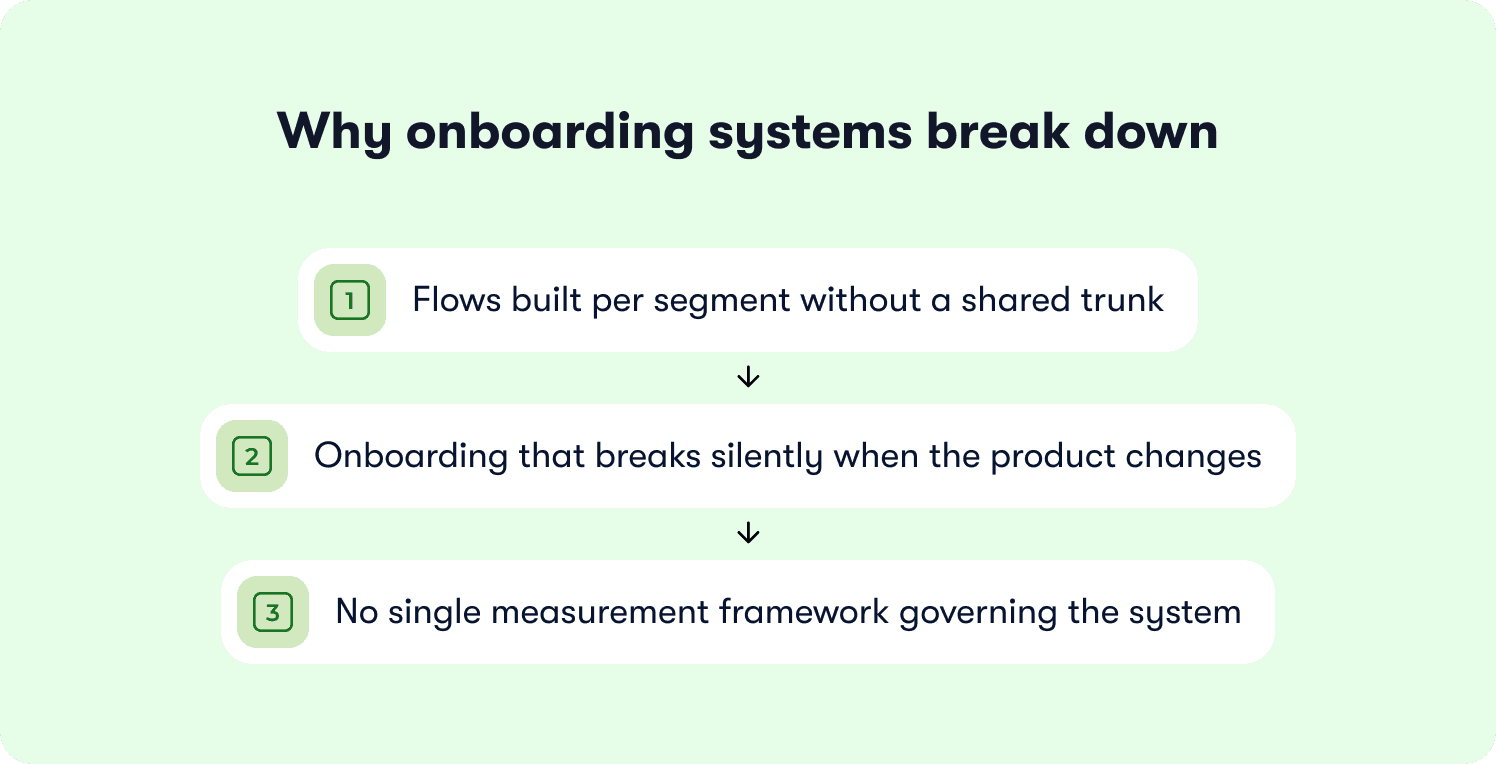
These are not failures of effort. They're failures of architecture.
1. Flows built per segment without a shared trunk
If your product serves admins who configure workspaces and end users who execute tasks inside them, those two groups almost certainly got their own flows built at different times, by different people, measuring different things. When leadership asks for a single activation rate, you're being asked to aggregate numbers that were never designed to be compared.
If you're running a project management tool, this looks like: admin onboarding measures "first project created," end-user onboarding measures "first task assigned," and your dashboard shows two healthy-looking numbers that tell you nothing about whether the product is actually sticking.
2. Onboarding that breaks silently when the product changes
Every navigation update, feature rename, or UI redesign has the potential to make a tooltip misleading or a checklist step reference something that no longer exists. In a single-flow world, you catch it when a PM notices. In a multi-segment system, you find out when support tickets spike three weeks later.
If you work with a CRM platform, this looks like: the sales rep onboarding flow references a "Contacts" tab your design team renamed "People" six months ago. The flow still runs. Users just stare at a label that doesn't match anything they can see.
3. No single measurement framework governing the system
When each PM defines success differently, there is no system-level metric. There are only several flow-level metrics that can't be aggregated into anything leadership can act on. Product ops ends up as the manual translator between four dashboards, rebuilding the same report every quarter.
If you're in fintech SaaS, this looks like: growth tracks trial-to-paid conversion, product tracks checklist completion, CS tracks time-to-first-login-after-onboarding, and whoever presents to the board picks whichever number looks most favorable that week.
The 12 practices below address these three failure modes directly. Taken together, they're the components of an onboarding system that holds together as the product and team scale.
12 Software Onboarding Best Practices That Build a System, Not Just a Flow
1. Establish One Activation Definition Before You Build Anything Else
The most common reason onboarding systems produce inconsistent results is not bad design. It's that different teams are measuring different things and calling them all "activation."
Before a single flow is rebuilt, product ops needs to own one answer: what is the in-product behavior that, when a user performs it, best predicts they will still be using the product in 30 days? The process is the same regardless of product category: run cohort analysis on your last 90 days of signups and look for the behavioral split between retained and churned users in the first two weeks. The action that most reliably separates those two groups is your activation event.
What activation looks like across product categories:
Product type | Likely activation event |
Document collaboration | Shared a document with at least one teammate |
Data analytics | Viewed a dashboard populated with live data |
Sales enablement | Created and sent a first outreach sequence |
Project management | Invited a teammate to an active project |
CRM | Logged a first activity on a contact record |
Once defined, this event becomes the organizing principle for everything else. Every checklist step either points toward it or it doesn't belong. Every metric is measured against it, or it belongs in a diagnostic view, not a performance report.
One activation event. One organizing principle. Everything else follows.
For the full framework for identifying and instrumenting your activation event without engineering dependency, see Jimo's SaaS onboarding checklist guide.
2. Build Segment Definitions That Scale Without Rebuilding
One-size-fits-all onboarding fails most users. But building a fully independent flow for every persona creates maintenance debt that compounds faster than any team can manage. Every product change then requires parallel updates across every flow, and the flows inevitably drift out of sync with each other and with the product.
The right architecture branches from a shared foundation:
Identify the steps every user type must complete to reach the activation event
Build those steps once as a shared trunk
Fork only where the activation path genuinely differs by segment
Changes to shared logic propagate everywhere automatically
Changes specific to one segment stay isolated
If you routinely work with project management tool serving agencies and in-house marketing teams: their paths diverge at one specific point. Agencies need to set up a client workspace first; in-house teams need to invite a teammate. But the first two steps are identical: create a project, set a due date. Build the shared trunk once. Fork at the decision point.
The maintenance test: if adding a new user segment requires building a completely new flow from scratch, the architecture isn't scalable. If it requires only defining a new branch from an existing structure, it is.
For a deeper look at structuring segment-specific flows, see Jimo's app onboarding best practices guide.
3. Shorten the Path to First Value. Then Protect It.
Every step between signup and the activation event is a potential exit. The product ops role is not only to map that path once. It's to audit it regularly and remove everything that doesn't belong between the user and their first moment of real value. The products users now compare yours against have set a bar of 60 seconds to first value. Every unnecessary step before activation isn't just friction. It's the distance between your product and that standard.
Ask this of every pre-activation step:
Does this move the user closer to the activation event?
Or does it exist because a PM wanted it there?
The usual offenders that inflate the path before the user has any reason to care:
Commonly deferred too late | Why it hurts |
Contact or data import | Requires leaving the product; adds 10–15 minutes of friction |
Team or permission setup | Feels like admin work before value is established |
Profile and account customization | Serves the product's preferences, not the user's first goal |
Feature overview tours | Explains things the user isn't ready to care about yet |
If you work with CRM platform: your flow asks users to import contacts as step two, before they've seen the interface work at all. Moving that step to after the user has created their first contact manually, and after they've experienced the product, shortens the path to first value considerably. The import still happens. It happens at a moment when the user has a reason to want it.
Map the path in a shared tool owned by product ops, not in an individual PM's Notion. Every new step added to the pre-activation sequence should require explicit sign-off that it genuinely belongs there.
4. Replace Linear Tours with Contextual Guidance Across All Segments
Linear tours proceed on the assumption that users follow a predictable path through the product. This assumption is wrong for individual users and actively harmful in multi-segment systems. When you have several user types with different activation paths, a linear tour is right for one of them and actively misleading for the rest.
The problem in practice:
An admin who completed workspace configuration three days ago should not see the "set up your workspace" tooltip on their fourth login
A new end user on their first session who hasn't finished a single core task shouldn't receive a tour of advanced reporting features
These are not edge cases. They are the default experience when guidance is positional rather than behavioral.
The system-level upgrade is contextual triggers: guidance that fires based on what a user has and has not yet done, regardless of which step they're on in a sequence designed for a different profile. The difference matters. A product that reacts to where a user lands is doing support. A product that anticipates what they're about to need is doing adoption.
Positional vs. behavioral guidance:
Guidance type | Trigger | Result |
Positional | URL, page visited, days since signup | Same guidance for all users at the same stage |
Behavioral | Action taken or not taken in the product | Guidance calibrated to each user's actual progress |
Jimo customer data shows up to 34% higher completion rates with action-based contextual flows compared to linear tours. In a multi-segment system, every segment receives guidance calibrated to their actual context rather than averaged across the whole population.
For the full framework on building contextual, action-based flows, see Jimo's interactive onboarding strategies guide.
5. Build Checklists as Activation Engines, Not Task Lists
Checklists work when every item maps to a behavior that predicts activation. They break when they grow to reflect the preferences of every PM who has ever touched the onboarding experience.
The system-level failure is not a poorly designed checklist. It's an ungoverned one. Each PM adds an item for their feature. The checklist grows from five steps to eleven. Step seven requires a third-party integration that most free-tier users don't have access to. Users stall at step seven and don't return. Nobody removes the step because the PM who added it moved to another team six months ago.
The governance model product ops should enforce:
Rule | Detail |
Maximum steps | 7 (no exceptions without a retention data justification) |
Ownership | Every step has a named owner on the current team |
Instrumentation | Every step is tied to a trackable success event |
Review cadence | Quarterly, against 30-day retention data |
Cut criteria | Steps that don't correlate with retention are removed |
If you're a marketing automation platform: a bloated checklist looks like account setup, contact import, first email, domain authentication, CRM connection, unsubscribe configuration, first automation, sending reputation review. Steps six through eight belong in an ongoing adoption program. Cutting them shortens time to first value without removing anything a new user needs to experience the product's core promise.
For the complete checklist framework and step instrumentation guidance, see Jimo's user onboarding checklist guide.
6. Coordinate In-App Guidance with Behavioral Email
Most B2B SaaS teams run two onboarding programs simultaneously and completely out of sync. The in-app guidance layer is owned by product. The email drip sequence is owned by marketing. The product layer shows users where they are. The email layer ignores where they are entirely.
The result: a user who activated on day one and a user who hasn't logged in since signup receive the same "Day 3: Did you know you can collaborate?" at the same time, with the same message.
This is not a content problem. It's a system design problem. The fix is behavioral coordination: email triggers fire based on product state, not calendar position.
Broadcast vs. behavioral email: the difference:
Trigger type | Example | Problem |
Time-based | "Day 3: Here's a feature you might like" | Ignores what the user has actually done |
Behavioral | "You created a project but haven't invited a team after 48 hours" | Responds to the user's real state |
Product ops owns the logic that makes this coordination work:
Defining trigger conditions for each email based on product state
Aligning timing with the PM who owns in-app guidance
Running a quarterly audit to confirm the two channels reinforce rather than contradict each other
7. Design Empty States as Onboarding Infrastructure
The moment a new user lands in a feature area they haven't touched yet: an empty dashboard, a blank campaigns list, an unpopulated reporting view. They face a decision: figure it out or leave. Most SaaS products leave this moment entirely to chance.
At the system level, every empty state is an onboarding touchpoint. It appears at exactly the moment the user is preparing to attempt something real, which makes it one of the highest-leverage moments in the entire product experience.
What a well-designed empty state does:
Tells the user what belongs here
Explains why it matters to their goal
Provides a single, clear action to take right now
If you work with a data visualization platform:
Poor empty state: "No dashboards yet." (small gray text, no CTA)
Designed empty state: "Your first dashboard lives here. Connect a data source and your metrics populate automatically. Most teams are up and running in under 10 minutes." Plus a primary action button and a link to the getting-started guide.
For product ops, empty states need to be audited at the system level. The PM who built the feature designed the happy path. Nobody typically owns the empty state for a collaborator who was invited into a workspace where their admin hasn't configured anything yet. That gap is where users churn silently.
Empty state audit checklist:
[ ] Every major screen has a designed empty state, not a placeholder
[ ] Each role sees an empty state appropriate to their permissions and first actions
[ ] Every empty state includes a single clear CTA, not just explanatory text
[ ] Free-tier and paid-tier empty states are differentiated where features differ
8. Make Progress Visible: Frame It as Momentum
Users who can see how far they've come are more likely to keep going. What gets less attention at the system level is framing.
The same state, two different framings:
Framing | Copy | Effect |
Obligation | "2 steps remaining" | Frames completion as a task to finish |
Momentum | "3 of 5 steps complete" | Frames progress as something worth protecting |
Beyond checklist framing, milestone moments inside the product serve a dual purpose. They confirm to the user that what they just did was the right thing, and they create the kind of positive reinforcement that turns a single activation into a repeated behavior.
If you're a revenue operations platform: a user executes their first automated workflow and receives a brief in-product confirmation: "Your first automation is live. Teams using automations close 20% faster on average." It should serve as a proof point delivered at the exact moment it lands with maximum credibility because the user just did the thing and the data is about the thing they just did.
Product ops defines which milestones warrant a moment, what the message says, and which behavioral event triggers it. This is onboarding content that extends past the first session, without requiring an engineering ticket to update.
9. Map the Post-Activation Journey
The "Beautiful Entrance, Empty Room" failure at its most expensive: a user reaches the activation event, the flow ends, and then nothing follows. No guidance on what to explore next. No prompt toward the second meaningful action.
Users who experience value once but don't build a workflow habit churn at rates uncomfortably close to users who never activated at all. The activation event is not the goal. It's the beginning of the retention problem. And the products that retain best have largely stopped relying on users to seek out the next step. The product surfaces it for them, at the right moment, without them having to ask.
At the system level, post-activation onboarding is a defined program, not an afterthought. Here's what that means in practice:
Element | What it looks like |
Owner | A named person in product ops, not "whoever's closest" |
Trigger logic | Behavioral: fires based on what an activated user has not yet done |
Content | Feature-specific guidance surfaced at the moment of relevance |
Target | Features with adoption below 20% among activated users |
Schedule | Not a broadcast drip; no calendar-based sends |
The practical rule: every feature with adoption below 20% among activated users is a candidate for a post-activation guidance intervention. A contextual hint that appears when the user is in a position to act on it.
For the full framework on post-activation feature adoption, see Jimo's how to increase product adoption guide.
10. Build One Measurement Framework That Governs the Whole System
Five flows with five different success metrics is not a measurement practice. It's a reporting problem that gets worse every time a new segment is added.
A system-level measurement framework has three layers:
A shared activation definition (Practice 1) that every flow is measured against
Step-level drop-off tracking using a consistent event taxonomy, so data from different segments can be compared
Cohort-level retention analysis: do users who complete onboarding retain at a higher rate than users who don't, and by how much?
The two-layer metric model:
Metric | Layer | Report to | Purpose |
Activation rate by segment | Performance | Leadership, monthly | Is the system working for each user type? |
30-day retention by onboarding cohort | Performance | Leadership, monthly | Does completing onboarding predict retention? |
Time to activation event | Diagnostic | Internal | Are product changes adding or removing friction? |
Drop-off rate by step, by segment | Diagnostic | Internal | Which step is breaking for which user type? |
Support ticket volume during onboarding | Diagnostic | Internal | Where is the guidance layer missing coverage? |
If you work with a HR tech platform with flows for HR admins and employees: the system-level metric is activation rate by role, measured against the same outcome: still active at 30 days. If admin activation is 60% and employee activation is 30%, that's a finding you can investigate. If you're measuring "checklist completion" for admins and "first login" for employees, you're not comparing the same thing, and the gap stays invisible until it appears in your churn report.
When presenting to a CPO: two numbers go on the slide. Activation rate by segment, trended. 30-day retention cohort comparison. The diagnostic data belongs in the working session the week before, where you decide what to ship next month and why.
📖 Still figuring out which activation problems to tackle first? Jimo's 19 Tactics to Improve User Activation includes a 60-second self-assessment diagnostic that maps your drop-off pattern to the right tactics. Get the free playbook
11. Own the Iteration Cycle Without Engineering
Every time the product changes, onboarding needs to change. If updating a tooltip requires opening a ticket and waiting for a sprint, your onboarding system will always be at least one sprint behind your product. In a team that ships weekly, that debt compounds continuously.
What product ops iteration ownership looks like in practice:
Update a checklist step on the day you spot the problem
Retire an outdated flow without a JIRA ticket
Run an A/B test on a step sequence without engineering involvement
Modify a contextual trigger the week after a product change ships
What it looks like without it:
A PM spots 40% drop-off on step three. They write a ticket. It enters the backlog. Six weeks later, a revised tooltip ships into a product that has changed twice since the ticket was written. The tooltip is already partially wrong. Onboarding iteration at sprint cadence is too slow for the products that need good onboarding most.
The target cadence: one meaningful onboarding change per month at minimum. A revised step sequence, a different empty state, a shorter checklist, a new contextual trigger for a feature with poor adoption. Treat onboarding the way growth teams treat landing pages: continuous, small, measurable improvements that compound over time. Users' expectations of what a product experience should feel like are rising faster than most onboarding systems are updating. A static guidance layer isn't just suboptimal. It's increasingly a retention liability.
AB Tasty reduced their feature launch cycle from three months to two weeks after giving product ops ownership of in-app guidance using Jimo, without adding a single engineering resource to the process.
For an overview of no-code tools that make this kind of iteration ownership possible, see 15 Best Product Onboarding Tools for SaaS.
12. Use Adaptive, AI-Powered Guidance for Complex Multi-Segment Products
Rule-based trigger systems work well when you have a small number of user types with predictable paths. They become a maintenance liability when you have six segments, a product that ships biweekly, and a growing list of edge cases no trigger rule was designed to handle.
The operational ceiling of manual rule management:
40 individual triggers across six segments require constant upkeep
Every product change potentially invalidates existing rules
Users whose context falls outside any defined rule receive irrelevant or no guidance
Product ops spends more time maintaining the guidance layer than improving it
AI-powered onboarding guidance adapts to where a user actually is in the product: what they've done, what they haven't reached, and what they're trying to do right now. Product ops defines the goal state and the guardrails. The AI handles contextual routing for the cases the rules don't cover.
If you're running a complex B2B analytics platform where admins configure data pipelines and end users build reports from them: the number of distinct contextual states you'd need to map manually to cover every combination of role, workflow stage, and product state is prohibitive. AI guidance covers the unpredicted cases without requiring a new rule for each one.
Jimo customers report up to 70% ticket deflection and 3x faster onboarding after introducing AI-powered in-product guidance across their user segments.
See how Jimo's adaptive guidance and AI copilot replace manual rule management across multiple segments, deployed in days, not quarters. Book a demo
What to Measure: The System-Level Metrics That Tell You If It's Working
Most product ops teams don't have a measurement gap. They have a measurement clarity problem. Too many metrics, inconsistently defined across segments, and the answer to "how is onboarding performing?" changes depending on which PM you ask.
The organizing principle: every metric belongs in one of two layers.
Performance layer: the two numbers that go to leadership, monthly.
Metric | What it tells you | Red flag |
Activation rate by segment | Whether the system is working for each user type | Variance across segments with no explanation |
30-day retention by onboarding cohort | Whether completing onboarding actually predicts retention | Little or no difference vs. non-completers |
Diagnostic layer: the numbers you use internally to find what to fix.
Metric | What it tells you | Red flag |
Time to activation event | Whether product changes are adding friction | Rising TTA after a release |
Drop-off rate by step, by segment | Which specific step is failing for which user type | One segment's drop-off far exceeds others on the same step |
Support ticket volume during onboarding | Where the guidance layer has gaps | Sustained spike in tickets about one feature or action |
When presenting to a CPO: two numbers go on the slide. Activation rate by segment, trended. 30-day retention cohort comparison. The diagnostic data belongs in the working session the week before, where you decide what to ship next month and why.
The Most Common Onboarding System Failures, and the Fix for Each
Failure | What it looks like | The fix |
Defining activation differently across teams | Growth calls it "completed signup." Product calls it "created first project." CS calls it "logged in three times." A user scores 100% on all three and churns in week two. | Product ops sets the definition once, in writing, with a named owner and a quarterly review cycle. Every team reports against it. |
Building flows per segment without a shared trunk | After three years of growth: seven flows, four outdated, two referencing features that no longer exist, one with no documented owner. Every product release requires parallel updates across all seven. | Design a shared trunk and branch only where activation paths genuinely diverge. Shared logic updates everywhere. Segment logic stays isolated. |
Treating onboarding analytics as a reporting function | Monthly report shows 64% checklist completion. Leadership nods. Nobody asks which steps are failing, which segments are driving the number down, or what changed since last month. | |
Letting engineering own the release cycle for onboarding changes | A PM spots 45% drop-off on step three. Ticket written. Six weeks later, a fix ships into a product that has changed twice since the ticket was raised. | Every reporting cycle produces at least one change, one retired element, or one new experiment. Data that doesn't produce a decision is not a measurement practice. |
Stopping onboarding at the first value moment | Users experience value once, don't build a workflow habit, and churn at rates close to users who never activated. | Define secondary activation events (the behaviors that predict 90-day retention) and build guidance that surfaces them contextually, not on a broadcast schedule. |
How to Choose the Right Software Onboarding Tool for a Multi-Segment System
The tool question for product ops is not which DAP has the most features. It's which tool lets the team that needs to improve onboarding actually do it, without waiting for the team that has higher priorities.
What to evaluate:
Criterion | The right question to ask |
No-code authoring | Can the person who spotted the problem deploy the fix that same week, without a ticket? |
Segment-specific targeting | Can the tool serve different guidance to different roles and plan tiers from a single implementation, or does each segment require a separate deployment? |
System-level analytics | Does the tool aggregate activation rate across segments and cohort-level retention data, or only report completion rates for individual tours? |
Behavioral triggers | Does guidance fire based on what a user does or doesn't do, or only on page URL and days since signup? |
AI-powered guidance | For products with many user paths, can the tool adapt to actual user context rather than a manually maintained rule set? |
Jimo is a digital adoption platform built for web-based B2B SaaS teams at Series A through C who need to own their onboarding system without creating engineering dependency. Its pricing is fixed within each MAU tier: no per-user overage charges, no unexpected costs when usage spikes within your band.
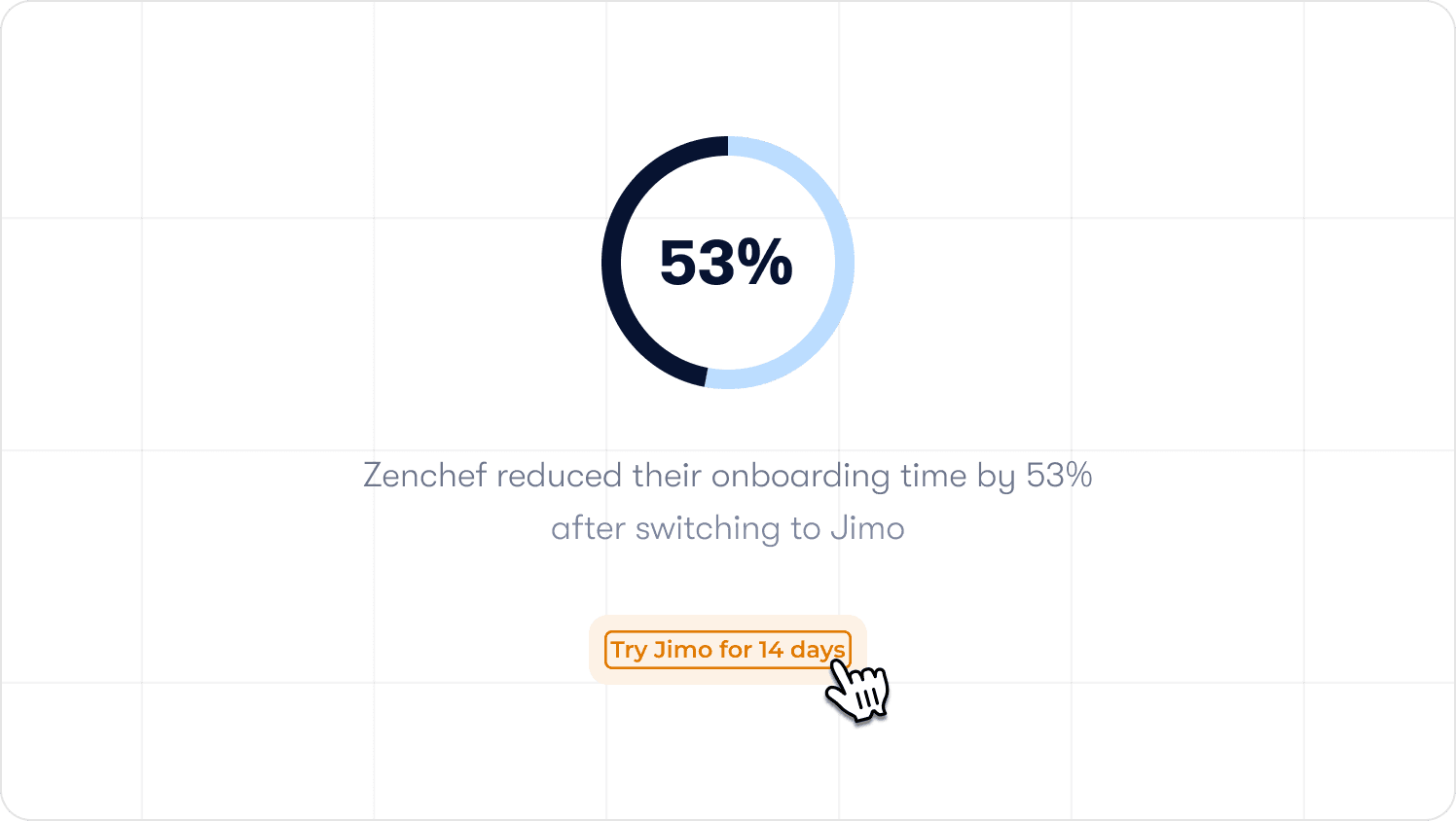
Teams at Zenchef, AB Tasty, and Lemlist deploy onboarding changes in hours rather than sprint cycles. Zenchef reduced their onboarding time by 53% after switching to Jimo, an outcome their team attributes to iteration speed, not initial implementation.
Ready to give your team full ownership of your onboarding system? Try Jimo free for 14 days, no credit card required. Start free
FAQs
We have onboarding flows but no one owns the system. Where do we start?
Start with a single shared activation definition before touching any existing flow. If each PM on your team would give a different answer to "what does activated mean for our product?", that disagreement is costing you more than any individual flow problem. Run cohort analysis on your last 90 days of signups, find the behavioral split between retained and churned users in the first two weeks, and name the action that separates them. Once you have that, every other system-level decision follows: what the checklist steps should be, what the measurement framework reports, and which segments need differentiated paths.
How do we convince engineering to let us own onboarding iteration without them?
Frame it as a capacity argument, not a scope argument. Engineering's cost is not the tooltip content. It's the sprint slot the change consumes. If product ops can own onboarding updates through a no-code DAP, engineers get that slot back for core product work. The conversation shifts from "we need to own this" to "this is a better use of everyone's time." Start with a small proof of concept: ask for one sprint's worth of onboarding iteration ownership, measure the output, and use the result to make the case permanent. AB Tasty made that shift and went from a three-month launch cycle to two weeks, without adding headcount on either side.
Our activation rates vary wildly across segments. How do we diagnose which segment is the problem?
The answer is almost never the flow itself. It's usually one of three things: the activation event is defined differently across segments so you're not measuring the same outcome, the path to activation is genuinely longer for one segment and nobody has audited what's causing the friction, or a product change broke something in that segment's flow and nobody caught it before the next reporting cycle. Start by confirming you're measuring the same activation event for every segment. If you are, pull step-level drop-off data for each segment separately and look for the step where one segment's behavior diverges from the others. That step is where the investigation starts.
When is the right time to invest in a more sophisticated DAP?
When the cost of maintaining your current setup exceeds the cost of replacing it. In practice, that threshold is usually reached when product changes regularly break existing guidance and nobody catches it quickly, adding a new user segment requires building an entirely new flow rather than branching from an existing one, or the team responsible for improving onboarding spends more time managing the system than iterating on it. If your onboarding iteration cadence is slower than one meaningful change per month, that's a strong signal the tooling is the constraint.
We already have a checklist. How do we know if it's driving activation or just getting completed?
Run a cohort comparison: take users who completed the checklist in the last 90 days and compare their 30-day retention rate against users who signed up in the same period and did not complete it. If the difference is smaller than expected, or nonexistent, the checklist is measuring the wrong things. Audit each step against your activation event definition. Any step that doesn't contribute directly to a user reaching that event is either misplaced (it belongs in a post-activation program) or unnecessary.
How many onboarding flows are too many to manage effectively?
The number that matters is not how many flows exist. It's how many of them share a common trunk and how many were built as fully independent sequences. A product with eight segments but a well-designed shared architecture can be managed sustainably. A product with four segments and four completely independent flows will drift out of consistency within a year. The governance test: can one person in product ops update the shared elements of the onboarding system in a single afternoon? If not, the architecture needs work.
What's the fastest way to get stakeholder buy-in for a system-level onboarding overhaul?
Lead with the cost of the current state, not the vision for the future one. Calculate how many engineering hours were spent on onboarding-related tickets last quarter. Count the support tickets that could have been deflected by better in-app guidance. Pull the activation rate variance across segments and put a revenue number on the gap between your worst-performing and best-performing segments. That framing (here is what inconsistent onboarding is costing us right now) is considerably more persuasive to a CPO than a roadmap presentation about what good could look like.